EasyManua.ls Logo

eKey Home - Deleting a User Code

eKey Home
77 pages
Print Icon
To Next Page IconTo Next Page
To Previous Page IconTo Previous Page
Loading...
Usage of the code pad with shortcuts en65
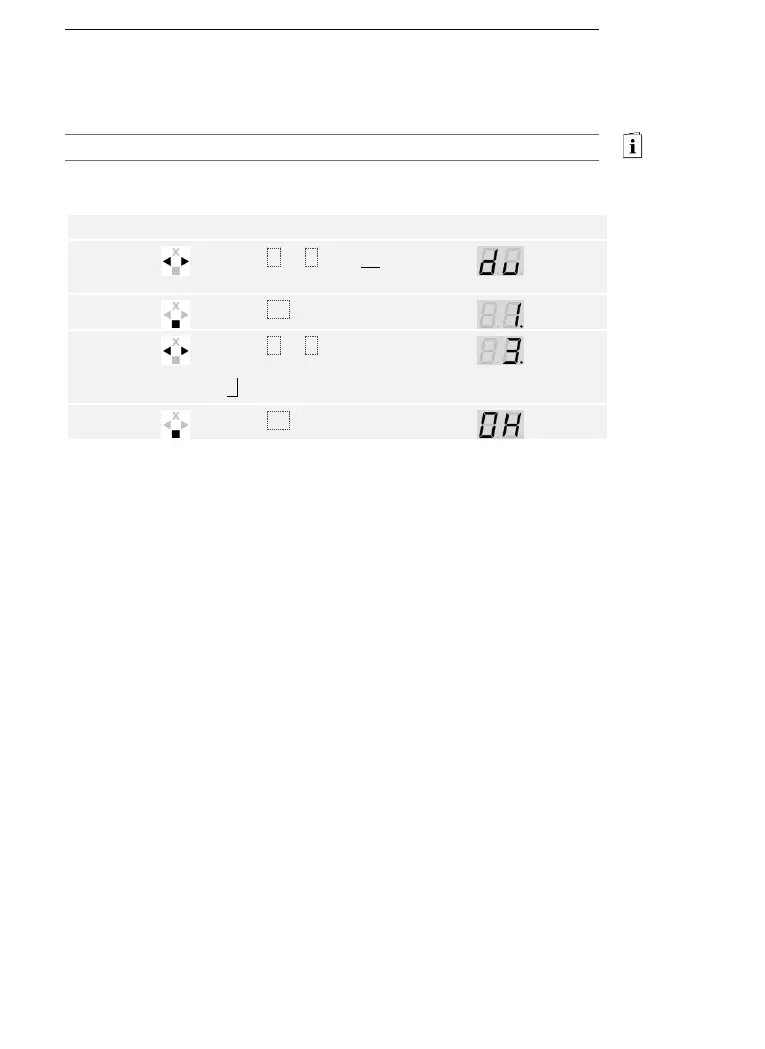
You can only delete individual users. Once you have deleted a user, the
user code saved for this user is also deleted.
Users are deleted via the main menu.
Enter the security code to access the main menu.
See Entering the security code, page 35.
The system displays the main menu.

Step
Action
Description
Display
1st
Press < or > until du
is displayed.
2nd
Press OK.
3rd
Press < or > to select
the user number. E.g.,
3.
4th
Press OK.
The user has been deleted. The system is in normal mode.
Deleting a
user code

Table of Contents

Related product manuals