42│en Usage of the finger scanner with the control panel menu
The system enables a maximum of 198 identification methods to be
stored. These include 99 fingers and 99 RFID transponders for a
maximum of 99 users.
Storing a finger
Storing fingers allows the following actions to be taken:
□ Assigning a storage space to a user
□ Assigning a number to the finger (F1, F2, ..., F9, F0 )
□ Assigning a relay to the finger on the ekey home control panel
wall-mounted 3 and the ekey home control panel integra 2
NOTICE
Important when storing the fingers:
□ Store a minimum of one finger from each hand per door.
□ Create a list of users.
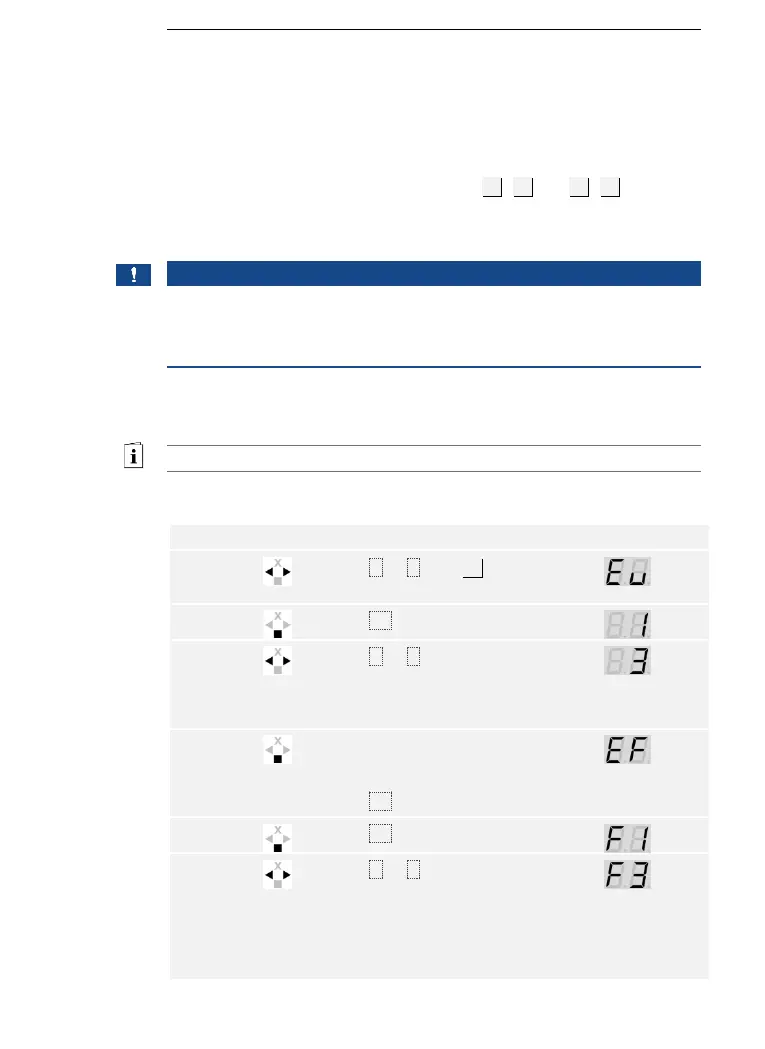
Fingers are stored via the main menu.
Enter the security code to access the main menu.
See Entering the security code, page 35.
The system displays the main menu.
Press < or > to select the
user number. If the user has
already stored a finger, a
point lights up on the right.
Press < or > to select the
finger number. If there is
already a finger stored under
this finger number, a point
lights up on the right. The
finger can be overwritten.



 To Next Page