64│en Usage of the code pad with shortcuts
The primary purpose of the product is to open doors. This can be carried
out using the code pad or even – in the case of the ekey home control
panel integra – using the digital input. The system is in normal mode.
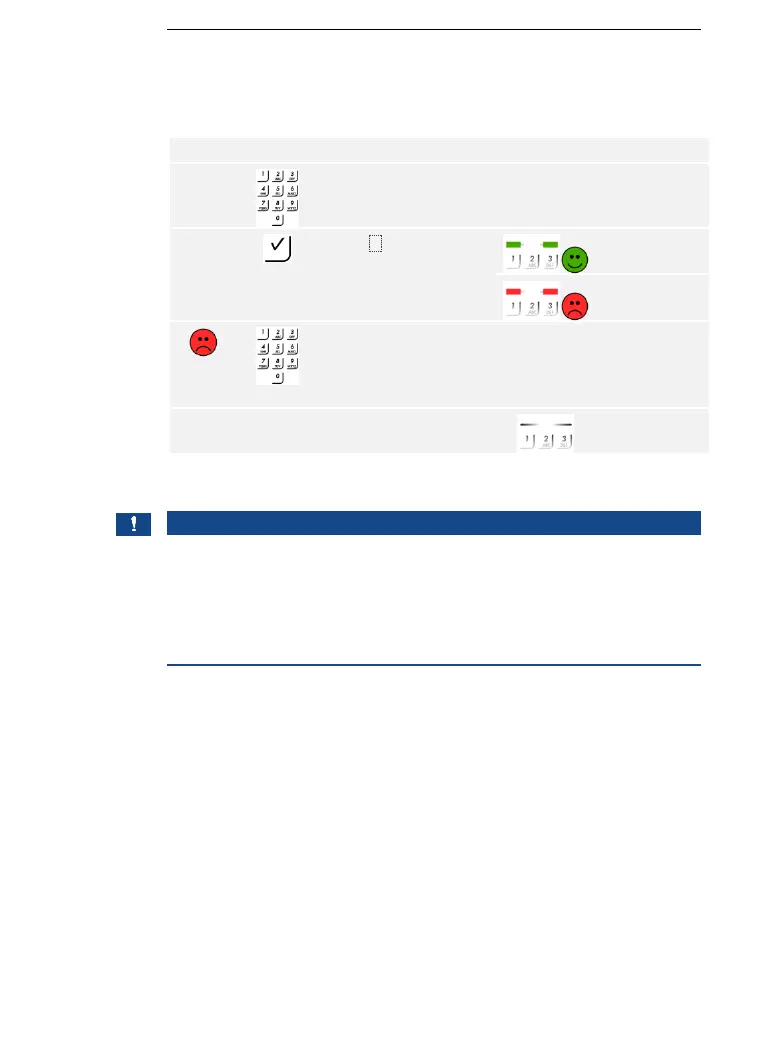
Using the code pad
The system is in normal mode.
NOTICE
Consequences of several incorrect user code entries: If the code is
entered incorrectly three times, there will be a 1-minute lock. If the code
is entered incorrectly another 3 times, there will be a 15-minute lock.
Each additional incorrect entry will result in a further 15-minute lock. You
can unlock the code pad again by entering the admin code twice instead
of the user code.
Using the digital input (request-to-exit button function)
You can also open the door using the request-to-exit button function of
the digital input on the ekey home control panel integra. The relay
switches for the defined relay switch duration. If the digital input is
enabled for longer than the defined relay switch duration, the relay
switches for as long as the digital input is enabled.



 To Next Page