72│en Updating the software
Updating the software
We are working to improve our products and add new functions all the
time. Correspondingly, updates are made available for the registration
unit and control panel software. More information about this can be
obtained from your dealer.
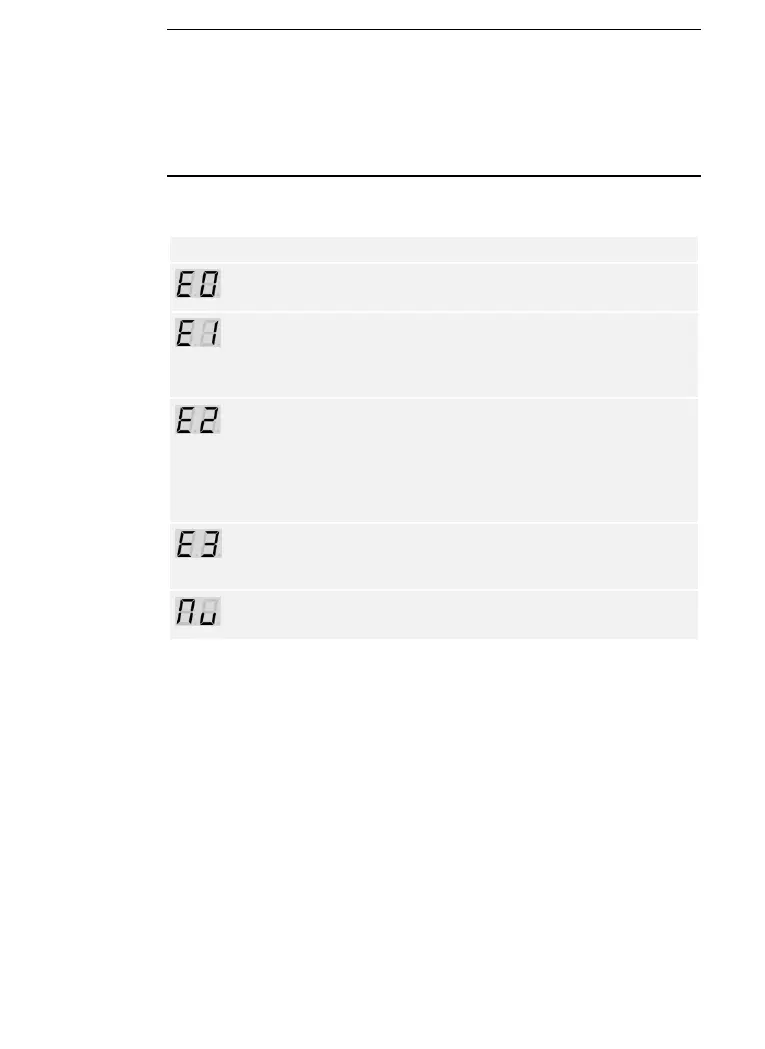
Error displays and troubleshooting
No data connection to the
registration unit.
Check the wiring and the
power supply.
99 fingers, RFID
transponders, or user codes
have already been stored.
The memory is full.
Delete fingers, RFID
transponders, or user codes.
An incorrect security code
has been entered 3 times.
The system is locked for
30 minutes.
After 30 minutes, enter the
correct security code. The 30-
minute lock will only count
down if the power supply and
data connection are present
throughout.
Incorrect device coupling
Perform the coupling process
again. One of the devices has
been tampered with.
The control panel requires a
firmware update.
If these remedies do not solve the problem, contact your dealer. If the
system has to be returned to ekey biometric systems GmbH, ensure that
it is correctly packaged. Improper packaging can lead to the warranty
being voided.



 To Next Page