70│en Resetting the system to default settings
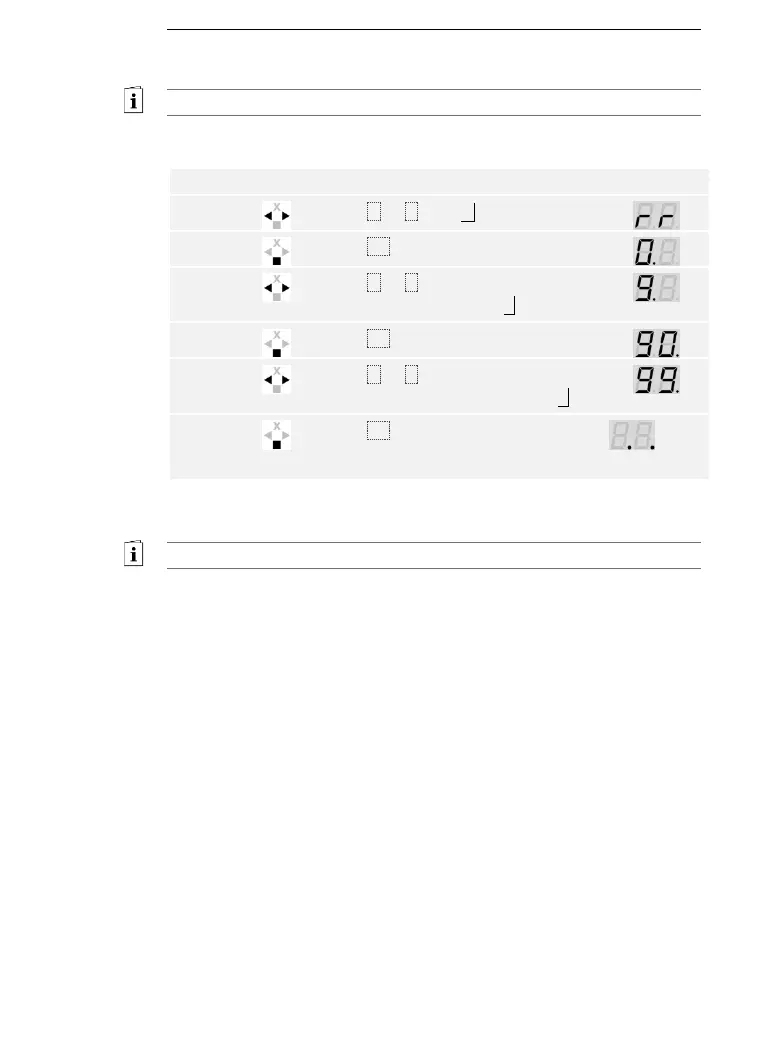
Settings are reset to the default via the main menu.
Enter the security code to access the main menu.
See Entering the security code, page 35.
The system displays the main menu.
Press < or > until rr is displayed.
Press < or > to select the first digit of
your security code. E.g., 9 .
Press < or > to select the second
digit of your security code. E.g., 9 .
The system has been reset to its default settings. You can now
recommission the system.
See step 3 of Commissioning the system, page 19.



 To Next Page