EasyManua.ls Logo

eKey Home - Finger Scanner

eKey Home
77 pages
Print Icon
To Next Page IconTo Next Page
To Previous Page IconTo Previous Page
Loading...
Error displays and troubleshooting en73
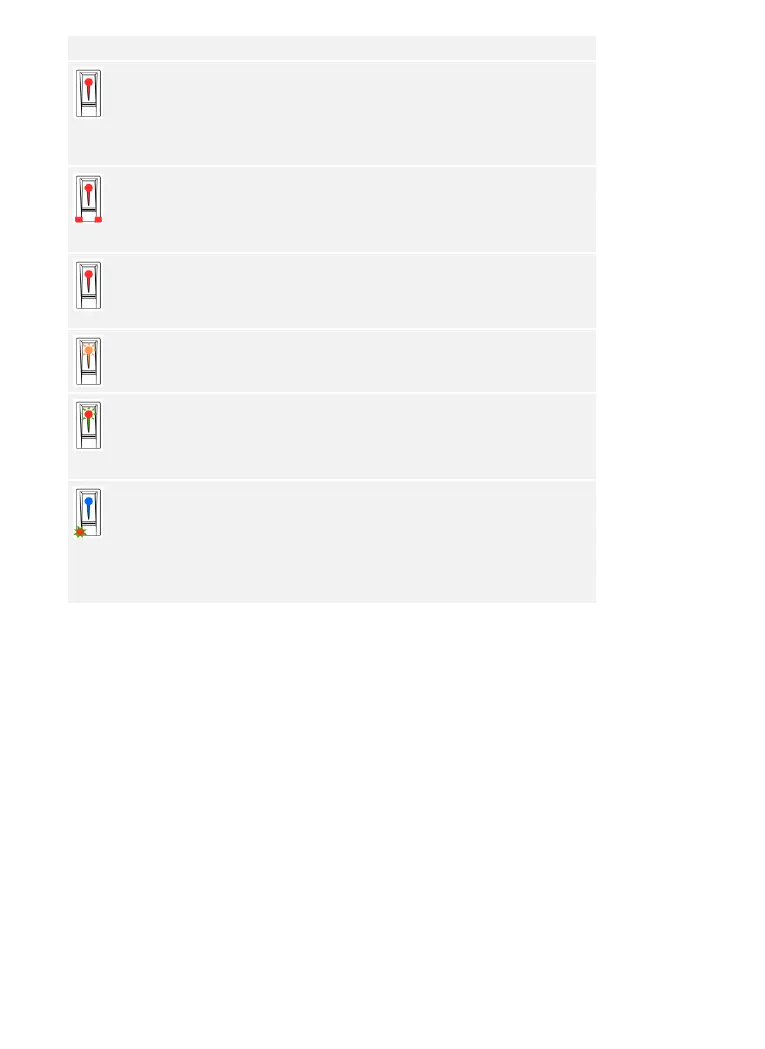
Display
Meaning
Remedy
The status
LED lights
up red.
The finger or RFID
transponder was not
recognized.
Swipe the finger over the
sensor again.
Check that your RFID
transponder is the valid
one.
All LEDs
light up red
for 1
minute.
System lock. You used an
unrecognized
identification method 10
times in a row.
Wait for 1 minute. The
system is then in normal
mode.
The status
LED lights
up red
immediately.
No fingers or RFID
transponders are stored.
Store a minimum of one
finger or RFID
transponder.
The status
LED flashes
orange.
No bus connection to the
control panel.
Check the wiring or
commission the device.
The status
LED flashes
red/green.
The sensor of the finger
scanner without RFID
function is soiled or
broken.
Clean and/or dry the
sensor.
The status
LED lights
up blue, the
left-hand
function LED
flashes
red/green.
The sensor of the finger
scanner with RFID
function is soiled or
broken, but the RFID
function still works.
Clean and/or dry the
sensor.
If these remedies do not solve the problem, contact your dealer. If the
system has to be returned to ekey biometric systems GmbH, ensure that
it is correctly packaged. Improper packaging can lead to the warranty
being voided.
Finger scanner

Table of Contents

Related product manuals