Commissioning en│21
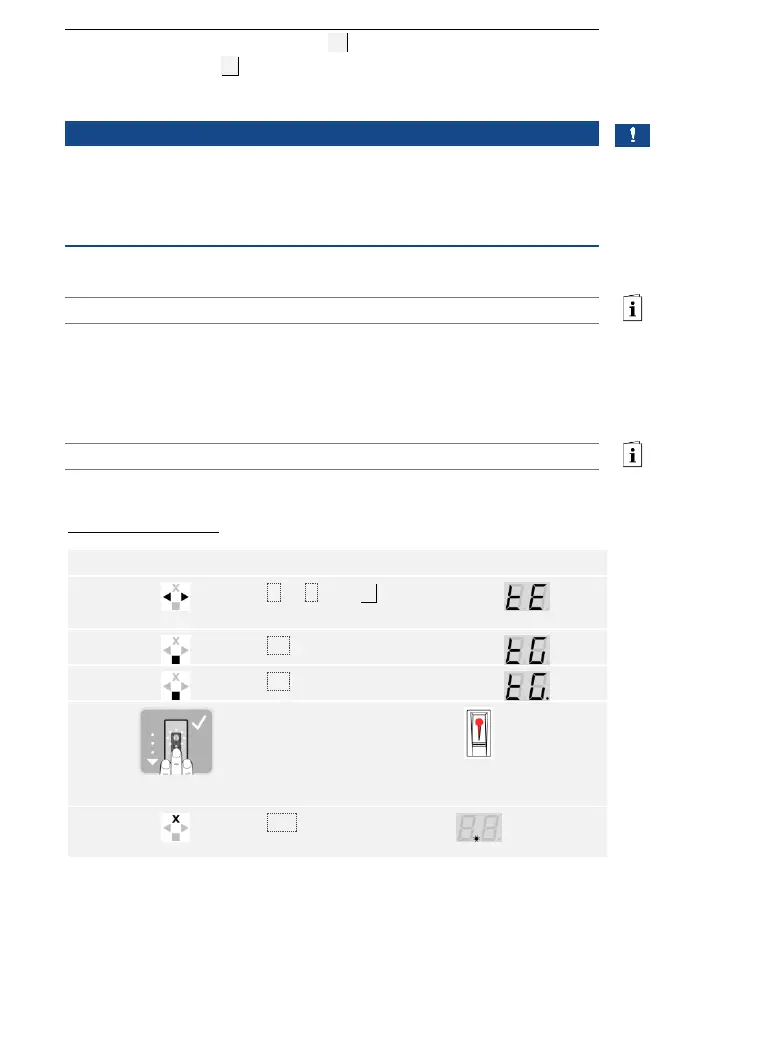
Test mode tests the overall system (tG ) and the lock after it has been
installed in the door (tS). It switches the relay(s) on and off and checks
the electrical connections to the motorized lock.
NOTICE
Performing test mode: You can only perform test mode under the
following conditions:
□ You have commissioned the system
□ You have not yet coupled a mobile device
See Commissioning the system, page 19.
Testing the overall system
The test of the overall system is performed via the main menu.
Enter the security code to access the main menu.
See Entering the security code, page 35.
The system displays the main menu.
With a finger scanner
Swipe any finger over the
sensor. All of the relays switch
one after another for the
defined relay switching
duration (default setting: 3 s).



 To Next Page