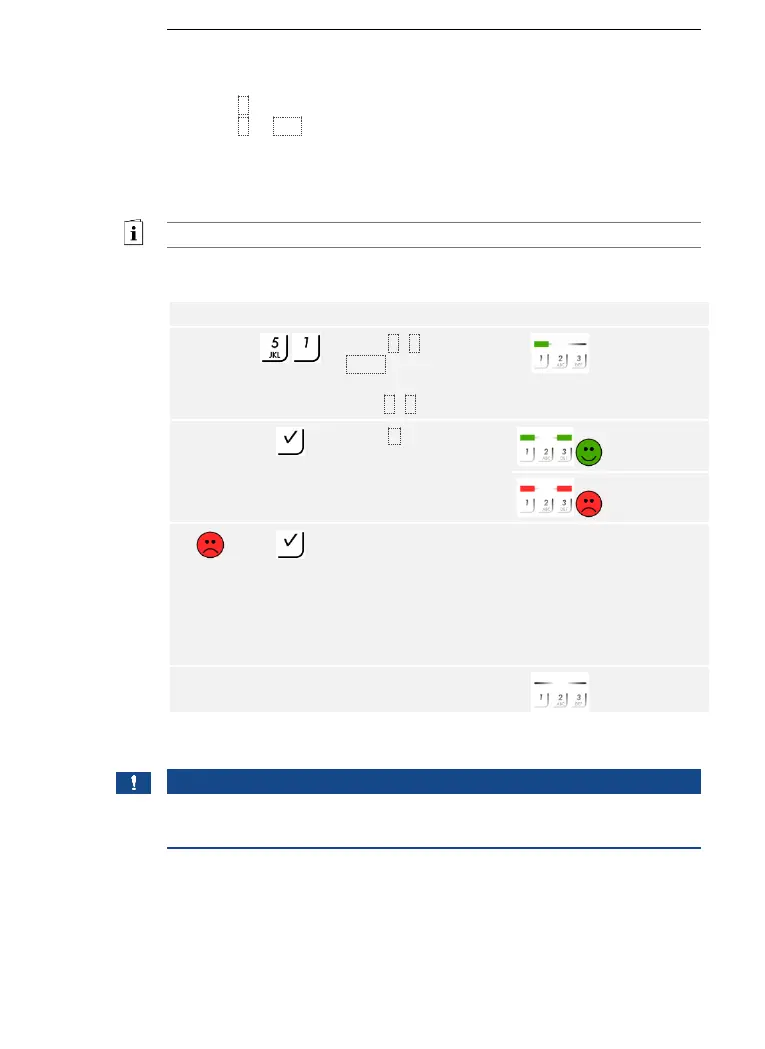
58│en Usage of the code pad with shortcuts
The brightness threshold for switching on the automatic back-illumination
can be set using percentage values. By default, the brightness threshold
is set to 10%. Enter the required percentage value:
□ 0 = automatic back-illumination off
□ 1 to 100 = brightness threshold settings between highly
insensitive and highly sensitive.
The automatic back-illumination is set via the Admin menu.
Enter the admin code to access the Admin menu.
See Entering the admin code, page 54.
The system is in the Admin menu.
The automatic back-illumination was set. The system is in normal mode.
NOTICE
Gradual approach: Alter the setting gradually to approach the required
brightness threshold. The system responds very sensitively.



 To Next Page