66│en Usage of the code pad with shortcuts
Demo mode makes it possible to attract the attention of visitors to trade
fairs and in exhibition halls: The code pad LEDs light up and flash, the
control panel display switches constantly, and the relays switch.
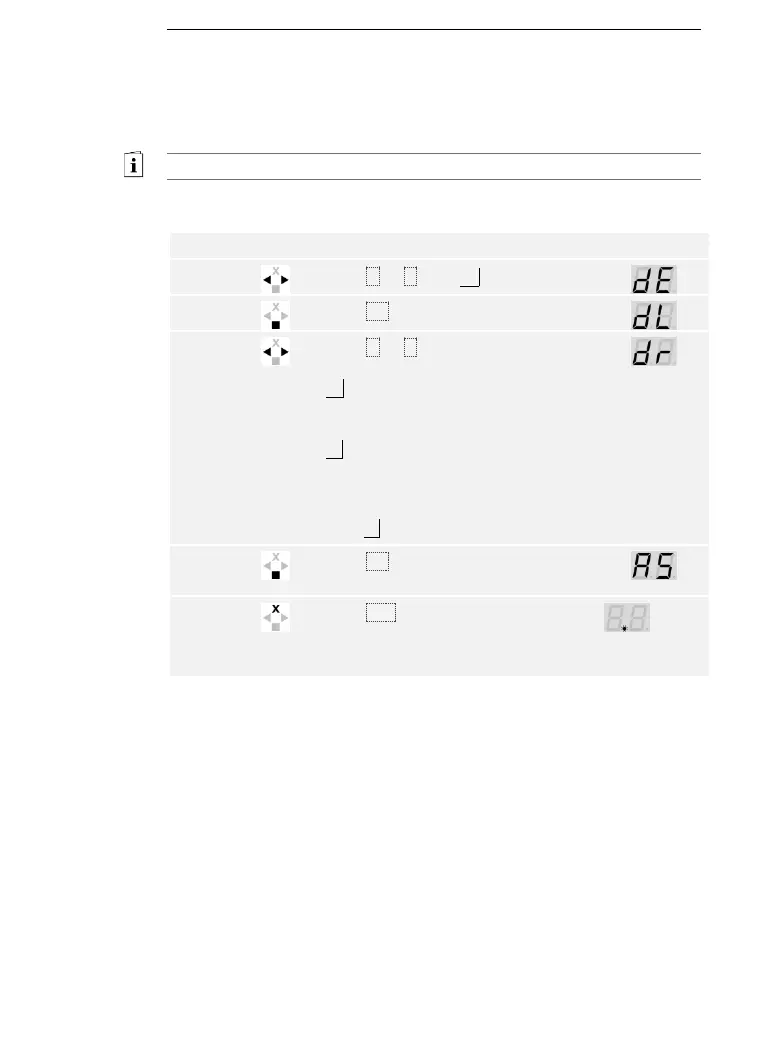
Demo mode is executed via the control panel main menu.
Enter the security code to access the main menu.
See Entering the security code, page 35.
The system displays the main menu.
Press < or > until dE is displayed.
Press < or > to select the desired
demo variant:
dL = demo LEDs – the LEDs light up
and flash, and the control panel
display switches constantly
dr = demo relays – the LEDs light up
and flash, the control panel display
switches constantly, and the relays
switch.
E.g., dr.
Press OK. The selected demo variant
starts.
Press ESC twice to terminate demo
mode and return to the main menu.
1
point
flashes
on the
left.
Demo mode has been executed. The system displays the main menu.



 To Next Page