Installation Control Unit IV Reference Manual
2-2 529-0004 Ver.3
2.3 Mounting the unit
For best RF performance and for maximum protection against the risk of electric shock, we
strongly recommend that you mount the Control Unit in a properly grounded rack.
2.3.1 Hardware requirements
• standard 19-inch wide EIA equipment rack with one free space (two spaces are required
if you are also installing a backup unit)
• four sets of ¾-inch 10-32 screws, plastic cup washers and clip nuts (supplied with the
Control Unit)
• Phillips head screwdriver
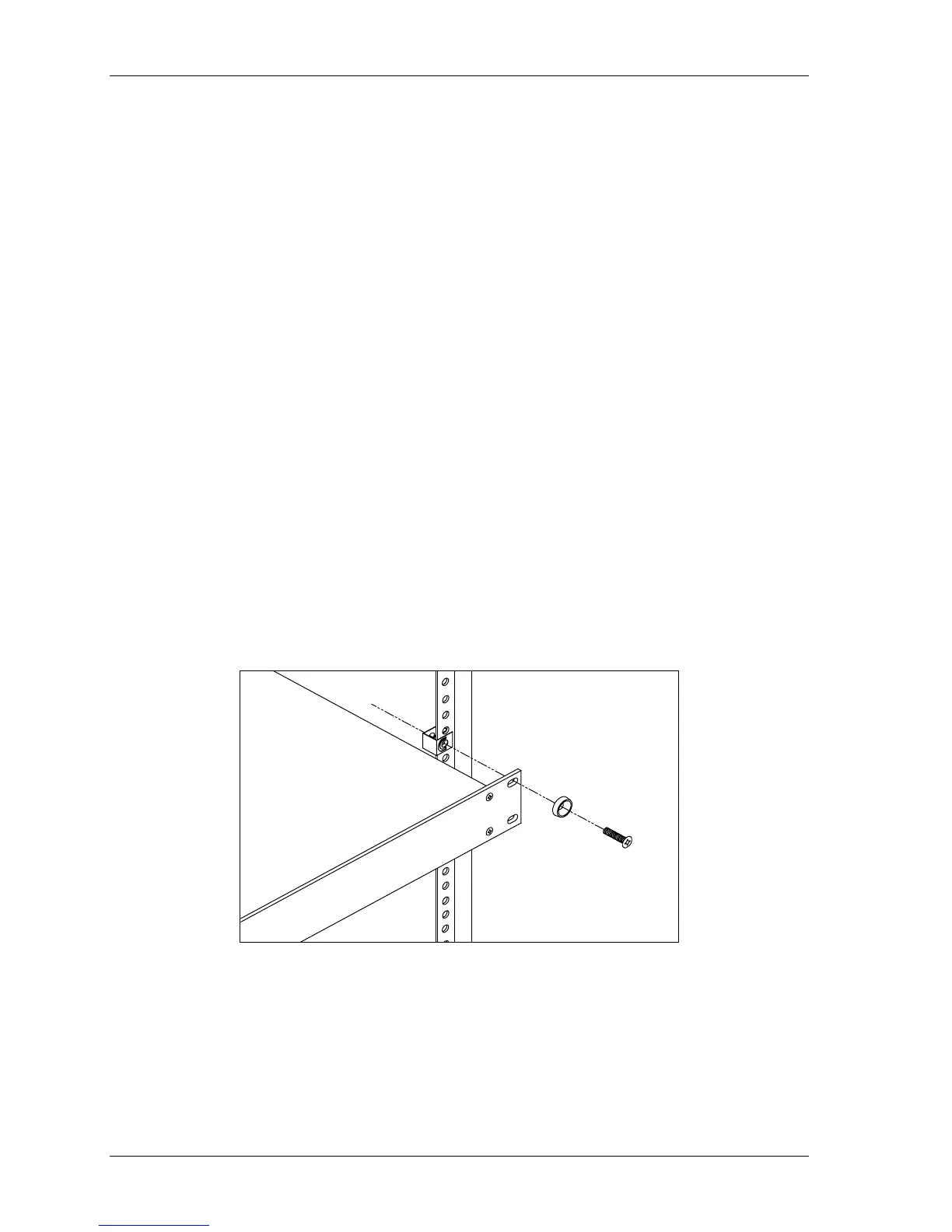
2.3.2 Mounting the unit in a rack
1. Place a clip nut on each hole on the rack.
2. Put a plastic cup washer on each screw.
3. Insert the Control Unit in a free space in the rack.
4. Align the four ¼-inch mounting holes on the Control Unit’s front panel over the rack’s
holes (you may require the assistance of another person to hold the Control Unit in
place).
5. Secure the unit to the rack by inserting a screw with a plastic cup washer into each hole
on the front panel of the unit and then hand-tighten each screw.
6. Tighten each screw with a Phillips head screwdriver.
Figure 2-1: Installation of the unit in an equipment rack



 To Next Page