Control Unit IV Reference Manual Maintenance
529-0004 Ver.3 5-7
5.3.2 Uploading subscriber statuses
The upload function is used with the download function to save and restore the Control
Unit’s memory rapidly. The
upload
command prepares the Control Unit to receive an
S-format data file sent by the host computer. If the unit does not receive a file in 30 seconds,
it will display an error message and revert to its normal state (waiting for a command).
To avoid any transfer errors, you should use hardware flow control (CTS-RTS) and set the
delay between lines at “0”. However, you could use no flow control, but only if you insert
a minimum delay of 100 ms between lines.
In order to use the
upload
command, you must establish a session on one of the Control
Unit’s COM ports (e.g. COM 3). While the command is running, all communication on the
other ports (e.g. COM 1, COM 2) will be blocked. If you are using COM 3, you cannot
change its communication port settings. You must use the minimum delay of 100 ms
between lines and cannot use flow control.
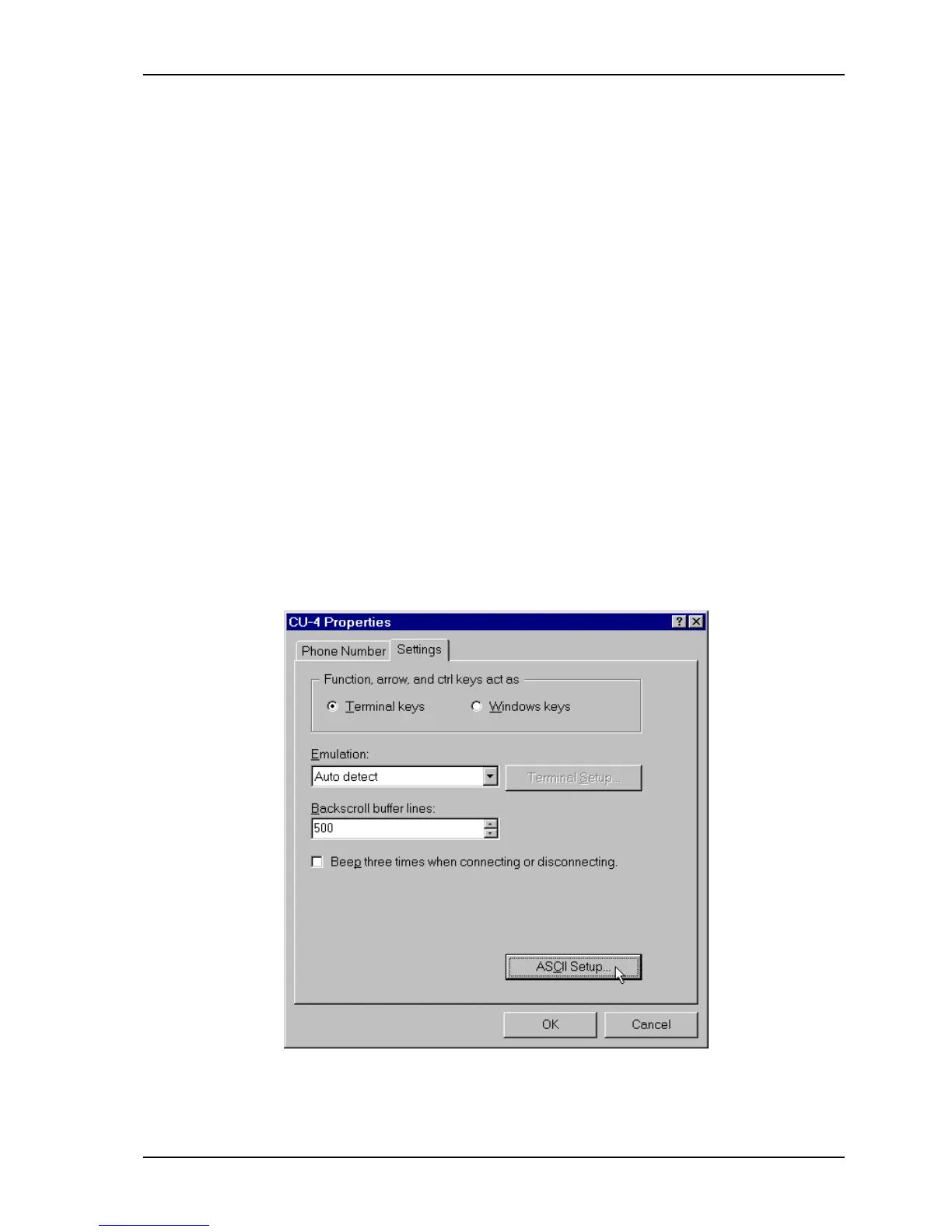
Inserting a line delay
To insert a delay between each line using HyperTerminal:
1. Run the HyperTerminal program.
2. In the File menu, select Properties.
3. When the Control Unit’s properties window appears, select the Settings tab and click
ASCII SETUP
.



 To Next Page