Control Unit IV Reference Manual
529-0004 Ver.3 5-1
5. MAINTENANCE
This chapter provides basic procedures for minor hardware maintenance, firmware upgrades,
data uploads and downloads, and verifying the Control Unit’s setup. There are five main
sections:
1. hardware maintenance
2. expansion slots
3. subscriber status transfers
4. firmware upgrades
5. system verifications
5.1 Hardware maintenance
5.1.1 Replacing the fuse
The power supply includes a main fuse and a spare fuse. The fuse protects the power supply
from power surges. The spare fuse is located in a small compartment in the fuse holder. The
fuse must be a 250V/2.5A fast blow fuse (type F), measuring 5 x 20 mm.
To replace a blown fuse in the Control Unit:
1. Turn off the Control Unit by pressing the on/off switch next to the power input.
2. Unplug the power cord from the Control Unit’s power input.
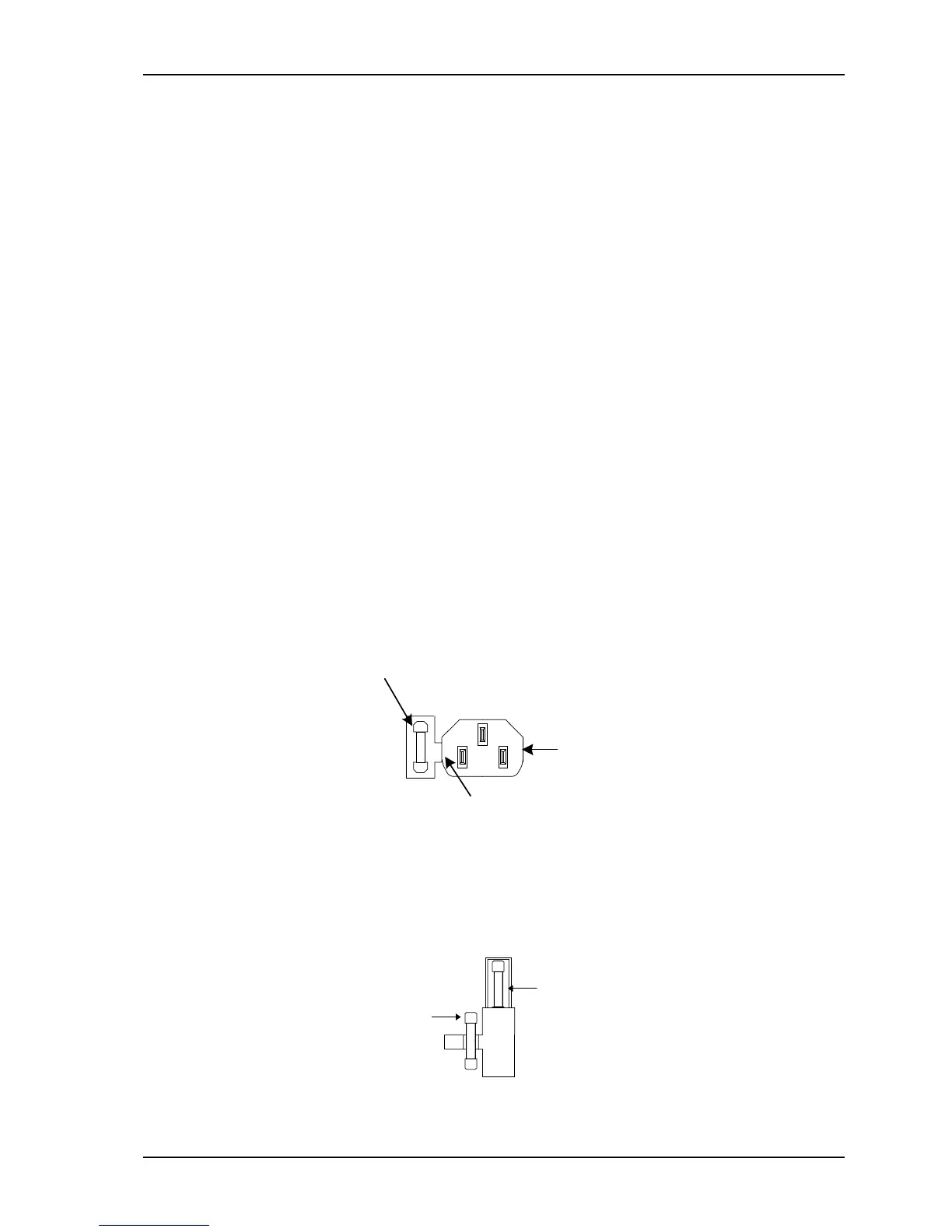
3. Insert a flat head screwdriver in the slot located on the left side of the power input (see
Figure 5-1). Angle the screwdriver to the left and pry out the fuse holder.
Fuse holder
Power input
Slot for removing
the fuse holder
Figure 5-1: Fuse holder removal
4. Remove the blown fuse from the main fuse holder.
5. Using the screwdriver, gently push one end of the spare fuse holder until it slides out
completely (see Figure 5-2).
Main fuse
pare fuse
Figure 5-2: Spare fuse holder



 To Next Page