Maintenance Control Unit IV Reference Manual
5-16 529-0004 Ver.3
5.7 Changing the modulator or demodulator frequency
This section only applies to Control Units with a frequency-agile single FSK modulator and
demodulator (see rear panel labels). Usually the Control Unit’s frequency is preprogrammed
in the factory according to customer specifications. However, the frequency of the Control
Unit’s modulator and demodulator can be reprogrammed if needed. This section provides
programming requirements as well as instructions on how to connect the Workabout for
programming. Refer to the Electroline Addressable System Programmer/Monitor for the
Workabout (EAS-PMW) User Guide for more detailed programming instructions for single
FSK modulators and demodulators.
5.7.1 Requirements
To program the frequency of a Control Unit using a single FSK carrier, you need:
• a Workabout with version 2.10 or later of the EAS-PMW program
• an EAS-PAW protocol adapter cable (#WKB-PAW)
• a DB-9 programming adapter for modulators and demodulators (#WKB-PAC7)
5.7.2 Connecting the Workabout
To connect the Workabout:
1. Connect the protocol adapter’s 8-pin plug labeled EAS-PAW to the TTL port on the
Workabout.
2. Connect the protocol adapter’s free plug to the female DB-9 adapter (#WKB-PAC7).
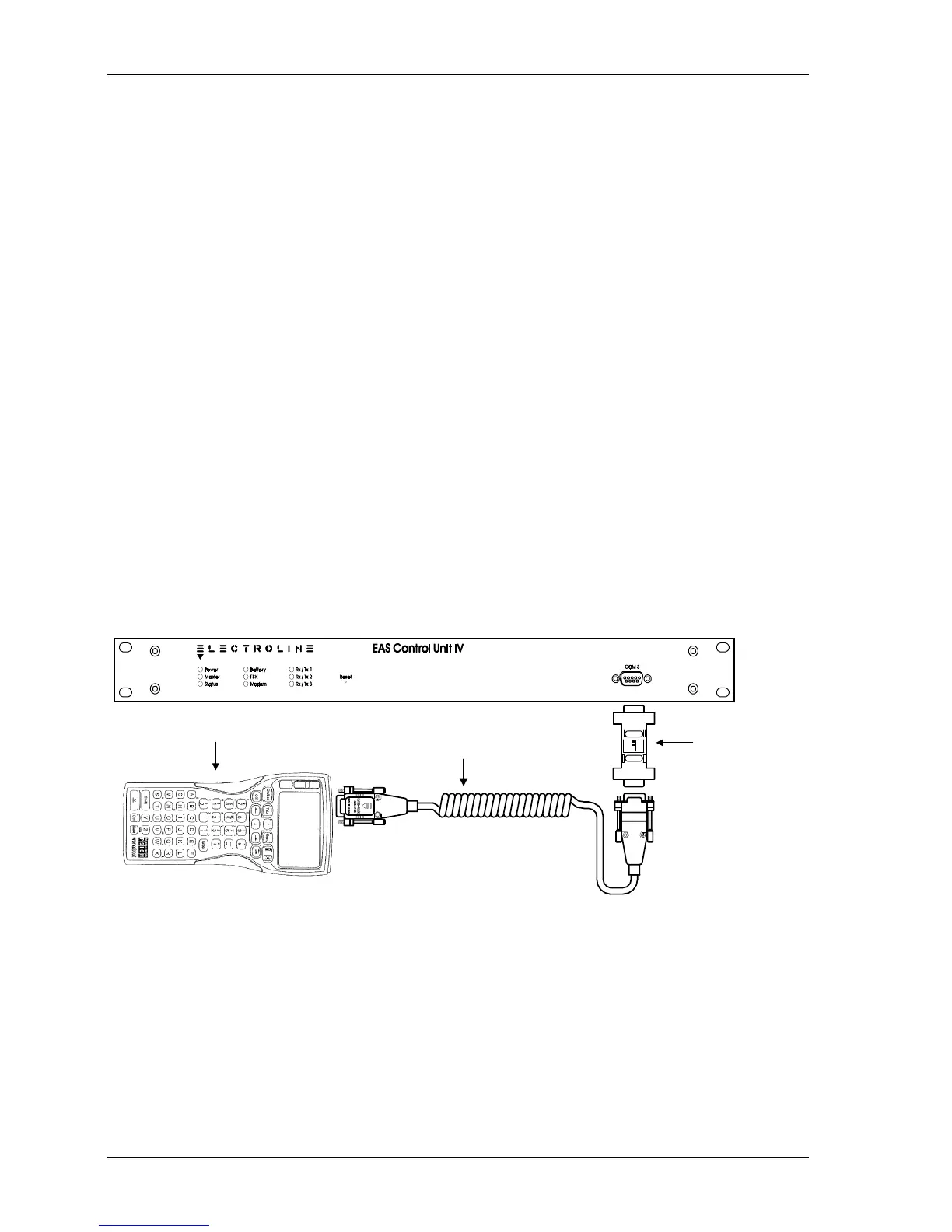
3. Plug the adapter’s male connector into the Control Unit’s COM 3 port. See Figure 5-5.
DEMOD5
MOD5
Workabout
EAS-PAW
protocol adapter
(WKB-PAW)
DB-9 programming
adapter (#WKB-PAC7)
Figure 5-5: Connection for programming



 To Next Page