Maintenance Control Unit IV Reference Manual
5-12 529-0004 Ver.3
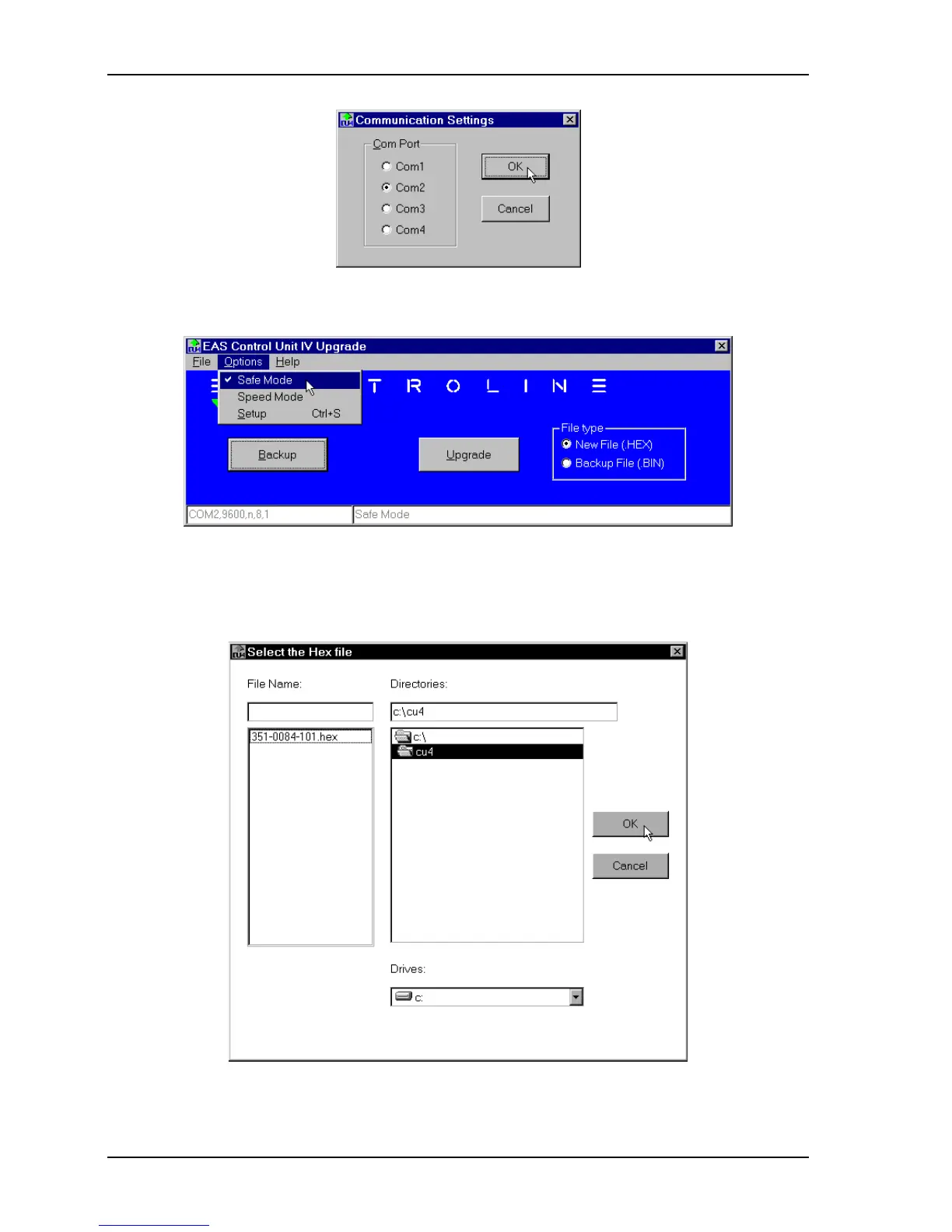
4. The main window reappears. In the Options menu, select Safe Mode. A checkmark will
appear next to this option when you are in safe mode.
5. In the File type box, click the radio button for the New File (.HEX) option. This file
contains the firmware.
6. Click the
UPGRADE
button. This opens the window for selecting the .HEX file.



 To Next Page