Technical Support - MDM
20/104
599 77 39-16 Rev. 00
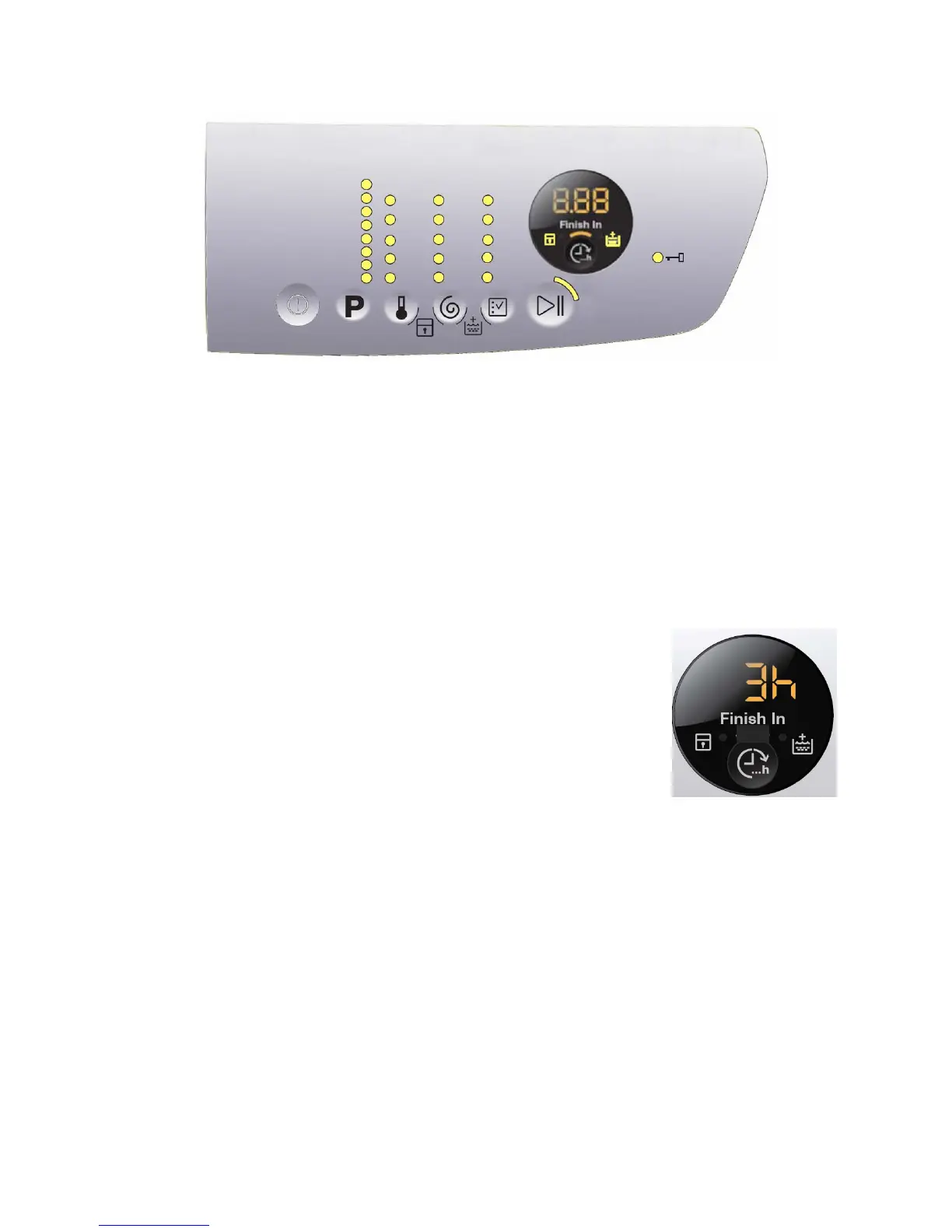
4.3.2 Control panel configuration
All the functions of button P1 and of sensors S1 to S5 are the same as those described for styling P6 (see page 12).
4.3.2.1 Programme configuration
(See page 12.)
4.3.2.2 Buttons – Sensors – LEDs
All the functions: of button P1, of sensors S1 to S5 are the same as those described for styling P6 (see page 13).
Sensor no.6: THE CYCLE FINISHES IN (Finish In)
This sensor allows the end user to programme in how many hours’ time the
washing cycle will finish.
In detail, the cycle start can be delayed so as to have the cycle end at the desired time.
You can select from a minimum of 3 hours to a maximum of 20 hours.
The first time you press the sensor, the display indicates 3 hours and the related
LED (26) lights up to indicate the option is enabled. The next time you press it,
the time increases by 1 hour, up to a total of 10 hours. The increase is of 2 hours
every time you press the button for the range between 10 and 20 hours.
If the display indicates 20 hours, the next time you press the sensor, “Finish In”
will be disabled and the washing cycle time will be displayed and the LED (26)
will switch off.
For a quicker selection, hold your finger down on the sensor for longer.
Setting an option after selecting “Finish In”
“Finish In” must be enabled after an option has been selected (if necessary) and before you start the cycle. If
the end user, after setting “Finish In”, modifies the programme settings, “Finish In” will be disabled, the LED (26)
will flash once and the display will once again indicate the washing cycle time.
“Finish In” after touching the START sensor
Once you have selected the programme and the option (if necessary) and set “Finish In”, the washing cycle
starts when you touch the START sensor; the appliance door is locked and the countdown begins, and is
indicated on the display at one-hour intervals until the start of the washing cycle. Once the “Finish In” time is up,
the display indicates the amount of time necessary to perform the washing cycle, starting the countdown of the
cycle with one-minute intervals, until the end of the cycle.
If the appliance is paused during the countdown of the “Finish In” option to change the option and including “Finish
In”, the delay time is deleted and “Finish In” is disabled; touch the sensor and the display will indicate “error”.
S6





 To Next Page