Technical Support - MDM
70/104
599 77 39-16 Rev. 00
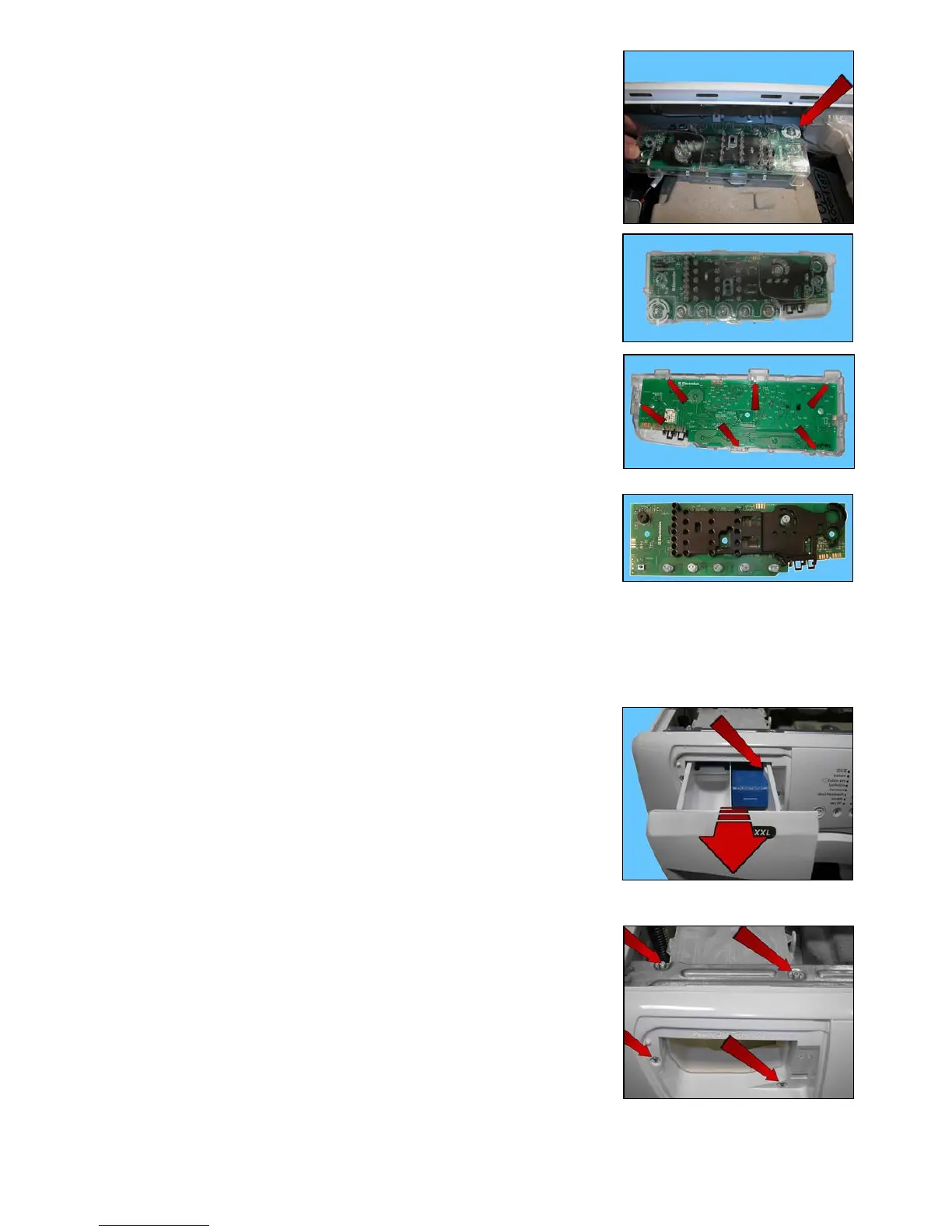
Make sure the ON/OFF button spring (shown by the arrow) does not fall
into the appliance.
Display board assembly.
To remove the display board from its protection, pull it out of the hooks
shown by the arrows in the figure.
Display board.
14.2.4 Control panel
Remove the worktop (see relevant paragraph).
Take out the detergent dispenser while at the same time pressing on its sides
to pull it out (otherwise pull sharply).
Unfasten the two screws securing it to the control panel (1).
Unfasten the two screws securing it to the crosspiece (2).
When reassembling, repeat these steps in the reverse order.
Tighten the screws that secure it to the control panel at a torque of 2.5 Nm.
Move the detergent dispenser towards the inside of the appliance.
1
1
2
2




 To Next Page