Technical Support - MDM
69/104
599 77 39-16 Rev. 00
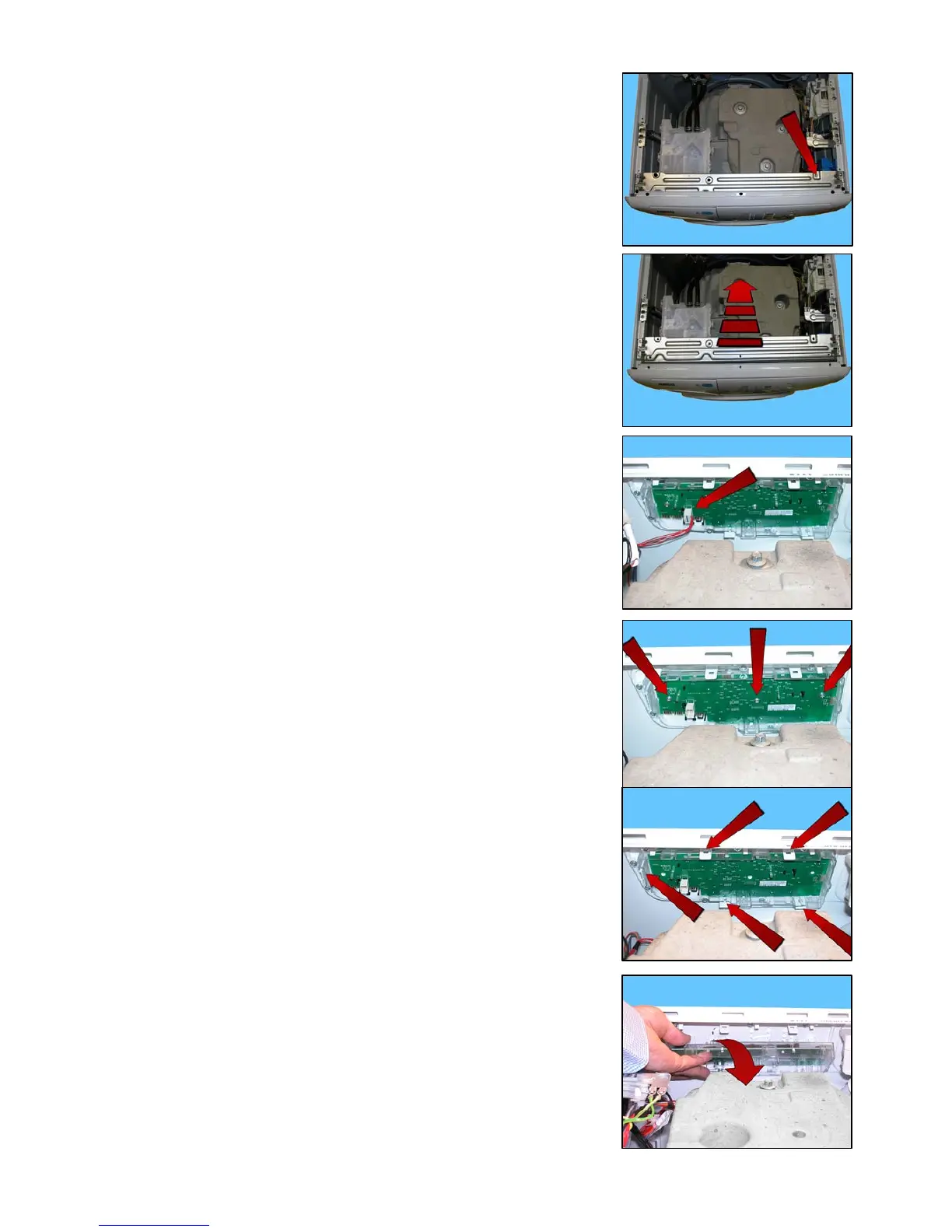
Remove the clamp that secures the wiring.
Remove the crosspiece.
Disconnect the connector.
Using a small cross-head screwdriver, loosen the three screws (shown
by the arrows) securing the display board assembly to the control panel.
Delicately release the hooks which secure the display board to the control
panel, taking care not to break them.
Start with the top ones and work anti-clockwise, continuing with the side one
and lastly the bottom ones.
Turn the display board assembly and remove it.




 To Next Page