TRANSIENT3000
113/162
8.4.3 System Reset (Software)
A system reset can be performed in 4 different ways:
1.
Reset with standby button, without deleting the stored test set-ups
- Press the standby button OFF and ON on the front panel
- The internal PC will be deactivated and activated
- The start up can take approx 15 s.
- When after 15 s the generator start up has not finished go to point 2
2.
Reset via power button on the rear side of the TRA3000
- Turn OFF and ON the power button on the rear side
- Press the standby button on the front panel
3.
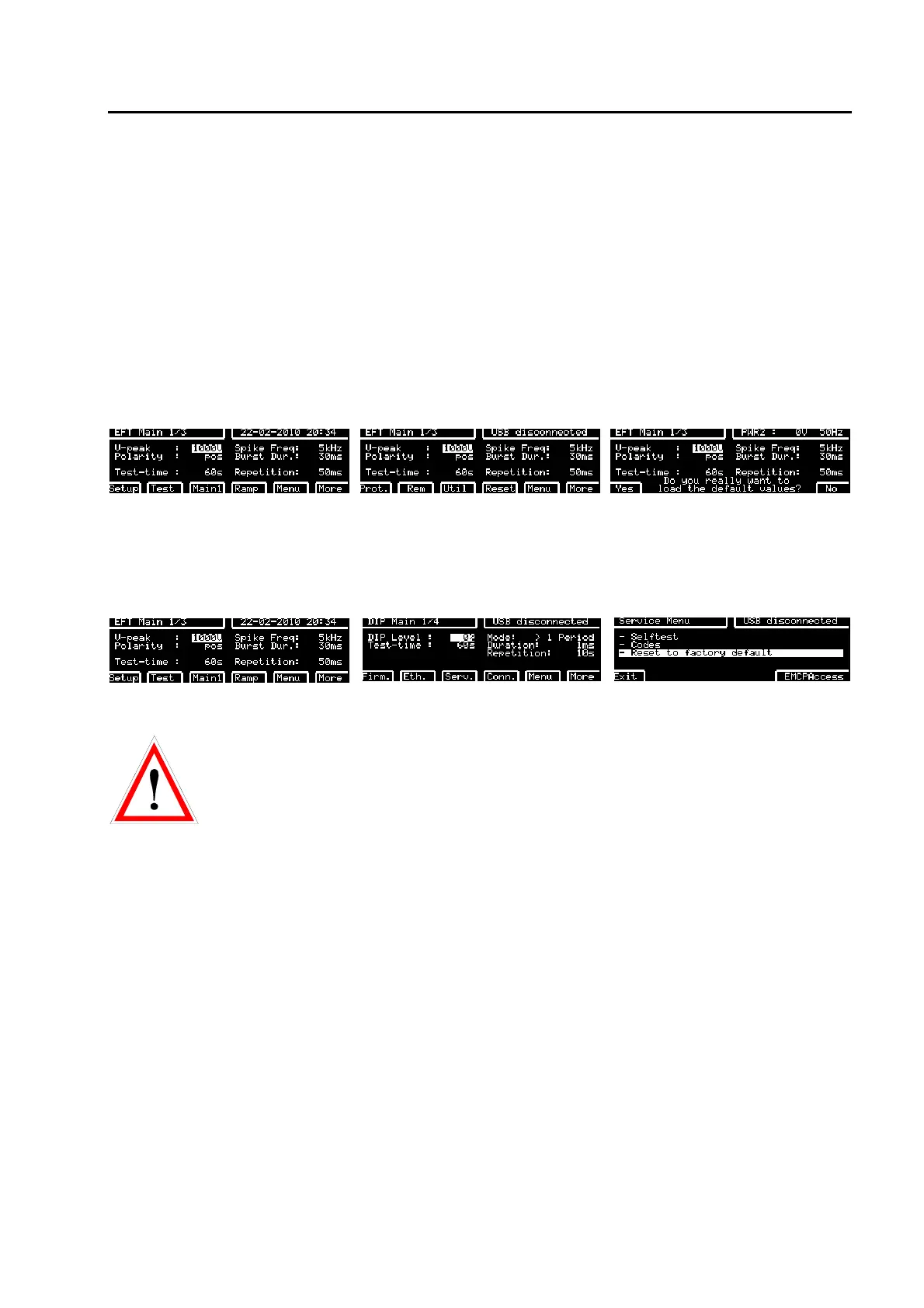
Parameter Reset with keyboard button
display when "Main" has been
pressed
display after pressing twice Menu after pressing "RESET" button
By pressing “YES” all test parameters and stored settings will be changed to default.
4. Full factory reset.
display when "Main" has been
pressed
display after pressing Menu three
times
after pressing F3 "Serv" button
ATTENTION!
A factory reset will DELETE ALL STORED TEST, SEQUENCE AND PROTOCOL
DATA IN TRA3000-F-S-D-V.
All test parameters and stored user settings will be changed to default.
Putting out of operation
Whenever the TRA3000 F-S-D-V-C is not needed remove the power cord.
Reasons for putting the TRANSIENT out of operation:
- Install EXT-TRA3000 pcb
- Maintenance work
- Service, repair
- Calibration at EMC PARTNER
- Shipment for outdoor tests
The TRA3000 F-S-D-V-C is a laboratory test equipment. When the tester is not used, store it in a dry, clean
dark place.



 To Next Page