E-TRA3000 F-S-D-V-C_E-Manual 41/162
4 Control Panel
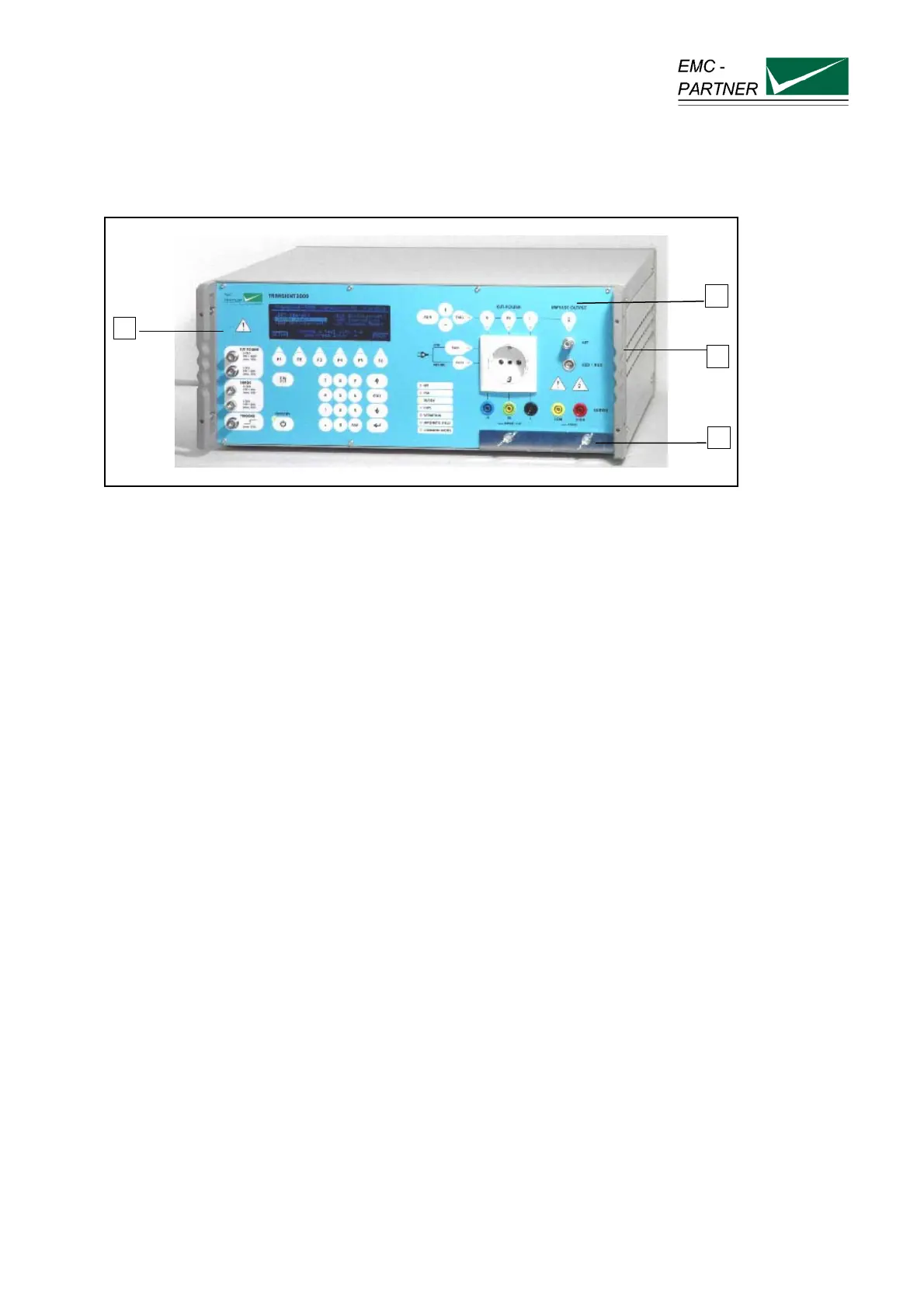
4.1 Front panel of the TRA3000 F-S-D-V-C
fig.4.1
The most important elements of the front panel are:
1. Control panel
2. Operation panel
3. Handles or angle bracket for the 19“ rack
4. Large surface earth connection
The controls on the front and rear panels are protected by the angle bracket (3).
For indications, the follow colours are generally used:
green
Power on
read
EMC Tests active
yellow
General signals
4.1.1 Control part
Control of the TRA3000 F-S-D-V-C is carried out by internal computer. The computer controls the EMC
tests, stores the inputs of the numeric input terminal, updates the display, checks whether the inputs of the
operators are valid values or not, stores the program and prepares test reports. The operator
communicates with the TRA3000 F-S-D-V-C via the numeric input terminal, the display and the soft keys.
For better understanding, the control panel elements will be explained separately from the connection
panel.
2
4
1
3



 To Next Page