TRANSIENT3000
68/162
6.2 Editing test parameters
In addition to the installed test 1 to 15 of EMC PARTNER AG, you can also write your own test. In the
following sections, the menu which you need to define your own test will be described.
The sequence of the menu presentation corresponds with the soft key button:
Test, Main, Ramp, Menu.
The installed tests can be edited or deleted.
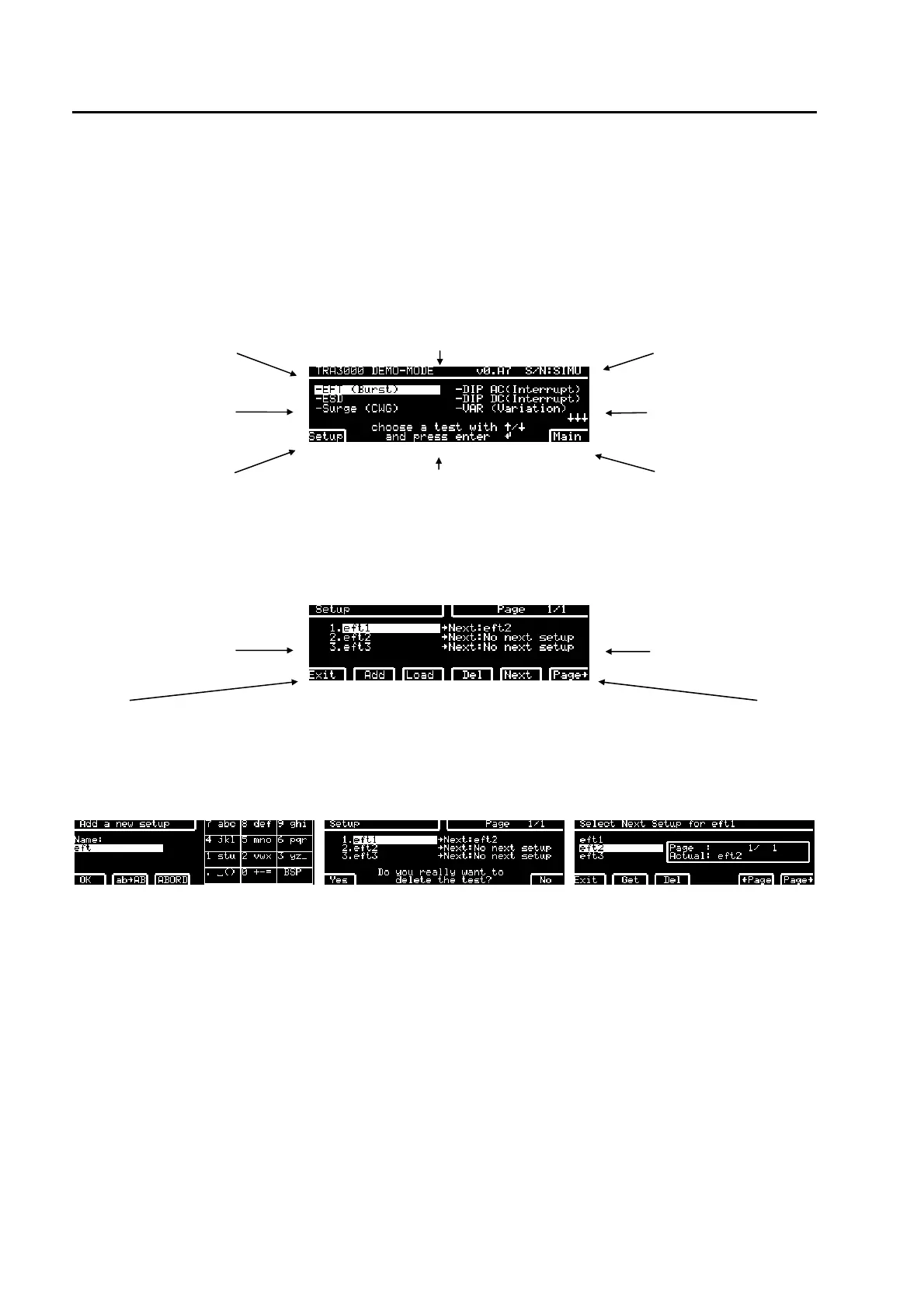
6.2.1 Overview of programmable test with the TRA3000 F-S-D-V-C
type of equipment Software version serial number
selectable tests
selectable tests
programmed test in a
Setup
dialogue lines gives hints for to the actual display.
Different languages can be chosen.
main parameter of the
selected test e.g. EFT
Press F1 SETUP the display changes as follow:
one Setup consist of up to 200 tests
tests in one "Setup"
tests in one "Setup
back to
programmed
tests
adds a new test Loads the setup
into the
generator
deletes the
marked test
(white cursor)
Tests can be
linked together l
With soft key F6
"More" the test
can be made
visible.
display when "Add" and “Edit” has
been pressed.
display when "Del" has been
pressed.
after pressing "Next" the test
highlighted with the white cursor
ask will be linked.
Test name could be written with the GENES windows above of with the keyboard of the PC.See chapter
GENECS software.
On the next few pages the possible tests of the TRA3000 F-S-D-V-C are summarised. Some of the EMC
test can only be carried out when the accessories are available.



 To Next Page