E-TRA3000 F-S-D-V-C_E-Manual 63/162
6 Testing with the TRA3000 F-S-D-V-C
6.1 Quick start of the TRA3000 F-S-D-V-C
Only when Chapter 2 „Safety“ and Chapter 5 „Preparation for operation“ and all instructions have been
followed can TRA3000 be operated. A quick start includes the most important tests using the TRA3000 F-
S-D-V-C.
EMC PARTNER store the needed tests specified in the generic standard "domestic" in the TRANSIENT
3000 before shipping.
To start a set-up, the following steps must be carried out:
• Turn the power switch on the rear side to position I
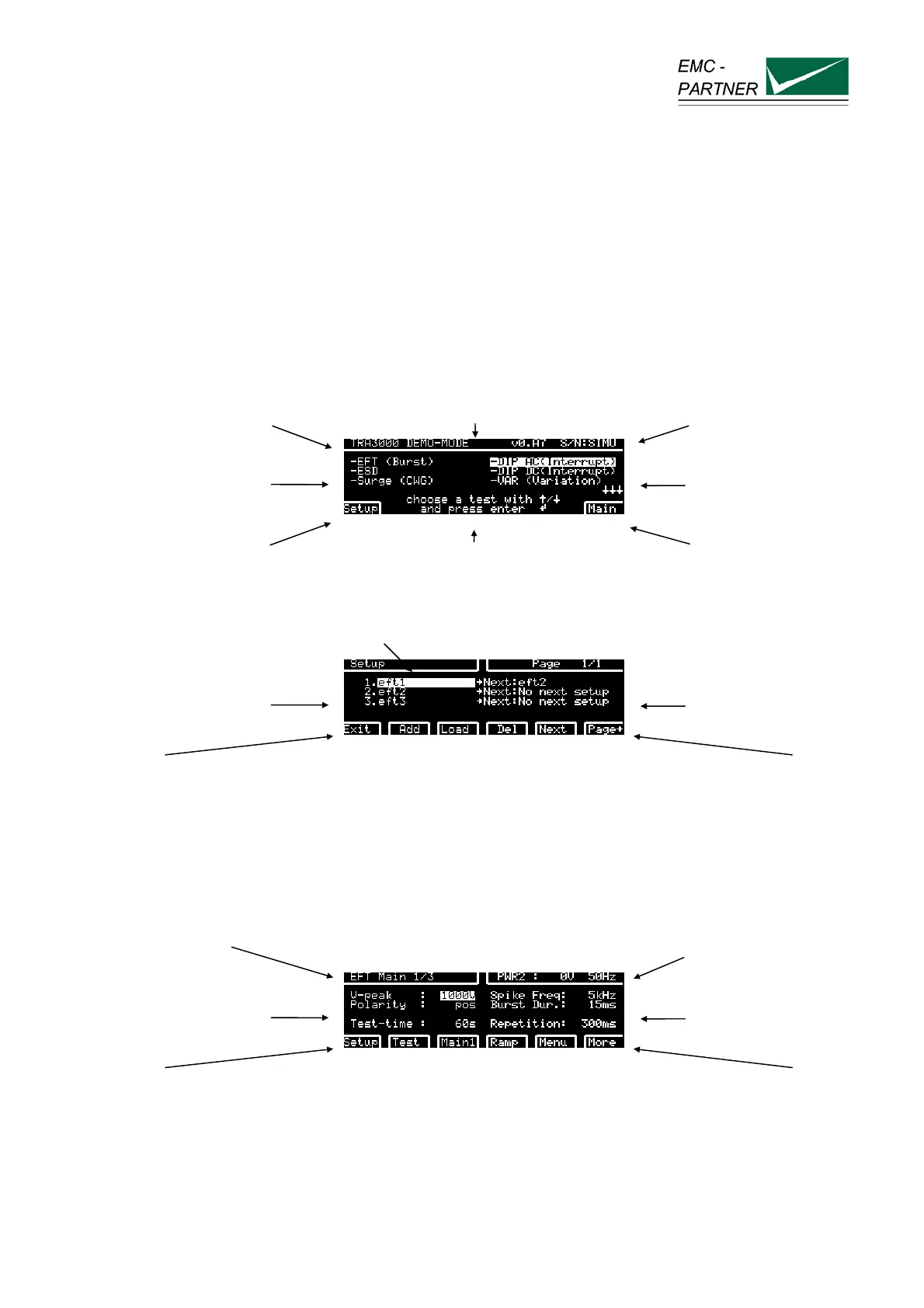
• Operate the ON/STBY button on the front panel the display turns to:
type of equipment Software version serial number
selectable tests
selectable tests
programmed test 1 to
200
dialogue lines gives hints for the actual display.
Different languages can be chosen.
main parameter of the
selected test e.g. EFT
Press "SETUP"
use arrows to move the cursor Page number
programmed tests
programmed tests
back to
selectable test
Adds a new test Load the
selected test
into the
generator
a programmed
test can be
deleted
programmed
test can be
linked
programmed
test 1 up to 200.
Go to the next
page
Quick test example AC EFT +1kV:
• move the cursor with the arrow to number 3
• press F2 Load
loaded test EUT power v, i ++++
test parameters
tests parameters
back to
programmed
tests
back to
selectable tests
actual showed
display
ramp selection
v, f, t, °
further settings
like EUT power
voltage, EUT
failed criteria
more test
parameters
• press "RUN" button



 To Next Page