TRANSIENT3000
95/162
6.4 Operating System Displays
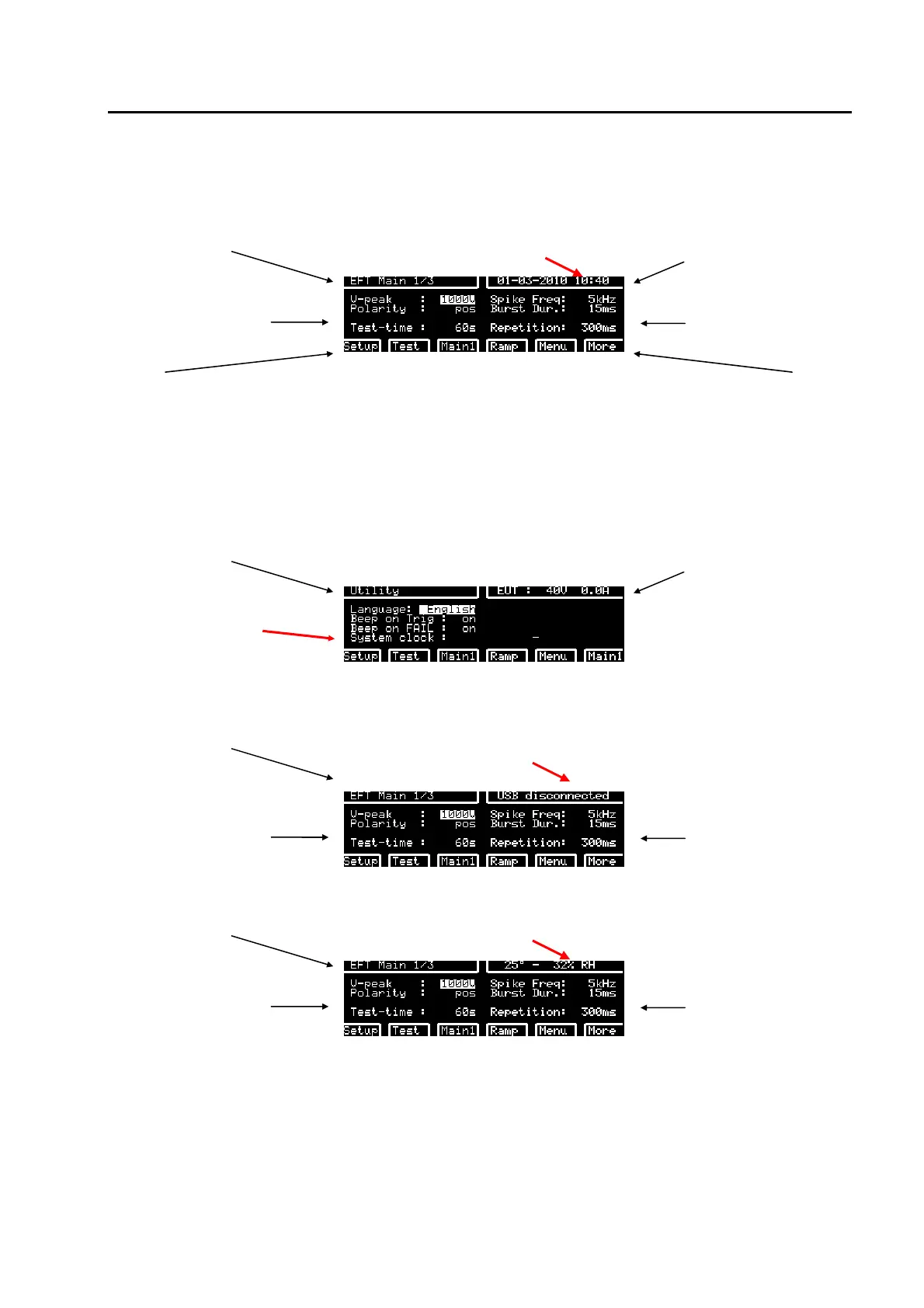
6.4.1 Rolling information lines
loaded test Date and time EUT power v, i ++++
test parameters
test parameters
back to
programmed
tests
back to
selectable tests
actual showed
display
ramp selection
v, f, t, °
further settings
like EUT power
voltage, EUT
failed criteria
more test
parameters
When the GENECS Demo Program is used the date and time is taken from the Microsoft Windows. The
date and time of the TRA3000 can be set in the following Windows
loaded test EUT power v, i ++++
System clock setting
The rolling information line changes as follow:
loaded test Indicates whether a USB stick is inserted and
connected
test parameters
tests parameters
loaded test Indicates the temperature and Humidity
test parameters
tests parameters
The sensor inside the TRA3000 does only intricate approximately the temperature. For precise
measurement external sensors must be used. External sensor must be ordered separately.



 To Next Page