TRANSIENT3000
66/162
6.1.2 Protocol possibilities
The TRA3000 F-S-D-V-C can be adapted to printer with serial or Centronics ports. The TRA3000 F-S-D-V-
C default value are set at shipment: Autoprint ON, Port Centronics, Beep on Trig ON, Beep on Fail ON. The
default values can be changed as follow:
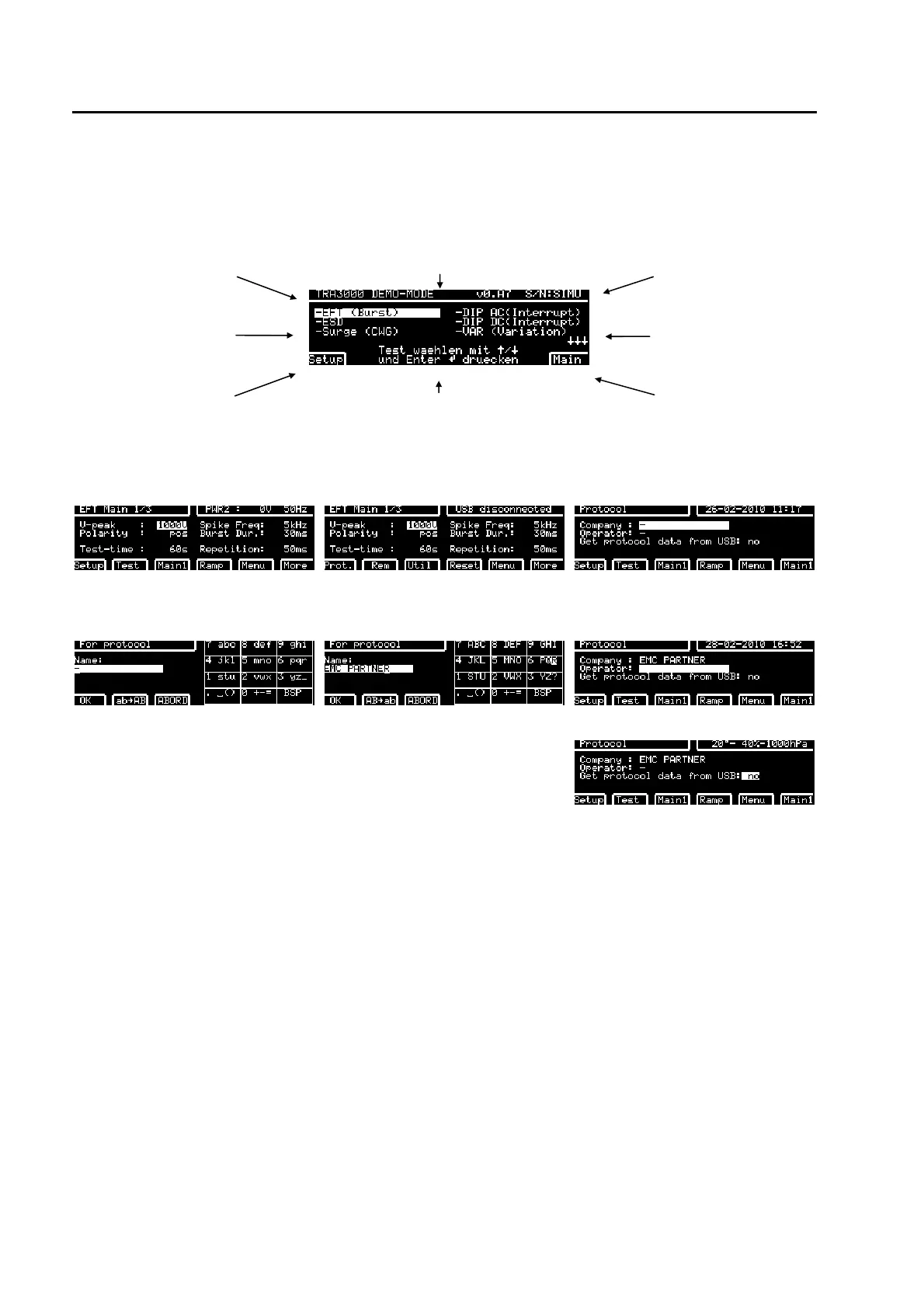
type of equipment Software version serial number
selectable tests
selectable tests
programmed test set-
ups
dialogue lines gives hints for the actual display
Different languages can be chosen.
main parameter of the
selected test e.g. EFT
Press "Main" - and twice "Menu" - "PROT"
display when "Main" has been
pressed
display after pressing twice Menu after pressing "PROT." soft key
display when "EDIT" has been
pressed
Like on mobile phones company
name can be written
On the same way the operator
name can be written
Get protocol data from USB:
Testfile and logo
Two possibility exist to print out the protocol:
USB stick
1. Insert on the rear panel a USB stick.
2. Press the USB button on the front panel
3. Transfer the html document with the USB Stick to a PC
4. Print the protocol from the PC
GENECS Software
Print the html document directly from the PC



 To Next Page