TRANSIENT3000
64/162
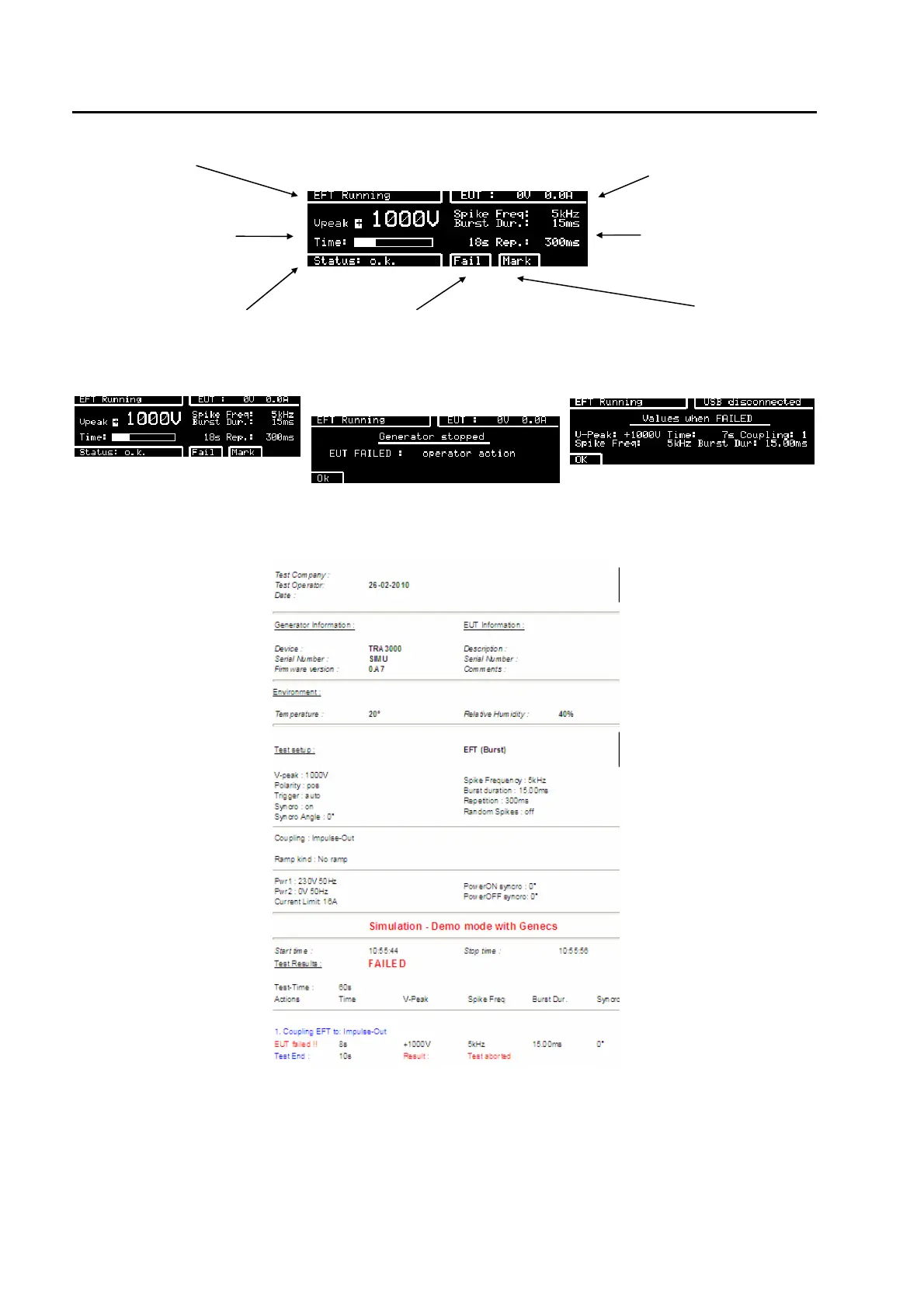
test in operation EUT power v, i ++++
test voltage and time
bar. white indicates the
actual test time carried
out
tests parameters
indicates the status of the actual
test.
when the operator detects visual a
EUT failure, F4 can be pressed
and the status of the test turns to
"failed". Protocol shows " test
failed"
by pressing "Mark" the actual test
parameter will be written in the
protocol and showed on the
display at test end.
When in OPTIONS –Preferences- Default Path for Protocol the Web server is selected the protocol will be
shown as an html document.
Well that's easy isn't it ?
All other programmed tests can be started and carried out in the same way. All test can be started or
stopped with the "RUN" button.
The quick-start tests contain only a small part of the testing possibilities of the TRA3000 F-S-D-V-C.
In the next two sections, the additional possibilities of the TRA3000 F-S-D-V-C will be explained in
detail.



 To Next Page