TRANSIENT3000
42/162
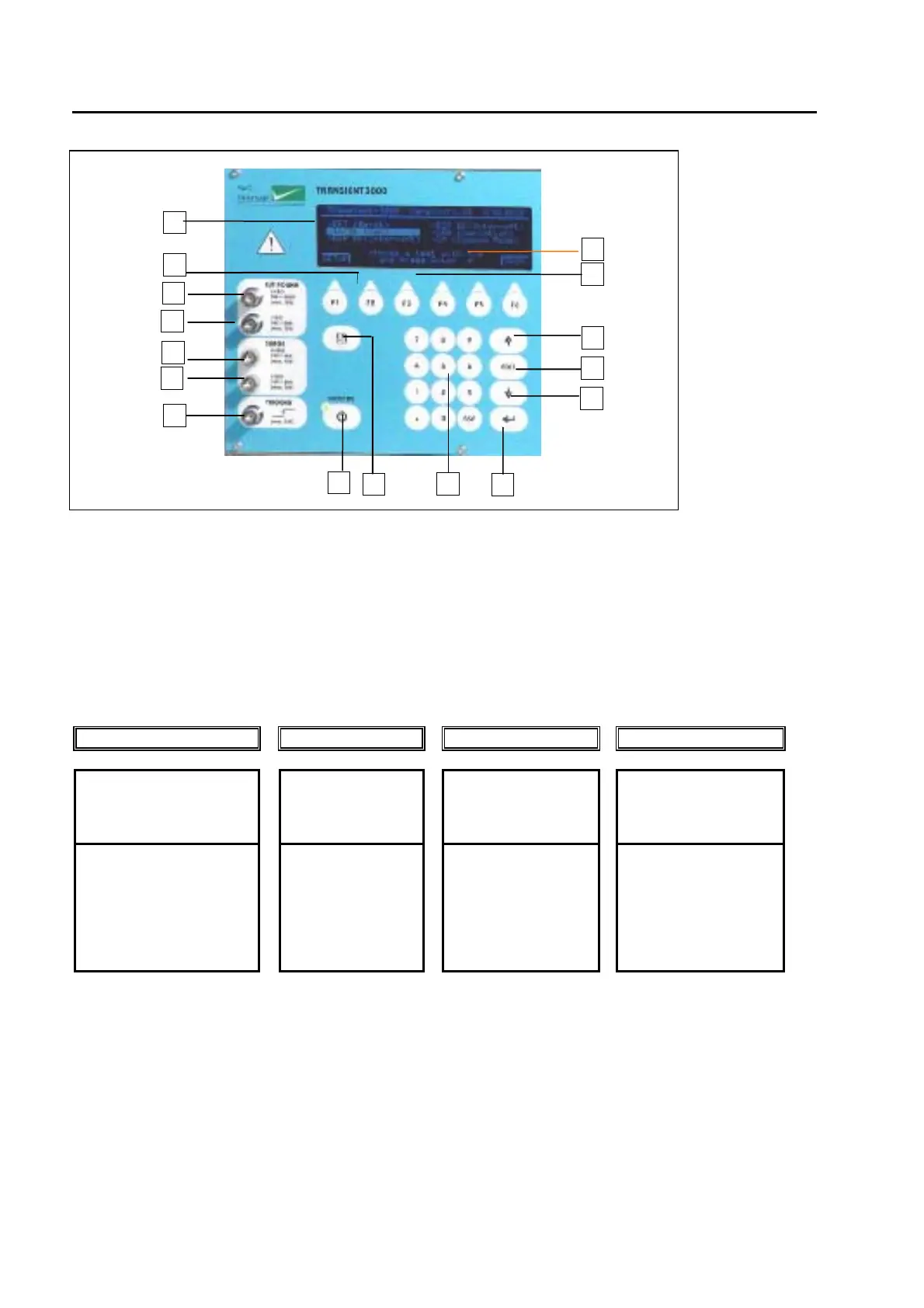
fig. 4.1.1
4.1.1.1 The Display (1)
All important information for the operator is permanently shown on the display during EMC testing. The
large graphic display includes additionally 6 soft-keys and some hints or setting range information.
4.1.1.2 Soft-keys (2)
The program in the TRA3000 F-S-D-V-C is very complex, therefore six soft-keys are provided in order to be
able to move and quickly change to different menus.
Example of "Main"
Test Main Ramp Menu
Choice of tests
-pre-setting of
nominal values
-pre-set of
coupling path
-definition of
different ramps
-Power
-EUT action if failed
EFT
ESD
SURGE
DIP (Interruption)
VAR. (Variation)
MF (Magnetic field)
CM (Common Mode)
e.g. EFT
EFT V-peak.
Polarity
Repetition Burst
Spike frequency
HV-Out
e.g. EFT
EFT V-peak
Synchronisation
Burst duration
Spike Frequency
e.g.
Power "ON /OFF" in °
Current limits
Synchronisation
Variac setting
4.1.1.3 Push button ON/STBY (6)
With this button, the TRA3000 F-S-D-V-C will be set into the power ON / OFF mode. In the turn off mode,
the control and the signals are deactivated. In this status of the TRA3000 F-S-D-V-C, the power
consumption is at a minimum of 5 W.
4.1.1.4 Push button up and down (7,8)
These two buttons make it possible to moves the cursor forwards or backwards through the menus.
2
6
7
4
5
1
15
14
17
18
13
12
11
10
9
8



 To Next Page