EasyManua.ls Logo

Emotron AFR 2.0 Series - User Manual

Emotron AFR 2.0 Series
208 pages
Print Icon
To Next Page IconTo Next Page
Loading...
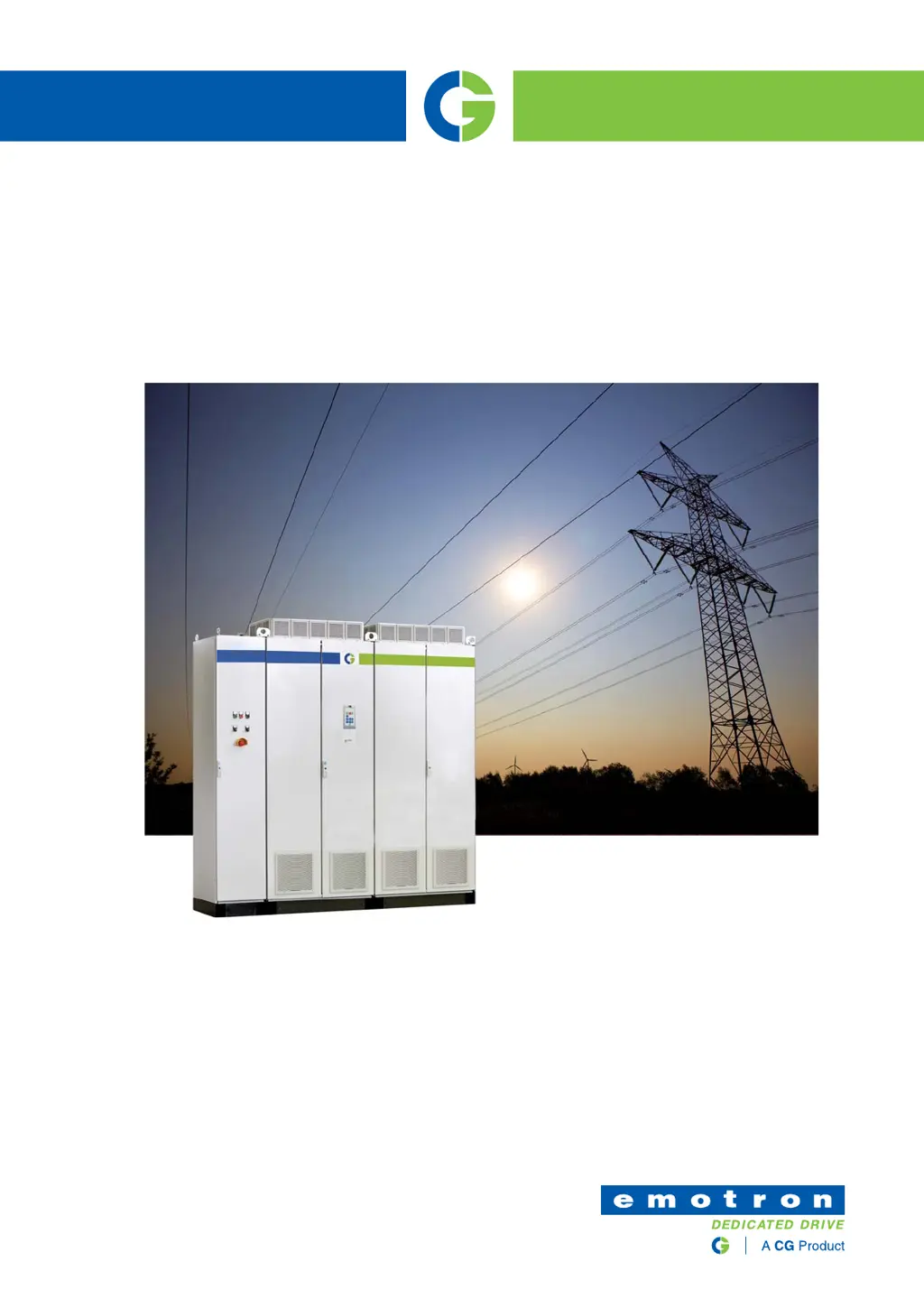
Emotron AFR/AFG 2.0
AFR - Low harmonic/Regenerative Active Front End
AFG - Active Front End for renewable generation
Instruction manual
English
2019-10-14

Table of Contents

Questions and Answers

Summary

Safety Instructions

Handling the Active Front End Unit

Guidelines for qualified personnel handling the unit during installation and maintenance.

Opening the Active Front End Unit

Precautions before opening the unit, especially regarding buffer capacitors discharge.

Precautions with Connected Load

Steps to disconnect mains voltage before working on connected motors or driven machines.

Earthing and Earth Leakage Current

Earthing requirements and PE conductor sizing for earth leakage current.

RCD Compatibility and EMC Regulations

Guidance on selecting RCDs and complying with EMC Directive installation instructions.

Introduction

Delivery and Unpacking

Check for visible damage upon delivery and inform the supplier immediately.

Using the Instruction Manual

Explains abbreviations used and how to effectively use the manual's structure.

Type Code Number

Explains how to determine the exact drive type from the product label code.

Standards

Lists EMC and other relevant standards the active front end complies with.

General Description

AC Drive Types

Compares standard AC drives with AFE-based drives (AFR/AFG) for context.

Emotron Single Drive Cabinet Concept

Explains the cabinet design and components for single drive applications.

Emotron AFR;AFG Concept

Describes the AFR/AFG solution for DC power connection and its main components.

Mounting

Lifting Instructions

Guidance on using lifting eyes and permitted loads for safe lifting of the unit.

Cabinet Mounting

Considerations for cabinet mounting, including required free space for cooling.

Mounting Power Modules

Guidelines for mounting AFR/AFG/VSI power modules inside the cabinet.

Installation

Before Installation

Checklist and preparation steps before commencing installation.

Connect Motor and Mains

Instructions for connecting motor and mains cables to single drives.

Cable Specifications

Details on suitable cable types and specifications for connections.

Control Connections

Control Board

Layout and safety precautions for the control board.

Terminal Connections for AFR;AFG

Table detailing default functions for AFR/AFG control signals.

Inputs Configuration with Switches

How to set input configuration using switches S1 to S4.

Connecting Control Signals

Guidelines on cable types and separation for control signals.

Getting Started

Connect Mains and Motor Cables

Guidance on connecting mains and motor cables according to regulations.

Using the Function Keys

Explanation of menu navigation and the use of function keys.

Remote Control Setup

How to control the VSI and AFR/AFG using external signals.

Initial AFR;AFG Setup

Step-by-step guide for initial AFR/AFG configuration.

Main Features

Autoreset at Trip

Configuration for automatic reset of certain fault conditions.

Under Voltage Ride Through

How the unit handles momentary power dips and maintains operation.

Fault Signals

List and description of specific AFR/AFG fault signals for troubleshooting.

Supply Voltage Measurement Board (SVMB)

Mandatory/optional board for grid code features and synchronization.

Grid Code Functionality

Features for generation applications connected to the utility grid.

Grid Fault Ride Through and Anti-Islanding

Handling grid disturbances and detecting islanding conditions.

EMC and Machine Directive

EMC Standards

Lists EMC standards that the drive complies with.

Stop Categories and Emergency Stop

Defines stop categories and emergency stop requirements per EN 60204-1.

Operation via the Control Panel

Control Panel with 2-line Display

Details the 2-line display areas, LEDs, and status indications.

Control Panel with 4-line Display

Explains the 4-line display, LEDs, function keys, and navigation.

The Menu Structure

Explains the 4-level menu structure and parameter numbering.

Editing Values in a Menu

Describes two methods for editing parameter values.

Functional Description

Menus

Overview of menu structure and resolution of settings.

Main Setup [200]

Key settings for operating the AFR/AFG, including supply data.

Operation [210]

Settings for control signals, serial communication, and language.

Trip Autoreset;Trip Conditions [250]

Configuration of automatic reset for specific fault conditions.

Serial Communication [260]

Parameters for serial communication interfaces like Modbus and Fieldbus.

Process and Application Parameters [300]

Parameters for optimizing performance, such as reactive power and PID control.

I;Os and Virtual Connections [560]

Settings for digital/analogue inputs/outputs and virtual connection logic.

Logical Functions and Timers [600]

Programming conditional signals using comparators, functions, and timers.

Troubleshooting, Diagnoses and Maintenance

Trips, Warnings and Limits

Explanation of different trip, warning, and limit indicators on the drive.

Trip Conditions, Causes and Remedial Action

Table listing trip conditions, their possible causes, and recommended remedies.

Maintenance

Recommendations for routine maintenance to optimize product life and performance.

Options

Supply Voltage Measurement Board (SVMB)

Information on the SVMB for grid monitoring, synchronization, and grid code features.

Brake Chopper

Requirement for limited regeneration and brake resistor calculations.

Standby Supply Board Option

Provides system operation without mains power and backup for communication.

Technical Data

Electrical and Mechanical Specifications by Model

Detailed specifications for VFXR/FDUL, VFXG/FDUG, AFR, and AFG models.

General Electrical Specifications

Summary of electrical specifications applicable to all models.

Environmental Conditions

Operating and storage conditions including temperature and humidity.

Control Signals

Table detailing terminal functions, signals, and types for all connections.

Menu List and Communication Information

Preferred View [100]

Default display at power-up showing process values.

Operation [210]

Settings for control signals, serial communication, and language.

Serial Communication [260]

Parameters for serial communication interfaces like Modbus and Fieldbus.

I;Os and Virtual Connections [560]

Settings for digital/analogue inputs/outputs and virtual connection logic.

Logical Functions and Timers [600]

Programming conditional signals using comparators, functions, and timers.

Emotron AFR 2.0 Series Specifications

General IconGeneral
SeriesAFR 2.0
Frequency50/60 Hz
EnclosureIP20, IP21, IP54
Protection ClassIP20, IP21, IP54
MountingWall mounting, floor mounting
CommunicationModbus RTU, Profibus
Supply Voltage200-690V AC
Rated Voltage200-690V AC