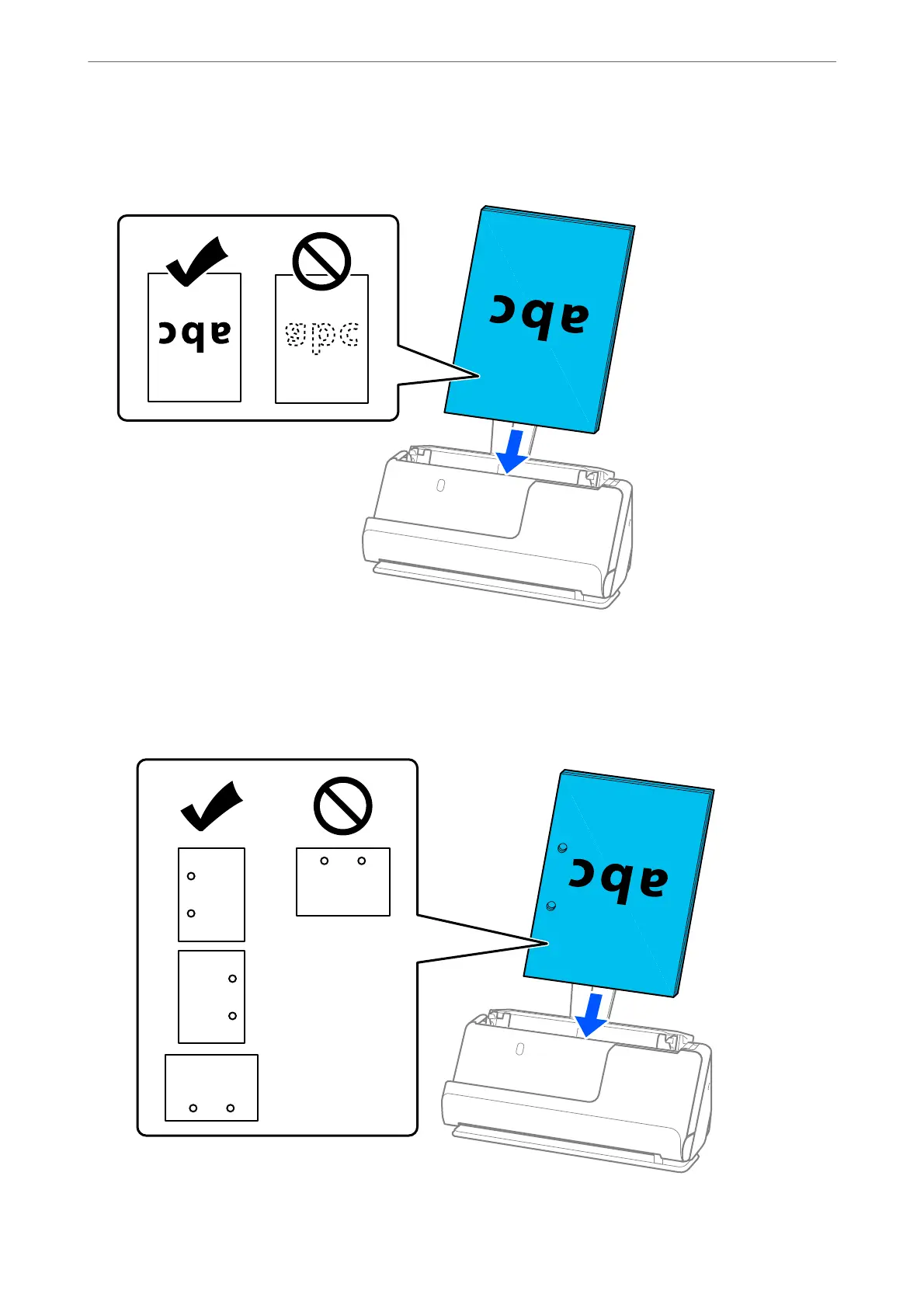
7. Place the originals into the ADF input tray facing up and with the top edge facing into the ADF.
Insert the paper into the ADF until it meets resistance.
❏ When scanning originals with punch holes, such as loose leaf paper, load the originals with the holes facing
to the
le,
right, or facing down. Place the originals so that there are no holes within a range of 15 mm (0.6
inches) to the le and right (30 mm (1.2 inches) in total) from the center of the originals. However, there
can be holes within 30 mm (1.2 inches) from the leading edge of the originals. Make sure that the edges of
the punch holes do not have burrs or curls.
Placing Originals
>
Placing Originals in the Scanner
>
Placing Standard Size Originals
50



 To Next Page