100i / 200i / 300i / 400i
60 INSTALLATION Manual PN: 0560956430
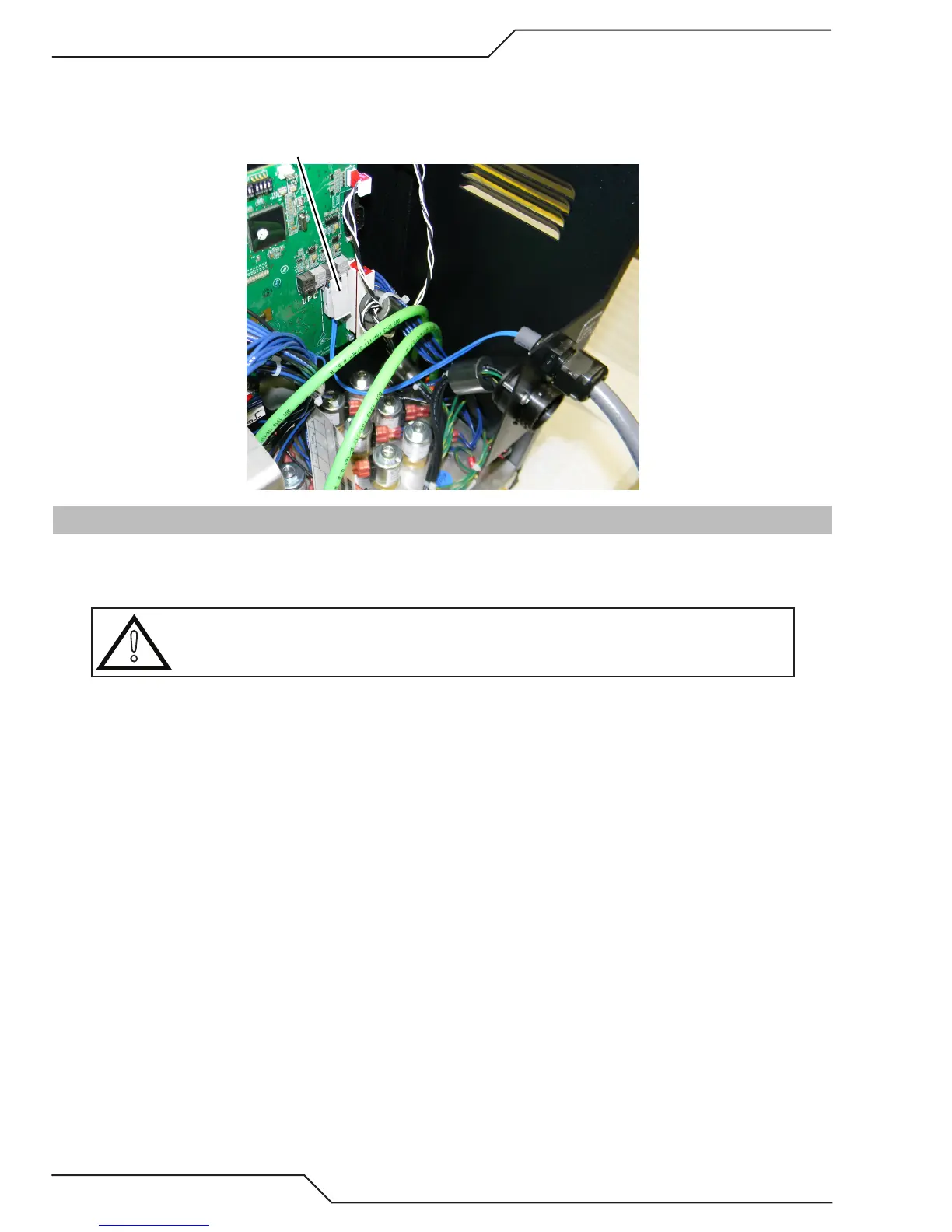
5. Plug the Fiber Optic Cable into the PCB as shown below. Make sure the locking tabs are engaged.
Fiber Optic Cable to/from
CCM plugs in here
Art # A-11999
3.20 Fiber Optic Cable Installation From Gas Selection Console to Gas Control Unit
1. Remove outer thin nuts from through hole protector at both ends of Fiber Optic Cable (L) that connects between the Gas
Selection Console to Gas Control Unit.
!
CAUTION
Avoid kinking, twisting, or bunching the fiber optic cable. The cable can be damaged by being
forced into tight-radius turns.
2. Ensure that the outer protective hose/cable is exposed beyond the through hole protector approximately 1” and secure by
tightening the wide nut with the rounded end while holding the other nut in place. Normal hand tightening is not enough.
3. Feed the Fiber Optic Cable plug and wires through the back of each module where indicated and slide the thin nut back
over the Fiber Optic Cable.


 To Next Page