EW50 Industrial LTE Cellular Gateway
170
Click Save to save the settings
Click Undo to cancel the settings
Click Back to return to the previous page.
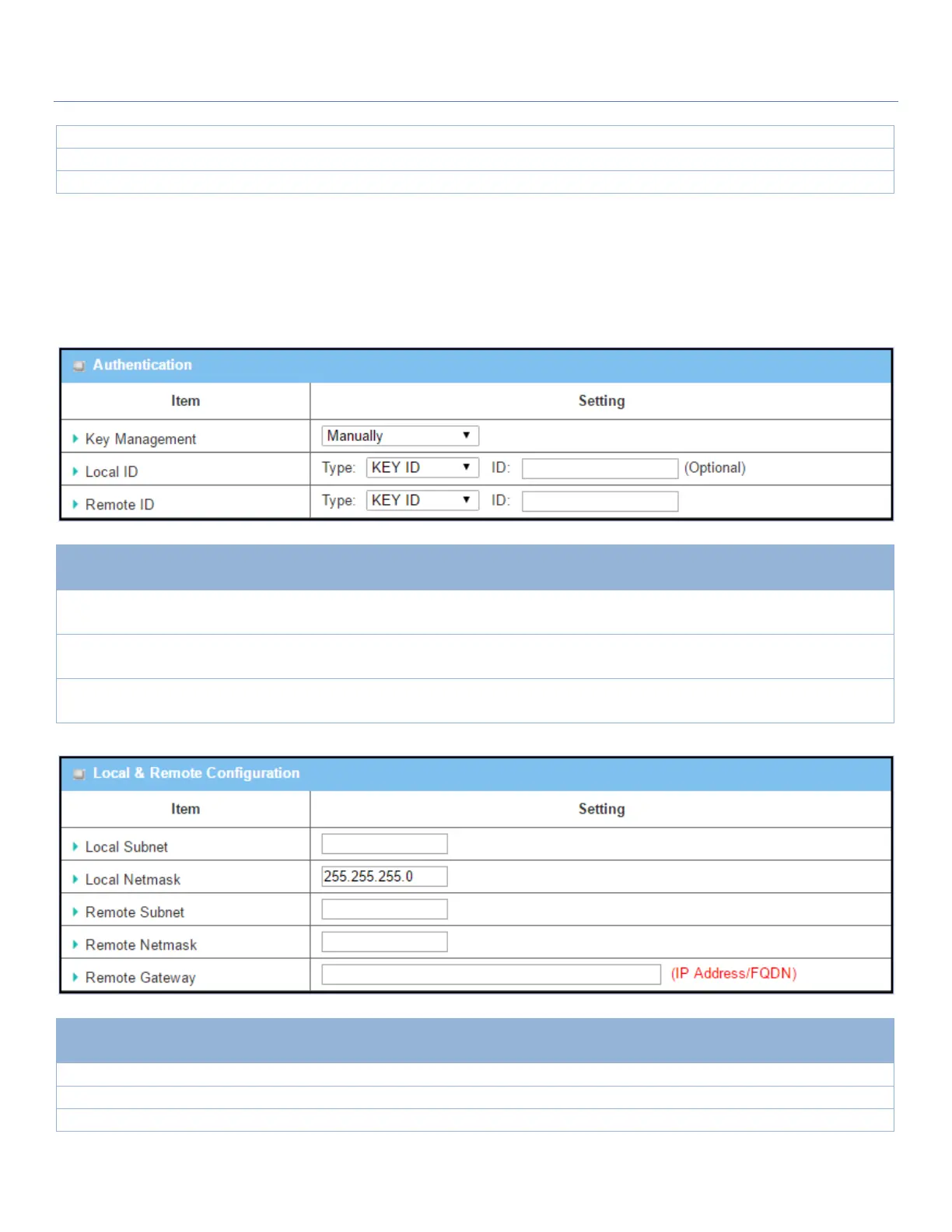
Manual Key Management
When the Manually option is selected for Key Management as described in Authentication Configuration
Window, a series of configuration windows for Manual IPsec Tunnel configuration will appear. The
configuration windows are the Local & Remote Configuration, Authentication, and Manual Proposal.
Select Key Management from the dropdown box for this IPsec tunnel.
In this section Manually is the option selected.
Specify the Local ID for this IPsec tunnel to authenticate.
Select the Key ID for Local ID and enter the Key ID (letter or number).
Specify the Remote ID for this IPsec tunnel to authenticate.
Select Key ID for Remote ID and enter the Key ID (letter or number).
Local & Remote Configuration Window
Specify the Local Subnet IP address and Subnet Mask.
Specify the Local Subnet Mask.
Specify the Remote Subnet IP address



 To Next Page