36 05-2019 0073 00
Notes regarding
Programming
The electronic control unit of the appliance
allows many functions to be used.
A brief explanation of these main functions
is provided below. They are useful for better
managing the appliance's operation but are
not necessarily in the same order as they
are displayed in the menu.
Some functions that are specic to certain
functional units may be described; function-
al units that dier according to the model.
The layout of the icons/screens in this
manual is indicative only and may vary from
those displayed on the appliance, depend-
ing on the settings (layouts, themes, and/or
icons).
ACCESSING THE PROGRAMMING
MENUS
To access the programming menu:
-When the door is closed, tap settings.
Depending on the settings, a password
may be required before being provided ac-
cess to the programming menus.
Enter the password to access the enabled
menus.
The (default) passwords are:
-Technician (4444);
-Distributor (3333);
-Loader (2222);
-User (1111).
7
8
9
6
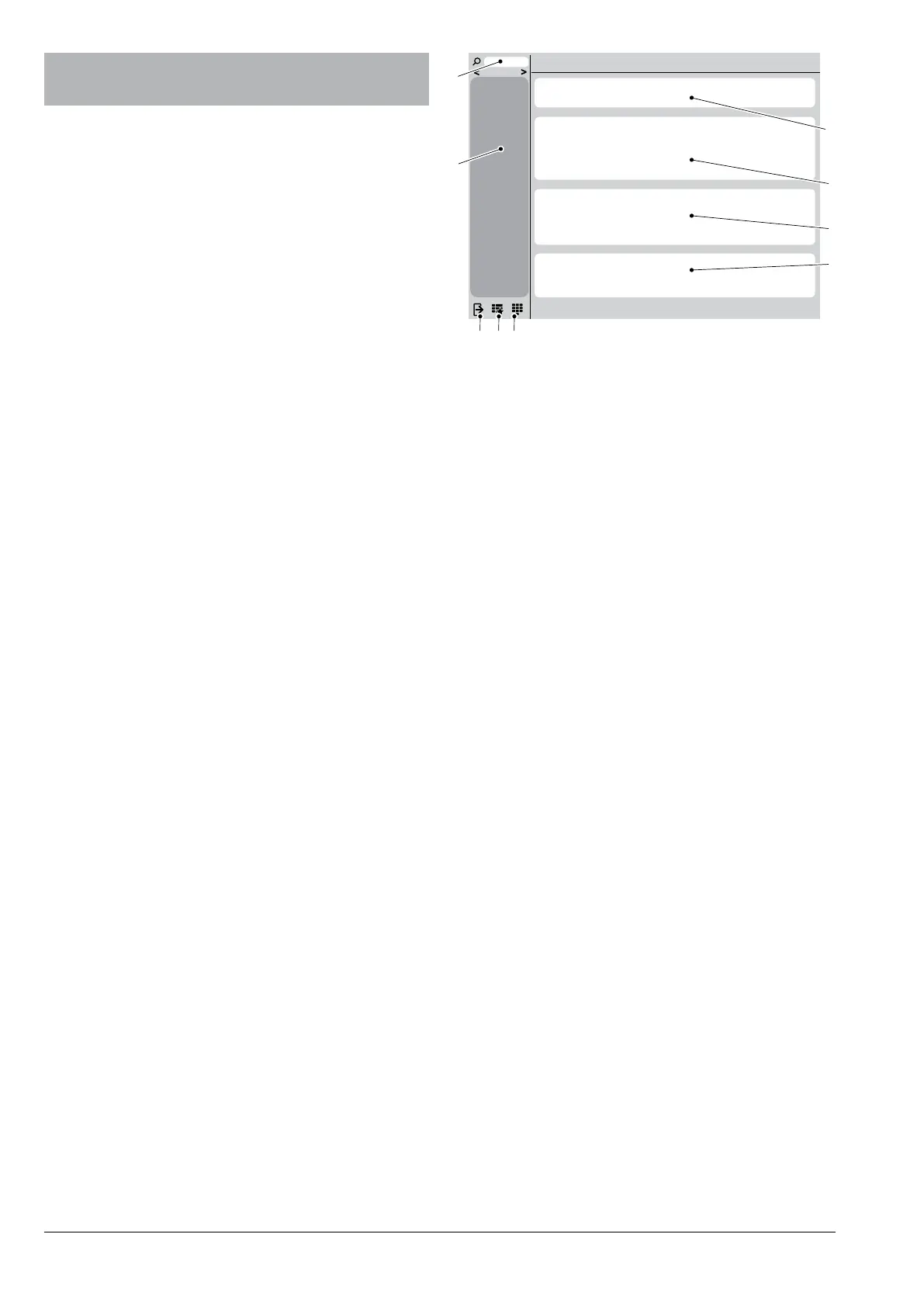
Fig. 38
1. Search field
2. Function menu
3. Exit
4. Favourites
5. Password keypad
6. Information area
7. Message area
8. Fault area
9. Maintenance information area
fuNctioN mENu
Tap mEnu to view the appliance’s menu
functions.
Exit
Tap Exit to come out of the programming
menu.
The selections page will be displayed.
sEarcH
Tap sEarch to search for functions within
the menu.
Enter the function’s name; when you begin
typing, the functions containing the text that
you have entered will be displayed (search
results).
Tap the desired function from the search
results.


 To Next Page