78 05-2019 0073 00
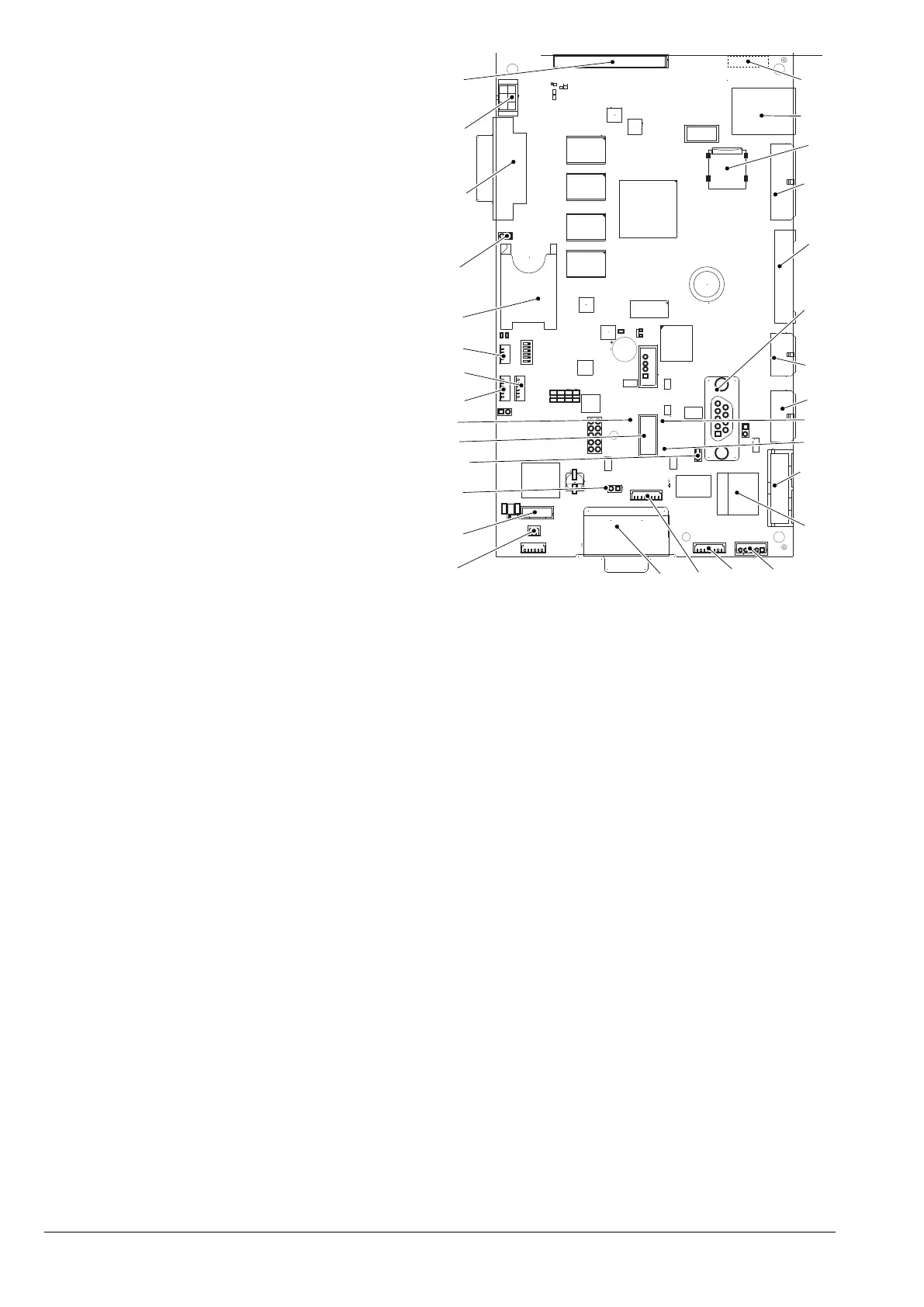
CPU CARD
La CPU card manages communication with
the touchscreen, payment systems (if tted)
and connectivity functions.
When the CPU card is removed (e.g.
-
age the touchscreen’s connections and
the antenna.
The touchscreen is connected to the
of the CPU card.
CPU card.
2
3
4
5
6
7
12
16
25
8
Fig. 60
1. (J2) Connectivity switch connection
2. (CN30) Not used
3. (JP2)
can bus 1 jumper closed
4. (JP5)
can bus jumper 2 open
5. usb connector
6. Green
reset LED
7. (J45) Not used
8. (J48) Not used
9. (J34) Not used
10. SIM card slot*
11. (JP4)
sIM card* detecting jumper
12. (J16) Not used
13. (CN31) Modem set-up
14. (CN13) Input signals
15. Wi-Fi aerial**
16. Ethernet connector (1 Gbps)*
17.
MIcro sd* slot
18. (J42) Aesthetic lighting
19. (J43) Compartment lighting
20. (CN53) Payment systems
21. (J41) Not used
22. (J35) Not used
23. Red
power board LED
24. Green
run LED
25. (J36) Not used
26. Ethernet connector (100 Mbps)*
27. (CN9) Not used
28. (J47) Not used
29. (CN34) Not used
30. (CN29) Power supply and
can bus
* If present
**. On the back of the board



 To Next Page