56 05-2019 0073 00
“DEEp moDE” profilE
This prole is active during the set time
frames.
During the set time frames, the heating unit
temperature is lowered and the mainte-
nance temperature is set.
It is possible to:
-Set by how many minutes to advance the
heating of the heating unit before the end
of the of the time frame.
E.g. 5 minutes: 5 minutes before the end
of the time frame, the heating unit heat-
ing cycle is activated in order to reach the
operating temperature.
-Switch off the heating unit(s).
-Set the maintenance temperature of the
heating unit(s) in the energy saving mode.
-Enable/disable the appliance’s lighting.
-Select the display brightness level from
those that have been predefined.
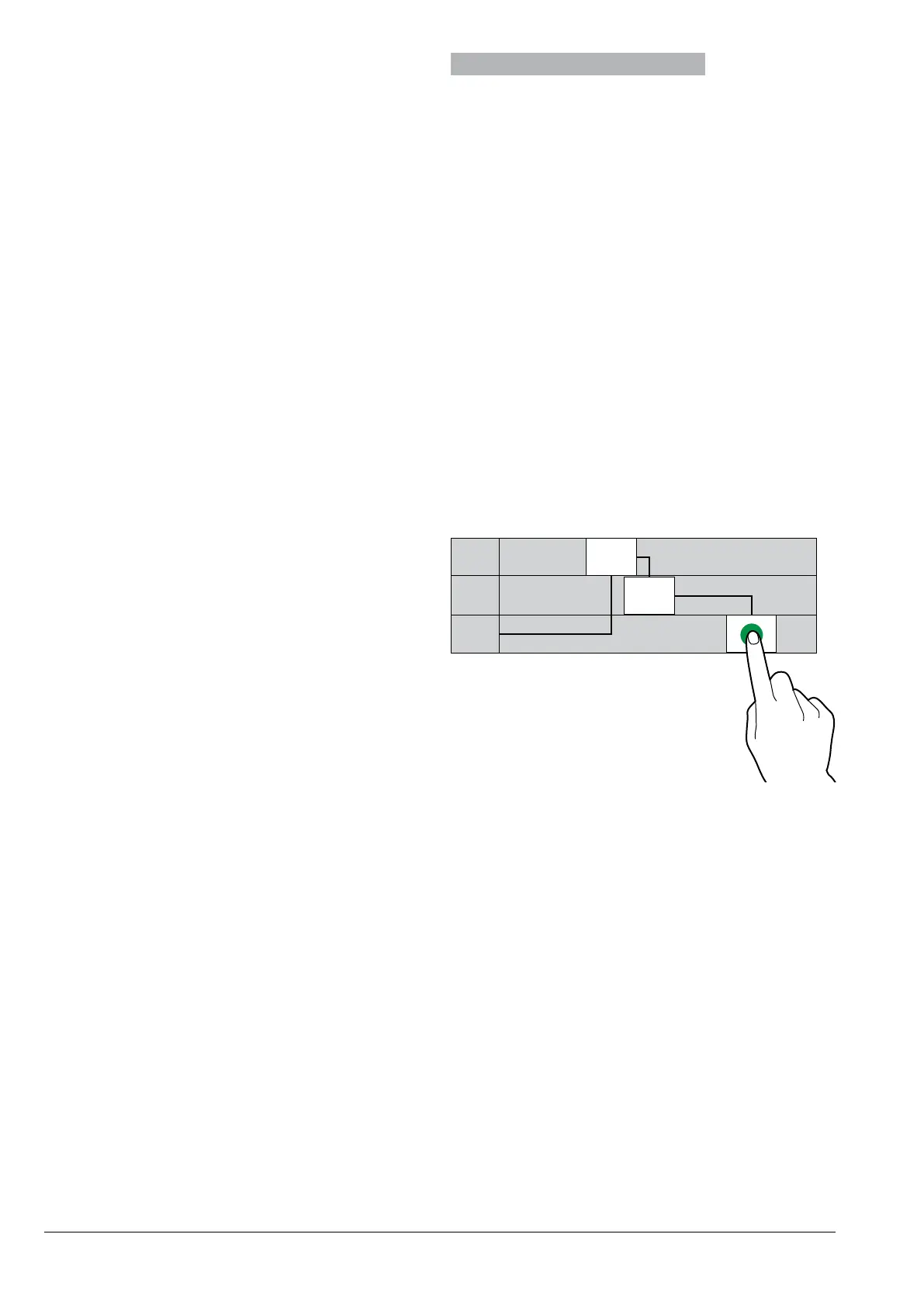
ENErgy saviNg timE framEs
Allows the time frames of the energy saving
proles to be set.
-Select the day for which the time frames
will be set.
-Tap the “Add” button, then the line of the
profile in order to position a rectangle indi-
cating the time.
-Drag the rectangle to precisely define the
time.
To delete a rectangle, tap the “Delete” but-
ton, then tap the rectangle to be deleted.
Settings made for the entire week or a sin-
gle day can be copied.
Tap “Copy day” to be able to:
-Copy the time frames that have been set
for a single day of the week; tap the day to
set the energy saving mode to and then
tap “paste day”.
-Copy the time frames that have been set
for all days of the week; then tap “paste
days”.
LLLL 7.30
9.30
20.00
LLLL
LLLL
Fig. 46



 To Next Page