05-2019 0073 00 37
favouritEs
favouritEs are shortcuts to frequently
used functions.
After having added a function to the
favour-
itEs, simply access the favouritEs and tap
the function for quick access.
aDDiNg a fuNctioN to “favouritEs”
From the function screen, tap ; it will
change colour ( is activated).
rEmovE a fuNctioN from “favouritEs”:
-From the favourites screen, tap the func-
tion to be removed in order to access that
function.
-Tap ; it will change colour ( is disa-
bled).
iNformatioN arEa
Displays information regarding the appli-
ance (software version, etc.).
mEssagE arEa
Displays messages of an informative na-
ture, e.g. statistics on the most requested
selections, etc.
fault arEa
Displays the faults found on the appliance.
maiNtENaNcE iNformatioN arEa
Displays information regarding the mainte-
nance deadlines.
maintEnancE notification sets the current
date/time as the last date of maintenance.
ENTERING VALUES
The values in the programming menu can
be entered/modied as follows:
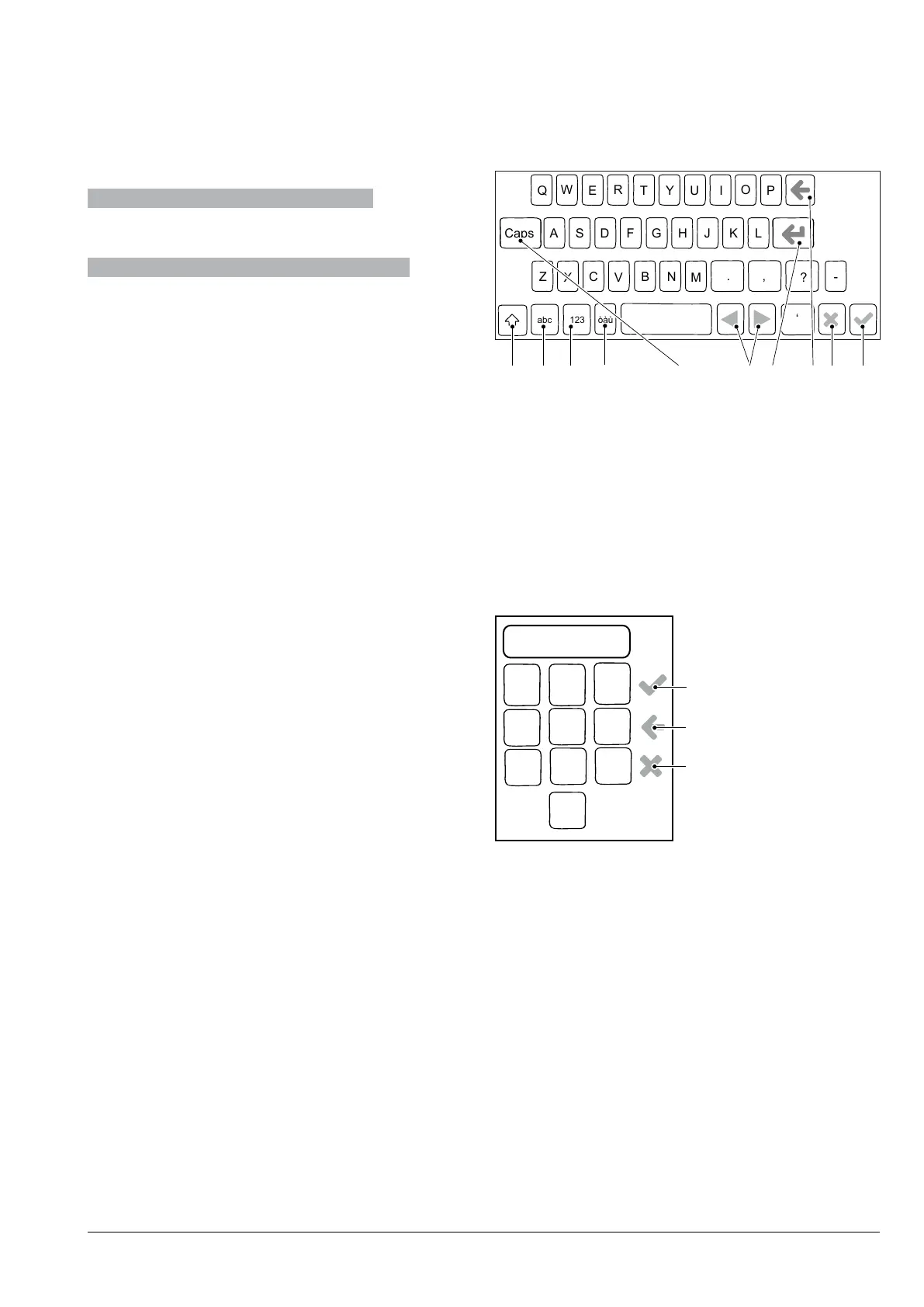
kEypaD
Fig. 39
1. Uppercase (shift)
2. Button to switch the “number/symbol” keypad to
the “letter” keypad
3. Button to switch the “letter” keypad to the
“number/symbol” keypad
4. Caps lock
5. Moves the cursor in the text
6. New line (text over two lines)
7. Clear (back space)
8. Confirm
9. Cancel
NumEric kEypaD
4
7
5 6
9
8
1 2
3
Fig. 40
1. Confirm
2. Clear (back space)
3. Closes the keypad


 To Next Page