38 05-2019 0073 00
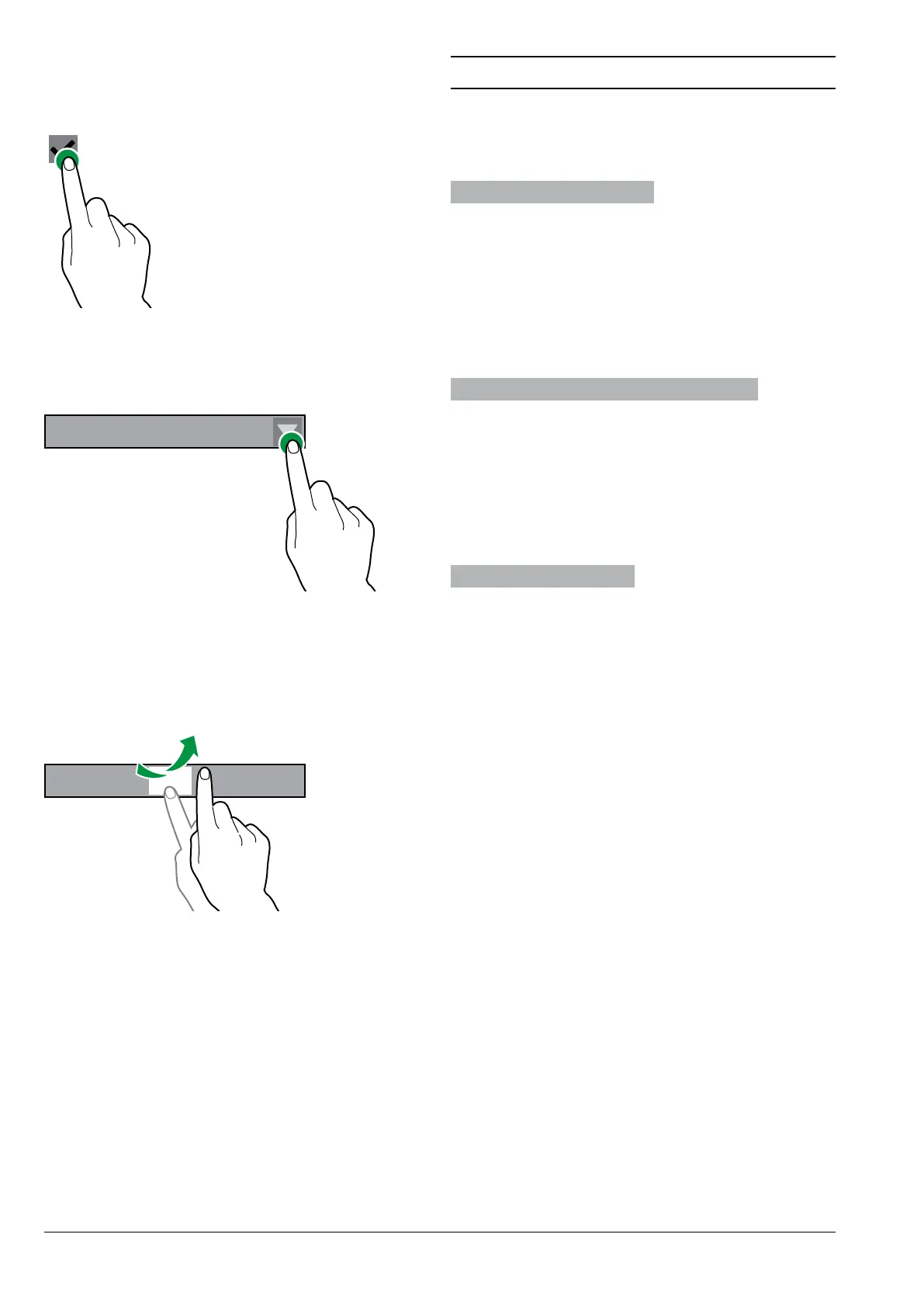
cHEckbox
Tap the checkbox to enable/disable the
option.
Fig. 41
Drop-DowN list
Tap to open the drop-down list and select
the value.
LLLL LLLL LLLLLL
Fig. 42
valuE pickErs
Scroll and select the desired value.
To quickly enter a value (without scrolling),
tap and enter the numeric value.
1 2 3 4 5 6 7
Fig. 43
DAILY ACTIONS
Groups together all of the functions that
are used on a daily or more frequent basis
(washes, resetting the residue counters,
etc.)
clEaNiNg aND wasHEs
Automatic washing and rinsing functions
of the appliance’s functional units (brewing
unit, mixer, etc.).
Select the components that require wash-
ing.
Some washes might require parameters
to be set (e.g. the amount of water to use,
etc.).
EmptyiNg tHE soliD rEsiDuE tray
Resets the counter that manages the “Res-
idue full” warning when the solid residue
tray is full.
In order to correctly manage the pre-
alarms and warnings, the counter must
be reset each time the solid residue
tray is emptied.
moNEy maNagEmENt
Enabled only for models with a payment
system.
With this function, it is possible to:
-Empty the coins from the coin mech’s
change-giver tubes.
-Insert coins into the coin mech tubes to
activate the change-giver function.
-Check the total amount of money in the
coin box.



 To Next Page