Chapter 6 Fastening Operation
PAGE 6-76
Pulse Fastening Operation
D-No.006 Interrupt Operation During Fastening : Pulse Fastening Operation ON
Set value: xxxxx1
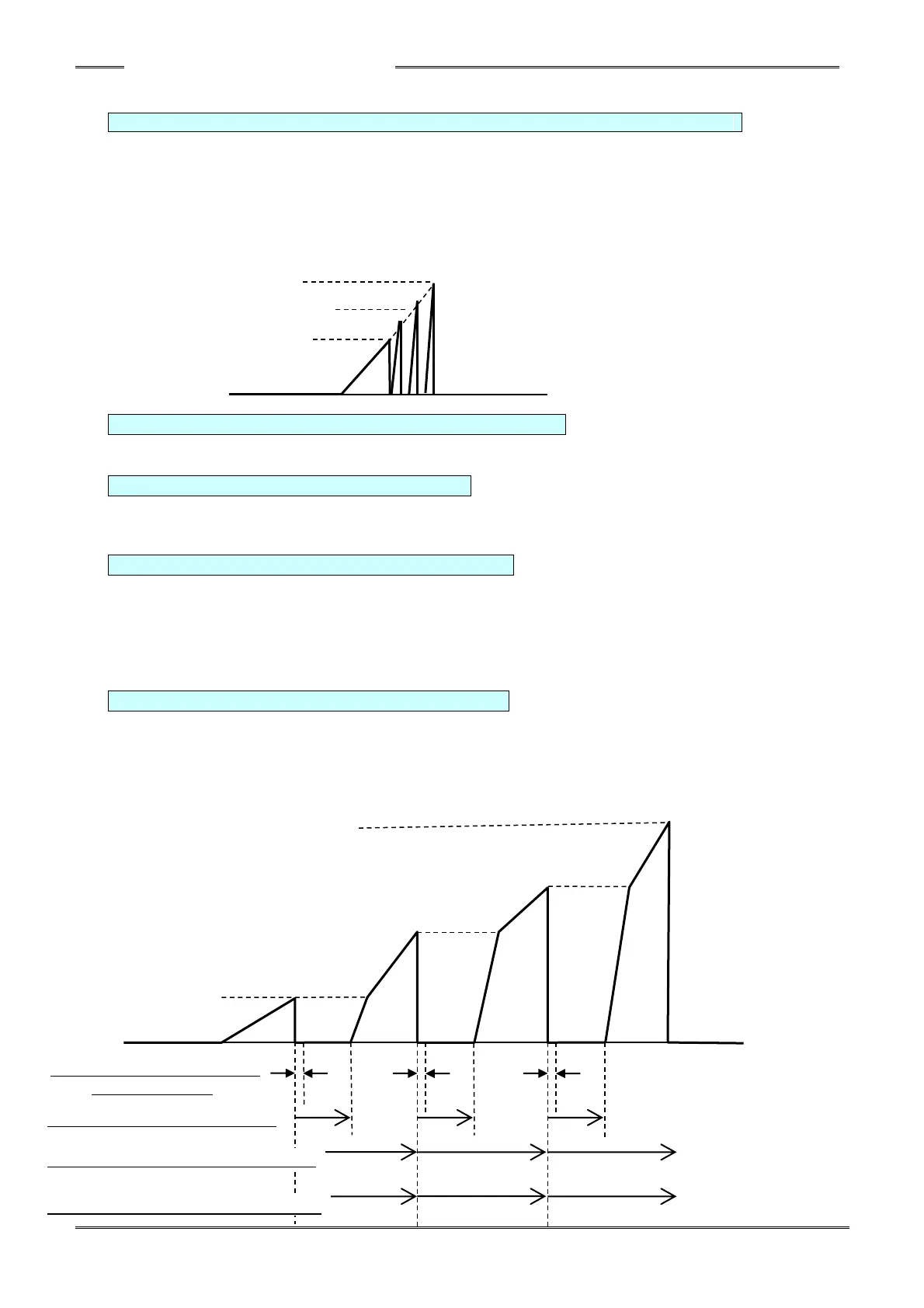
Setting “1” for [Data No. 006 Fastening Interrupt Operation] the Pulse Fastening Operation is turned
ON and the pulse fastening operation is performed from the detection of the 1st torque (D-No. 105) to
the detection of the standard torque (D-No. 103).
Operation speed: 1st torque ~ 2nd torque uses 2nd speed (D-No. 403)
2nd torque ~ Standard torque uses 3rd speed (D-No. 404)
103: Standard Torque
109: 2nd Torque
105: 1st Torque
D-No.552 Pulse Fastening Stop Servo Lock Time [msec] Setting range:0~200 Default value:5
Sets the servo lock time between pulses to allow relaxation of the inertial shock caused by stopping.
D-No.553 Pulse Fastening Wait Time [msec] Setting range:0~200 Default value:15
Sets the wait time until rotation is started again (from the point at which fastening is paused).
When the wait time is increased, the fastening time is correspondingly increased.
D-No.554 Pulse Fastening Operation Time [msec] Setting range:0~200 Default value:30
Sets the time required to restart the next pulse from the last stop position. The fastening operation
pauses only when the torque value is reached after the elapse of the pulsing cycle time. A cycle
represents the running time (set at the Pulse Fastening Operation Time) or the fastening up to the set
operation angle. Set the Fastening Pulse Operation Time greater than the Pulse Fastening Wait
time, otherwise the fastening process cannot be completed.
D-No.555 Pulse Fastening Operation Angle [deg] Setting range:0~200 Default value:5
Sets the angle required to restart the next pulse from the last stop position.. The fastening operation
pauses only when the torque value is reached after the elapse of the Pulse Fastening Operation
Angle has been detected. Fastening temporarily stops when it reaches either the Pulse Fastening
Operation Time or the Pulse Fastening Operation Angle.



 To Next Page