Chapter 6 Fastening Operation
PAGE 6-19
6-3-3 Parameter Editing Mode
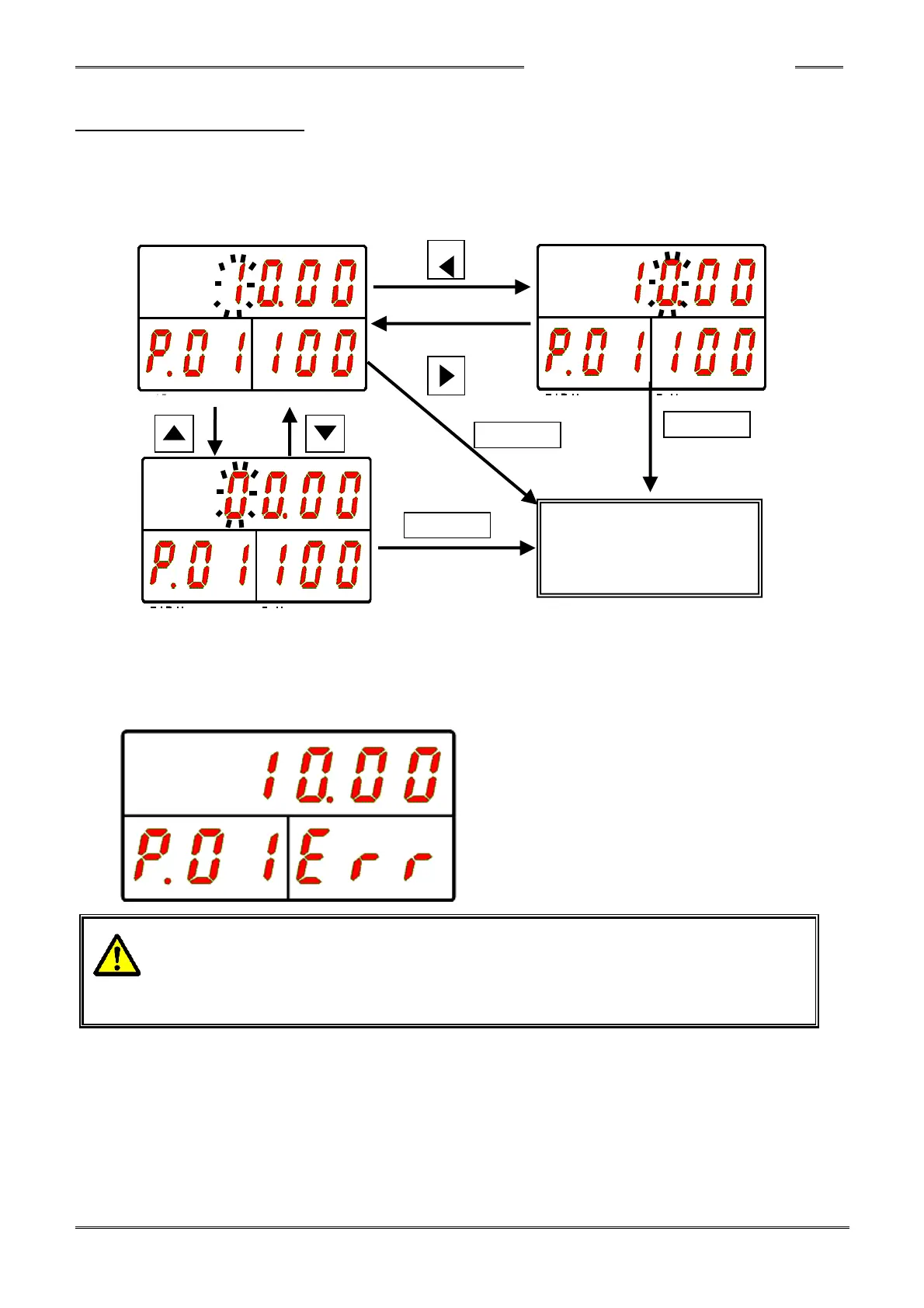
Immediately after changing to the “Parameter Editing Mode,” the cursor (flashing number) is
displayed in the upper section of the display. When the [▲] or [▼] button is pressed, the numerical
value at the cursor position changes by ±1.
When the [◄] or [►] button is pressed, the digit in the cursor position changes by ±1.
When the set value is changed and the [SET] button is pressed, the set value is saved in memory.
If the [RESET] button is pressed in the “Parameter Editing Mode,” the display is changed back to the
parameter selection mode without changing the set value.
When the changed set value is outside the allowable setting range (of that particular parameter), the
following error is indicated and the data will revert back to the data before attempting to edit it.
• The changed parameter becomes effective when the PROGRAM mode changes back
to the RUN mode, or when the BYPASS signal changes from ON to OFF.
Turning the power OFF in the PROGRAM mode during the change, returns to the
parameters back to the original before the change.



 To Next Page