Chapter 9 Fieldbus I/O Interfaces
PAGE 9-8
9-1-3 Fieldbus Interface Setup (HFC3000 Software)
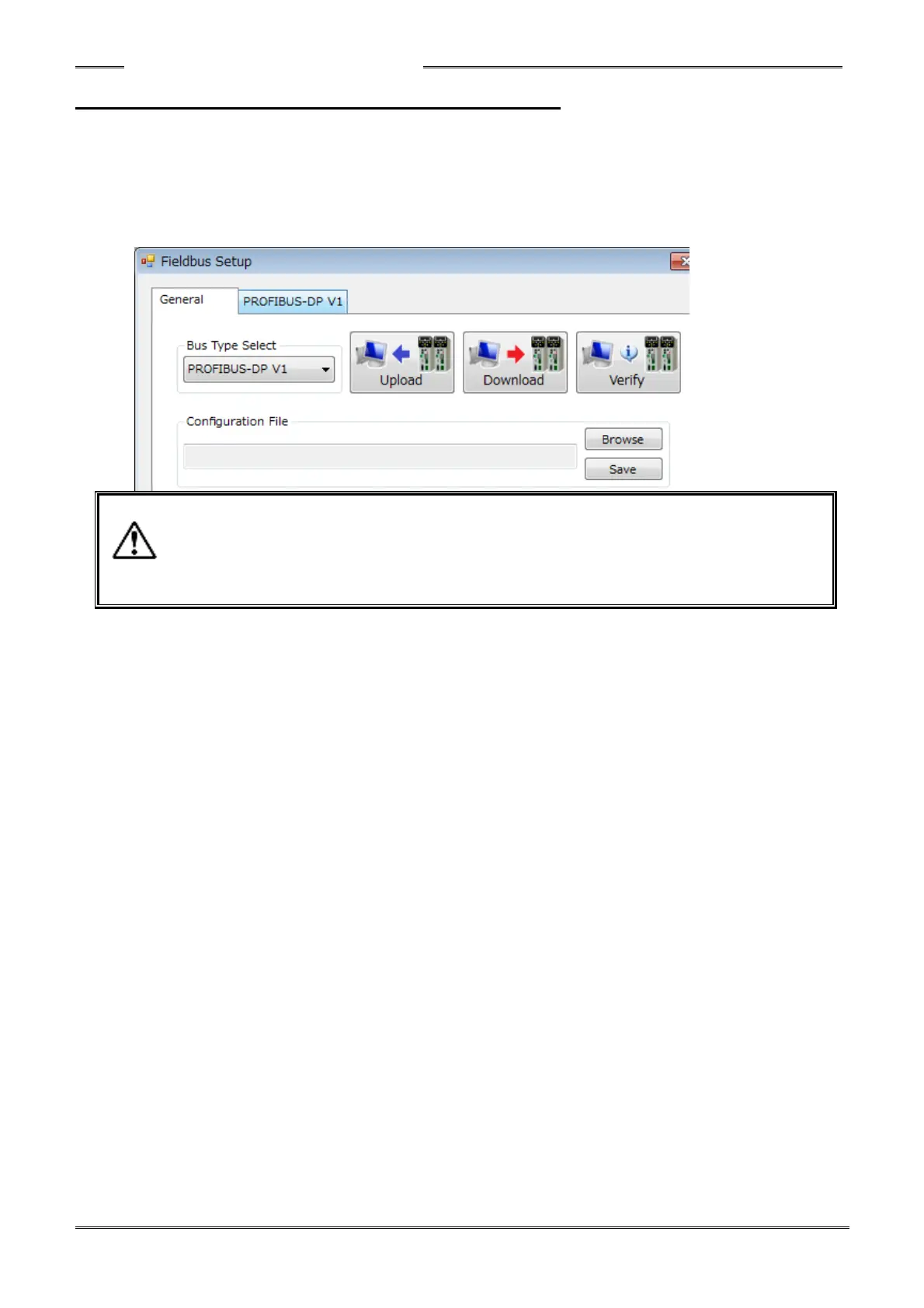
The fieldbus settings are set in the “Fieldbus Setup” menu of the HFC3000 User Console Software. The
below ‘window’ is displayed when “OPTION” → “Fieldbus Setup” is selected from the menu bar.
In the ‘Fieldbus Setup’ screen, selection of the fieldbus type, uploading, downloading, verification of
fieldbus settings (between PC & controller), Browsing and Saving of fieldbus settings to the PC can be
performed.
- The factory settings are setup in the controller. Do not change the settings unless
there is a special reason.
- Perform a parameter backup before changing the fieldbus settings of the controller.
- When "Browse" is selected, if the file version of "HFC3000 software" and a “fieldbus
configuration file" is different, a warning (window) is displayed in the software.
●Bus Type Select: Selects the type of fieldbus interface from a pull-down list. (When “Upload” is performed, the
bus type is shown in the ‘Bus Type Select’ window.
●Configuration File
・Browse: A fieldbus configuration file (*.nrfcf) is read from the PC.
・Save: A fieldbus configuration file (*.nrfcf) is saved in the PC.
●Upload: The Fieldbus Setup is read from the HFC3000 controller and uploaded to the PC HFC
Software. If the “File version check” checkbox in the “Upload/Download” screen is
checked, the file version is checked.
●Download: The Fieldbus Setup is written from the PC to the HFC3000 controller. If the “File version
check” checkbox in the “Upload/Download” screen is checked, the file version is checked.
●Verify: The Fieldbus Setup of the HFC3000 Controller and the Fieldbus Setup in the HFC3000
User Console Software is compared.



 To Next Page