Chapter 6 Fastening Operation
PAGE 6-7
6-2-2 Real Time Display Mode
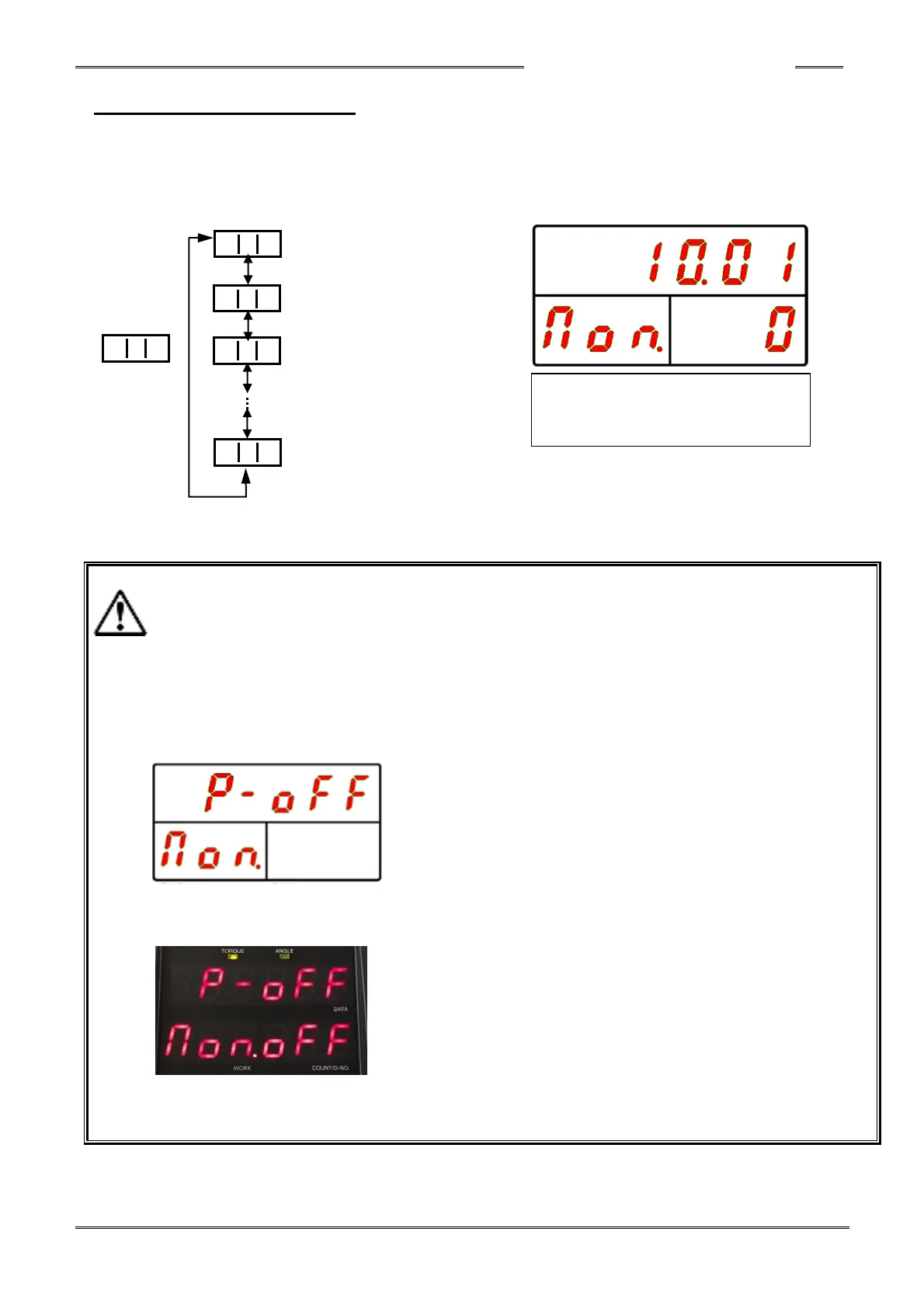
In the real time display mode, “Non.” (Monitor) is indicated on the WORK Display.
By pressing the [▲] or [▼] push-button, the “D-NO” can be changed ±1.
The numbers can be advanced 5 at a time by holding the [▲] or [▼] push-button longer. “WORK”
“COUNT/D-NO” “DATA”
Torque Value Display
Torque Voltage Value Display
Maximum Torque Value Display
Fieldbus
Status monitor
Please refer to the “List of Contents Displayed in the Real Time Mode” regarding the respective
data contents indicated in the DATA Display when “COUNT/D-No.” is changed.
・When the CAL button is depressed or the RESET signal is input when any of the D-Nos. 3 ~ 7
is displayed, the torque will not be indicated (the check being performed will be displayed
instead).
・When the CAL button is depressed or the RESET signal is input when in the Real Time
display mode, “CAL” or “RES” will not be indicated in the D-NO display
・"P - oFF" is displayed in the upper display when the drive power supply in the controller is
not yet turned on.
When powering on and the display stays on as shown below (and does not change to RUN Mode)
this indicates the installed Fieldbus type does not match the Fieldbus type setup in the controller.
Download the correct Fieldbus type to the controller (using the HFC3000 software) and then
re-power the controller (turn off / turn off).
[▲] or [▼] button
(Advance 5 at a time by holding
down the button)



 To Next Page