Chapter 7 Troubleshooting
PAGE 7-18
7-5. RTC (Real Time Clock setup)
The HFC3000 controller is equipped with a RTC (real time clock) for holding date and time data.
・Model ANG-RTC
・Backup power source Before June 2016: Backup by electric double layer capacitor
July 2016 and after: Lithium Battery
Backup duration in power OFF state Approx. 1000 hours
Power ON time needed for full charging of clock unit 1 hour
With a spare controller, etc., be careful because the time setting inside a controller will be cleared if
the control power of the controller is not turned on for 2 months or more.
Please perform time adjustment periodically as the clock loses time at a
rate of approximately 10 minutes a month.
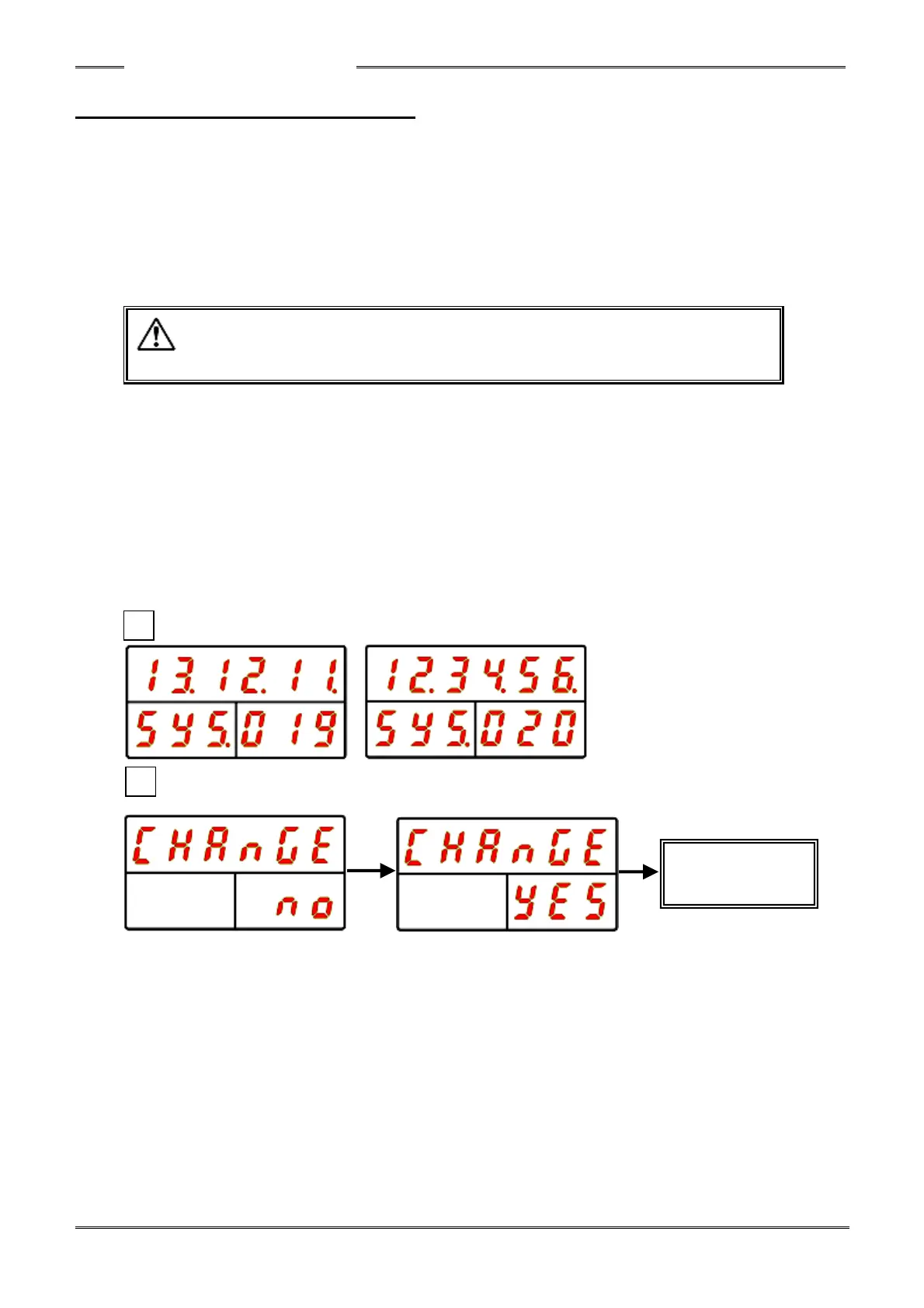
●Procedures for Changing the Date/Time of a controller (display)
1. Press and hold the PROGRAM switch of the controller. (to enter program mode)
2. Depress the arrow buttons so “SYS” is indicated in the Work No. Display and “019” or “20” (“RTC:
Year/Month/Day (Time)”) is indicated in the COUNT/D-No. Display and then press the [SET] switch.
3. After transitioning to the set / editing mode, depress the arrow buttons to change to the desired date or
time (“▲”, “▼”: for incrementing/decrementing the value; “◄“, “►”: for moving the cursor).
4. Press the [SET] button, and within 2 seconds, press the “▲” or “▼” button to change “NO” to “YES,”
and then press the [SET] button again.
5. Press and hold the PROGRAM button of the controller. (exit program mode)
* Besides the method of setting dtae/time from the controller display, synchronization with the date/time
of a connected PC can be performed from the “Date/Time Setting” window of the HFC3000 User
Console software.



 To Next Page