Chapter 6 Fastening Operation
PAGE 6-5
6-2 RUN Mode
When the power is activated (turned ON) and the initialization process ends, the (RUN mode) is entered.
In the RUN mode, mainly the fastening results, abnormal status, Axis No., parameters, etc., are
indicated.
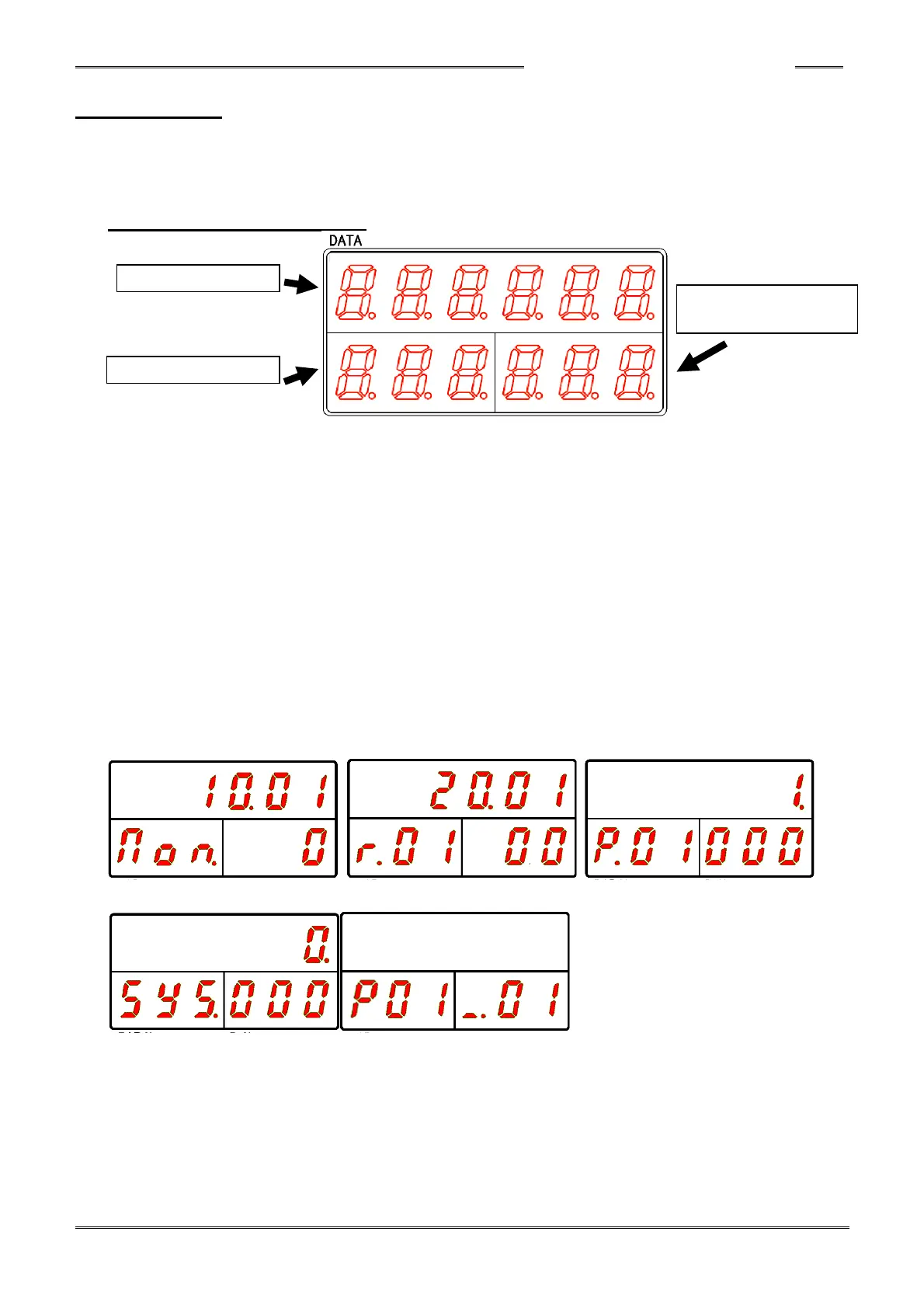
Data Display Section (RUN Mode)
DATA Display
In the real time mode, fastening result mode, and parameter (system) setting mode, the fastening
result, set value (parameter), or executed value is indicated here as designated by the
COUNT/D-No. Display.
WORK Display
The WORK No. is indicated here (if sequence operation is disabled, the parameter No. is
indicated). When an Abnormal occurs, the abnormal code No. is indicated.
COUNT/D-No. Display
In the real time mode, fastening result mode, and parameter (system) setting mode, the Data No.
of the preset data is indicated.
Also in the run mode, the current speed state is indicated while fastening and the current cycle
count value (C##) is indicated when the fastening operation has not started. The abnormal No.
sub code is indicated when an Abnormal occurs.
■Real Time Mode ■Fastening Result Mode ■Parameter Setting Mode
■System Setting Mode ■Run mode
Please refer to the following pages concerning the respective modes in the RUN mode.



 To Next Page