Chapter 6 Fastening Operation
PAGE 6-17
6-3-2 Parameter Selection Mode
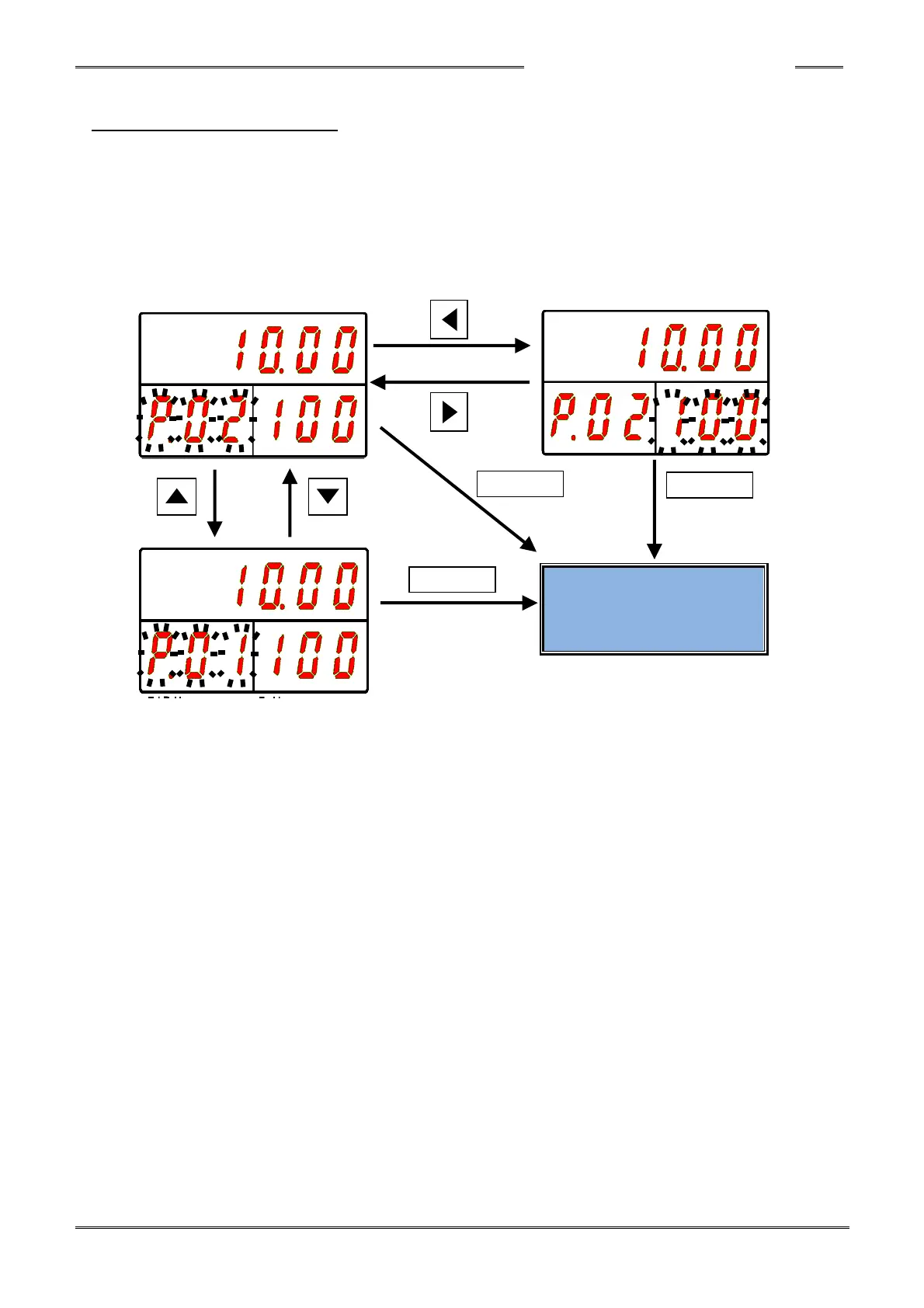
Immediately after “Parameter Selection Mode” is established, the cursor (blinking number) is
displayed on the PAR No. Display when the [◄] push-button is pressed. When the [►]
push-button is pressed, the cursor (blinking number) is displayed on the D-No. Display.
The display set value of the cursor (blinking character) can be changed by ±1 using the [▲] or [▼]
push-button. The numbers can be advanced 10 at a time by holding the [▲] or [▼] push-button
longer.
“Parameter Edit Mode” can be entered by pressing the [◎ SET] push-button.



 To Next Page