Chapter 4 Installation and Wiring
PAGE 4-21
4-6-1 How to Calibrate the External Monitoring Device
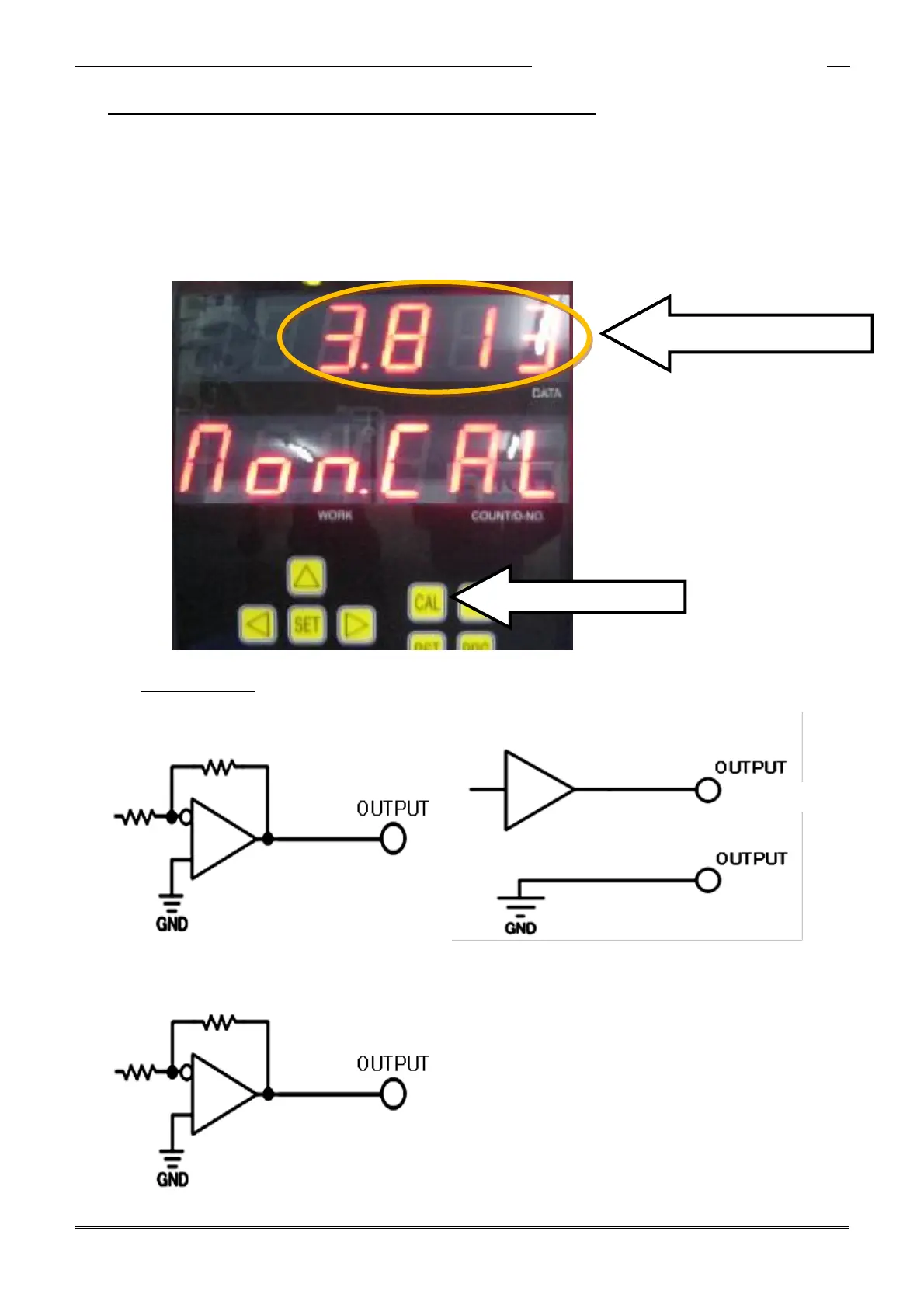
When pressing the CAL button on the unit display device, the torque voltage is output to the TORQUE
OUT pin with the voltage potential difference of approximately ⊿3.7V (from tool ZERO level)
At the same time, the torque value detected on the tool is displayed on the DATA display screen.
Set the same torque value by using the external monitoring device to adjust the torque voltage.
(The zero torque voltage at no load is not 0V)
The voltage value of each tool varies. Therefore, the zero point needs to be corrected by using the
external monitoring device.
Output Circuit
●Torque, Current, Speed Voltage Output ●Angle Pulse, Normal/Reverse Output
●Current, Speed Voltage Output



 To Next Page