Chapter 6 Fastening Operation
PAGE 6-15
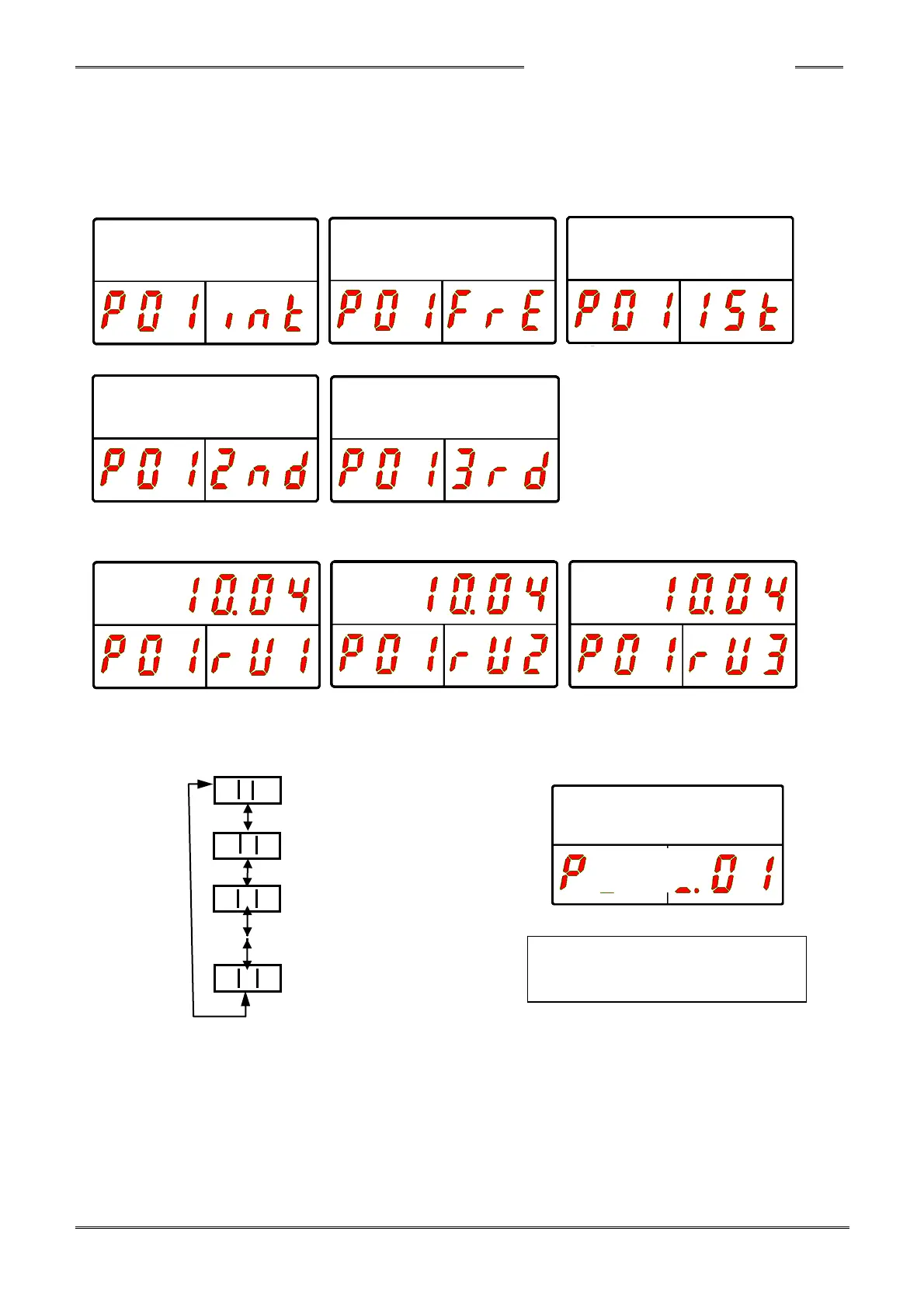
During fastening operation, the operation speed and the fastening step are indicated in the WORK
display, as well as the parameter No. (01~ 64) that is currently in operation. The mode cannot be
changed in the display during fastening operation.
Transition to the fastening result mode is performed automatically after the fastening ends.
The following are indication examples during a fastening operation of parameter No. 1.
■During initial speed ■During freerun speed ■During 1st speed
■During 2nd speed ■During 3rd speed
*The display content of the upper section of the indicator is maintained during reverse operation.
■During reverse 1 speed ■During reverse 2 speed ■During reverse 3 speed
“WORK”
Work No. 01
Work No. 02
Work No. 03
Work No. 64
*The operation cannot be performed if the controller System Parameter [034] is setup to select the work
selection by external PLC (instead of the Front Panel).



 To Next Page