Chapter 5: System Software
5-5
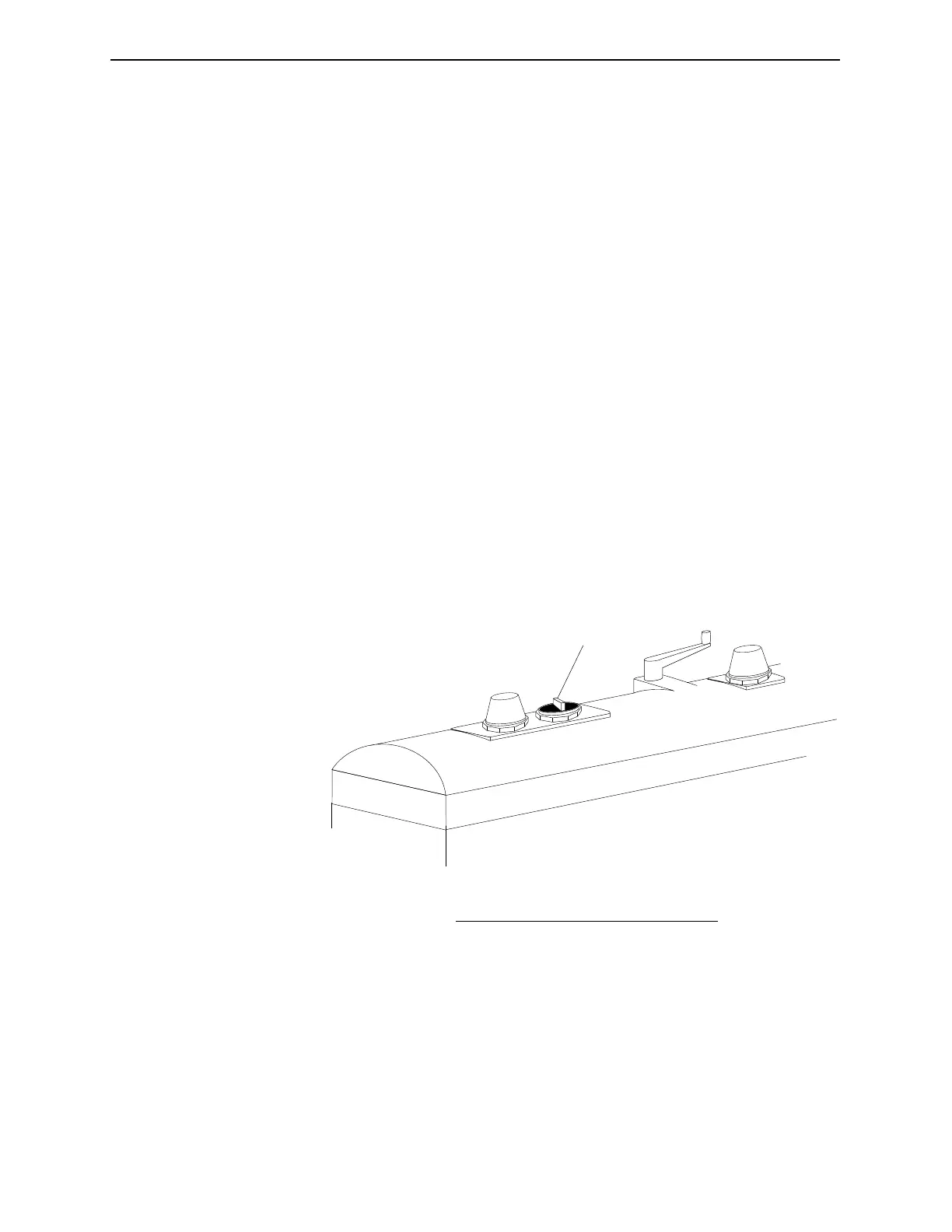
The Safety Interlock Switch
The Safety Interlock Switch is a physical on/off switch located on
the top of the FT-70. This switch must be turned on to enable the
X-ray Generator. Other than for an emergency there is no need to
turn the Safety Interlock Switch off.
The purpose of the Safety Interlock Switch is to provide an external
emergency shut off switch. When the switch is turned off the X-ray
Generator immediately shuts off so that no x-rays are generated
and it also deactivates the X-ray Status Function in the system
software.
If you turn the Safety Interlock Switch off, you must perform the
following procedure to reset the safety interlocks.
1. Turn the Safety Interlock Switch on.
2. Press Key 1 until X-RAY STATUS appears.
3. Press the Arrow Key to turn the X-ray Source Status on. The
generator will take approximately 5 seconds to reach full
power and begin generating of x-rays.
Figure 5-2. The Safety Interlock Switch
1
No. Description
1 Safety Interlock Switch
Industrial Dynamics Company, Ltd. © Form 40256-0600



 To Next Page