FT-70 Fill Level Inspector Service Manual
5-4
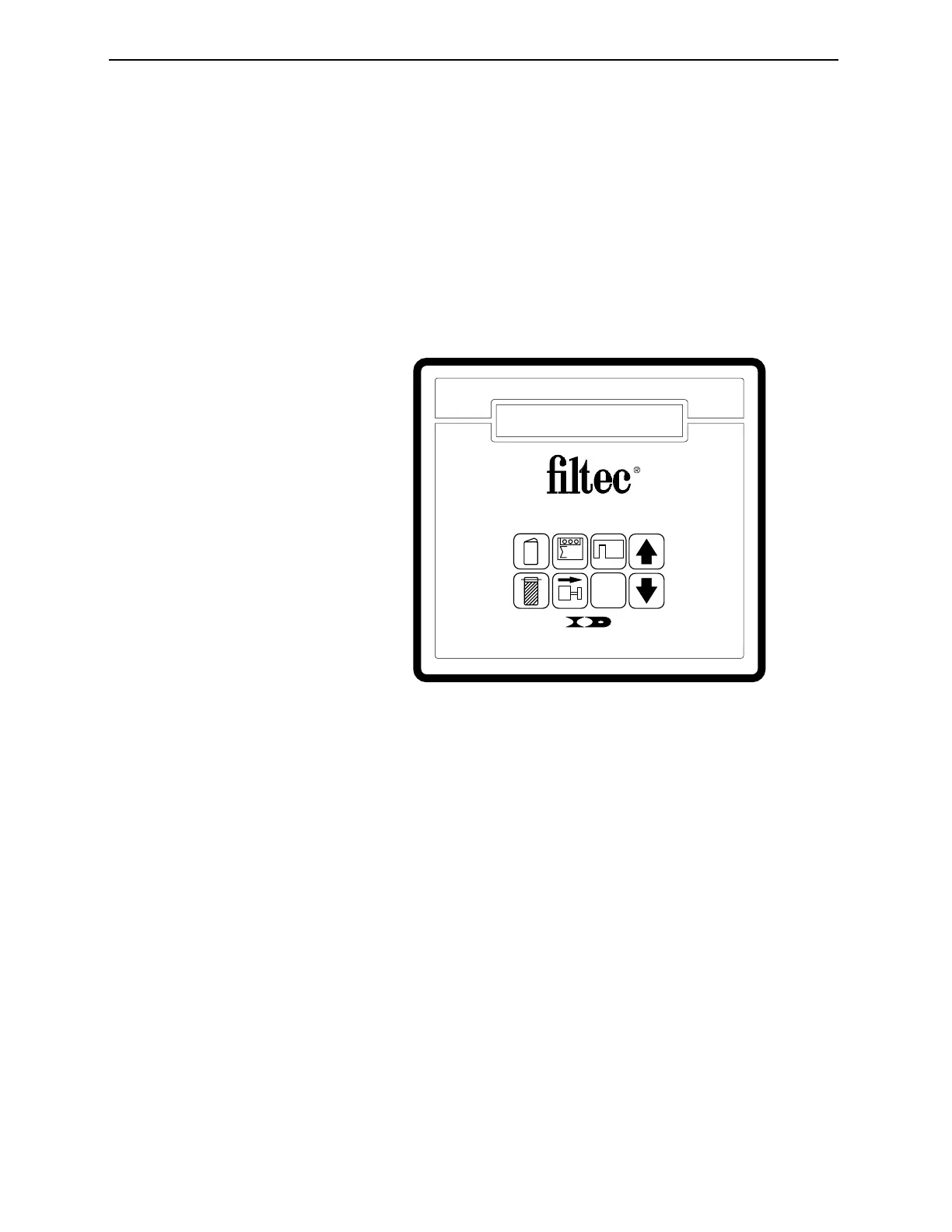
The Control Panel
You can access all the FT-70’s system functions through the Control
Panel. The Control Panel contains eight keys and a two-line LCD
(Liquid Crystal Display) capable of displaying 24 characters per
line.
A remote, hand-held control is also available. The Remote Control
Panel detaches from the FT-70, providing even higher system
security.
Figure 5-1. The FT-70 Control Panel.
Using the Control Panel
The Function Group Keys
The Function Group Keys are numbered one through six. Pressing
a function key displays the first function in that group. Repeatedly
pressing the same function key scrolls through the list of functions.
The Arrow Keys
To change a parameter value, enable/disable a function, or clear an
error, select the proper function and then press the Up or Down
Arrow Key until the desired value is displayed. You can press
either Arrow Key unless directed otherwise.
After you make a change, press another function key, or wait 5
seconds, and the value is entered into memory.
?
6
INDUSTRIAL DYNAMICS
Torrance, California USA
MODEL FT-50
FILL LEVEL INSPECTOR
4
3
5
2
1
Industrial Dynamics Company, Ltd. © 40256-0600



 To Next Page