FT-70 Fill Level Inspector Service Manual
3-4
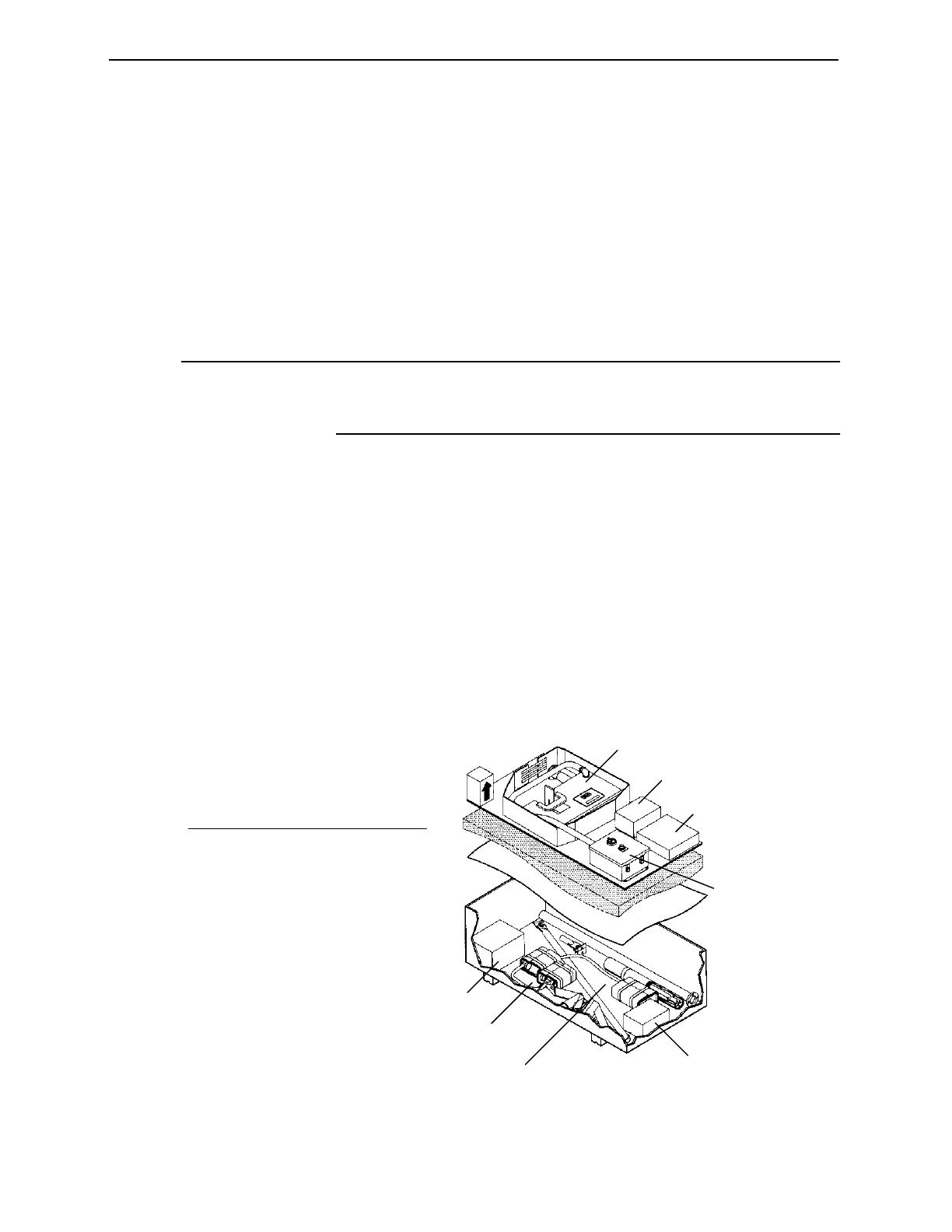
Unpacking the FT-70
The FT-70 and all accessories such as mounting hardware, the
encoder, spare parts, and special lubricants are packed in
individual boxes inside the main shipping box. The radioisotope is
shipped separately from the FT-70 and comes with special
handling instructions.
1. Inspect the outside of the packaging for damage. If there is any
damage make a note and contact the shipper immediately.
Note
Damage to the outside does not necessarily indicate internal
damage, however it increases the likelihood because it indicates
the container was handled poorly during shipping.
2. Unpack the unit slowly and carefully so that you do not
damage the equipment inside. When removing the FT-70
Inspection Head grasp it by the sides, do not pick it up by any
brackets or handles.
3. Check all packing materials before discarding to make sure no
parts are accidentally discarded.
4. Inspect all parts for damage that may have occurred during
shipping. Immediately notify the responsible freight company
and Industrial Dynamics' Customer Service Department if any
part(s) is damaged.
Figure 3-1. Unpacking the FT-70
8
7
6
5
4
3
2
1
No. Description
1 FT-70 Inspection Head
2 Encoder Assembly
3 System Manuals
4 I/O Junction Box (optional)
5 Air Purge Assembly
6 FT-70 Floor Stand Assembly
7 Rejector Assembly
8 Rejector Assembly
Industrial Dynamics Company, Ltd. © 40256-0600



 To Next Page