User Manual NTU Orion 2
108
<CONFIRM>
–
confirm all configurations (written in the startup configuration)
7.2 Example 2 of configuration of Orion 2 devices
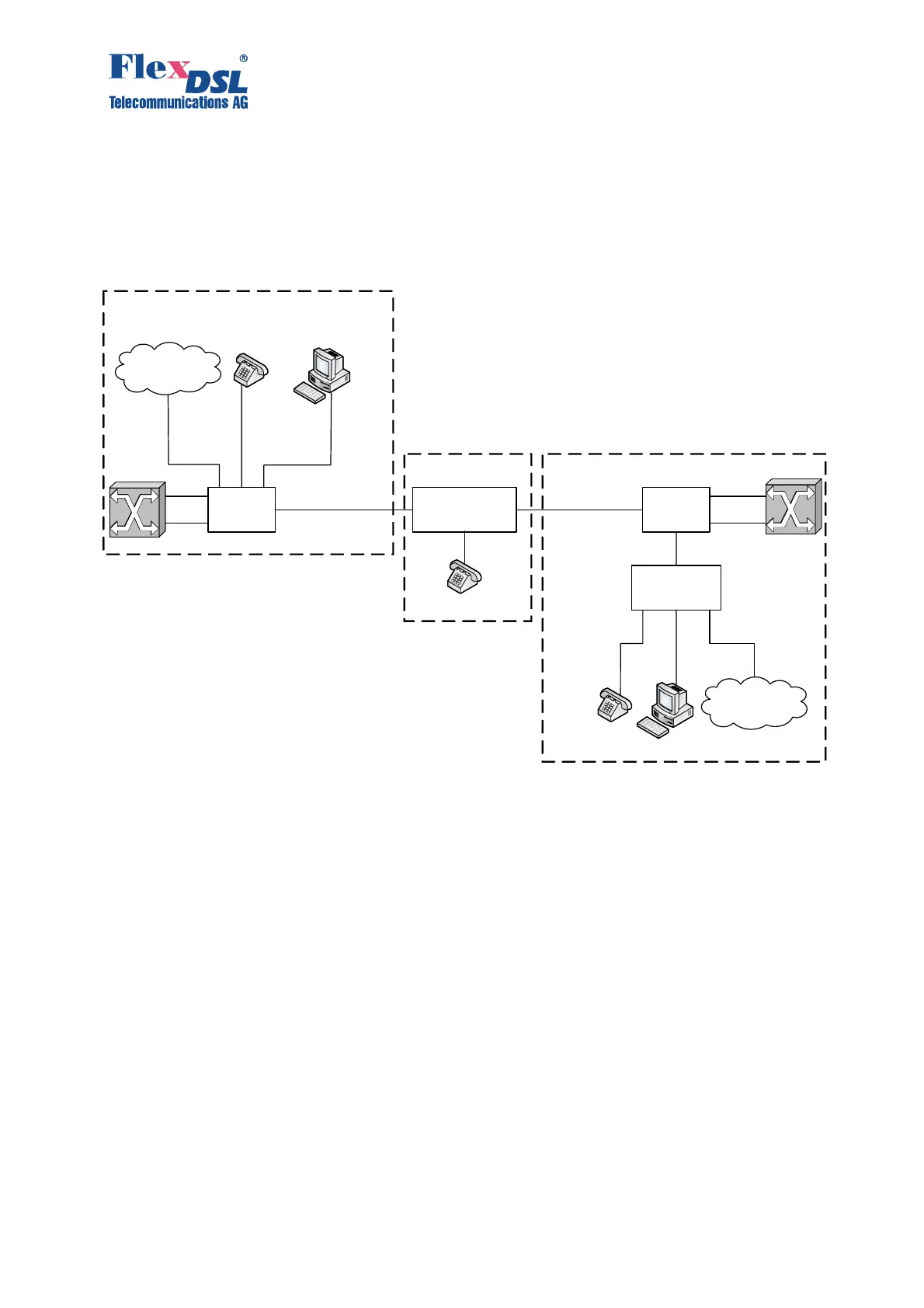
An example of a more complex organization of a data transmission system with the help of
Orion 2 devices is presented below:
Note: Both PABXs (ATS in the figure) support the CRC4 mode, if this mode is enabled.
Before setting IP addresses of the system devices, make sure that these IP addresses
are not used by other devices connected to the system. (Enter the PING command to
check IP addresses in all networks connected to the FlexDSL Orion2 equipment).
7.2.1 Configuration of the FlexDSL Orion 2 device at the Central Office premises.
System configuration (Configuration Management menu):
<DEFAULT EVERYTHING> –
enable default settings
<POWER ON>
–
switch on remote powering (the modes are activated by
jumpers on the main board)
Line interface configuration (Configuration Management menu):
<MASTER ON>
– enable the Master mode
Configuration of the internal Ethernet switch (Network Management submenu):
<SETIP 10.0.2.200>
–
set the IP-address of the device (depends on the
configuration of the connected network)
Orion2
LTU
RGNo2
(remote power)
Orion2
NTU
SHDSL
SHDSL
FG-PAM-SRL-2E1B/4Eth-RP, V9
FG-PAM-SA2N-2E1B/Eth, V8
FG-PAM-RGN-Eth-PL, V8
G.703 (E1-1)
Management PC
MAC=00:09:26:01:8A:05
VoIP
MAC=00:09:26:01:8A:03
Ethernet
Switch
Management PC
MAC=00:09:26:01:8A:06
VoIP
MAC=00:09:26:01:8A:04
Repeater Point
G.703 (E1-2)
ATS
G.703 (E1-1)
G.703 (E1-2)
ATS
Ethernet
Network
ETH1 ETH2 ETH3
VoIP
MAC=00:09:26:01:8A:07
Ethernet
Network
Customer Premises Equipment
Central Office



 To Next Page