User Manual NTU Orion 2
96
5 SOFTWARE DOWNLOADING
The device hardware allows using new functions by updating the software.
The downloading of the software can be performed as follows:
• via the RS232 port by using the “Flash Loader” program;
• via the RS232 port by using the X-modem protocol;
• via Ethernet (the X-modem protocol).
5.1 Software loading via the RS232 port with the help of the Flash Loader program
To download the software to the device, do the following:
1. Switch off the device. Check the value of the voltage in the electrical supply network (~220
V
AC
+/- 10%; 38 72 V
DC
).
2. Connect the Monitor connector of the device with the Com port (RS232) of the PC.
3. Double-click “flashloader.exe”;
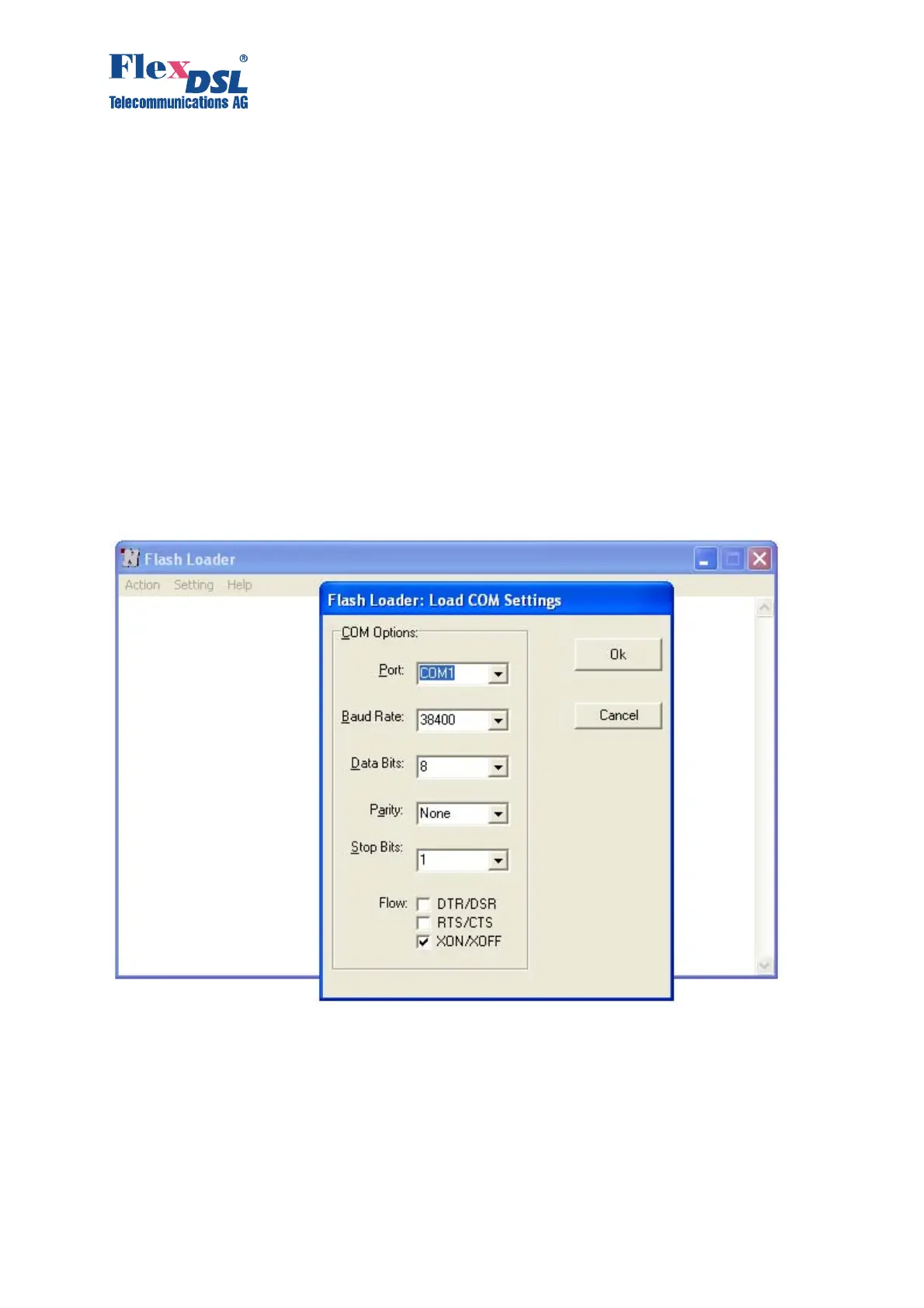
4. Select “Set Loader Communication” in the “Setting” menu; then, select the settings as those
shown in the Figure below and click “OK”.



 To Next Page