User Manual NTU Orion 2
27
3.3.2.2.4 AIS Detection
If this mode is enabled, the receiving of an AIS over the E1 interface will cause the following:
• a non-urgent alarm will appear;
• AIS will be transmitted to the remote device of the DSL.
The AISDET ON/OFF command (the Configuration management menu) is used to
enable/disable the AIS Detection mode.
Warning! It is recommended to enable the AIS Detection and AIS Generation modes.
3.3.2.2.5 Е1 clock modes
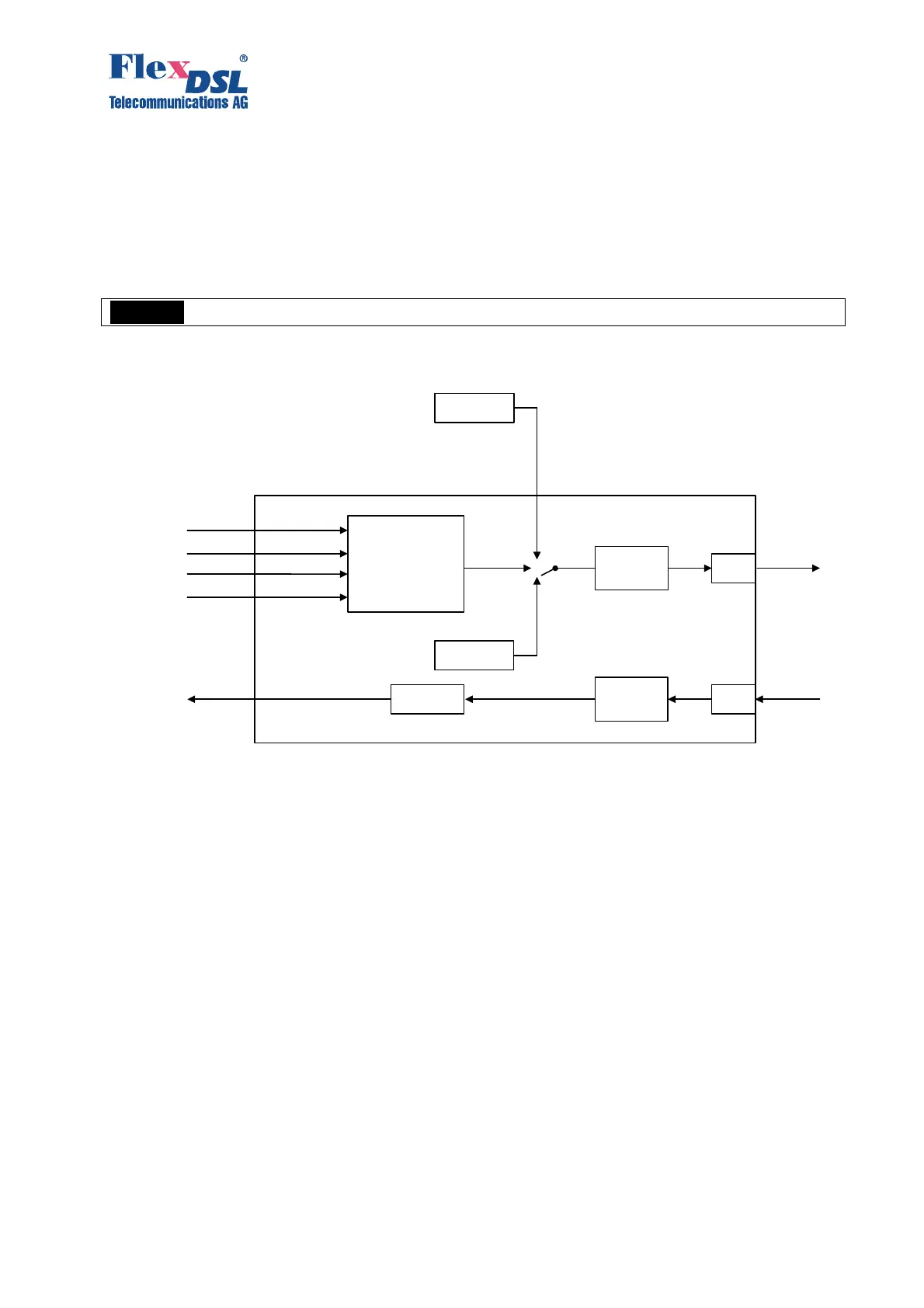
Figure 3.11. Е1 clock modes
The following sources can serve as reference timing signals for a device with the E1 network
interface in the xDSL direction:
1. An external generator (for SubRack FlexDSL Orion 2 devices) (EXTERNAL).
2. A signal from the first input E1 stream (E11) (in its presence).
3. A signal from the second input E1 stream (E12) (in its presence).
4. A signal from the second input E1 stream (E13) (in its presence).
5. A signal from the second input E1 stream (E14) (in its presence).
6. A signal from the internal generator (INTERNAL).
The user can configure the priority levels for clock sources using the SETCLOCK command.
The device automatically switches to the clock source with the highest priority under conditions
that synchronization in this mode is possible.
EXTERNAL means synchronization from an external generator having the parameters
corresponding to ITU-T Rec. G.703.10. If the input signal of the external clock is lost, the device
switches to another clock source according the priority level. When configuring synchronization,
this external clock should have the highest priority. If the external generator is absent, it should
not be included in the priority list.
E1 stream priority selection
E1 stream
RX
Stuffing
synchronization
Internal
oscillator
Clock recovery
from xDSL line
xDSL
TX
xDSL
RX
xDSL side
E1 side
Clock from E1
External
oscillator
E1-4
E1-3
E1-2
E1-1



 To Next Page