DSX-600 CableAnalyzer
Technical Reference Handbook
34
Step 3: Turn Off the Auto Save Function
For this tutorial, you will manually save the test results.
3-1 On the home screen, tap the Next ID panel.
3-2 On the CHANGE ID screen, tap the Auto Save control to make
it show Off.
3-3 Tap DONE.
Step 4: Do an Autotest
4-1 Attach the channel adapters to the main and remote testers.
4-2 Turn on both testers, then connect a twisted pair cable
between the adapters.
4-3 Tap TEST on the main tester or press on the main or
remote tester.
Step 5: Look at the Results
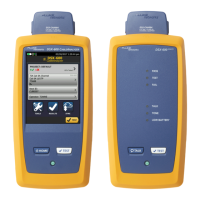
The tester shows the Autotest results in three formats (Figure 12):
WIRE MAP: Shows the connections between the ends of the
cable.
PERFORMANCE: Shows the overall result for each test. Use
this screen to quickly see which test failed.
Plot and tabular results screens: Tap a test on the
PERFORMANCE screen to see a table or plot of the results.
If you set HDTDR/HDTDX to All Autotests, you can see the
analyzers’ results on the DIAGNOSTIC tab.









 To Next Page